Physical Address
304 North Cardinal St.
Dorchester Center, MA 02124
Physical Address
304 North Cardinal St.
Dorchester Center, MA 02124

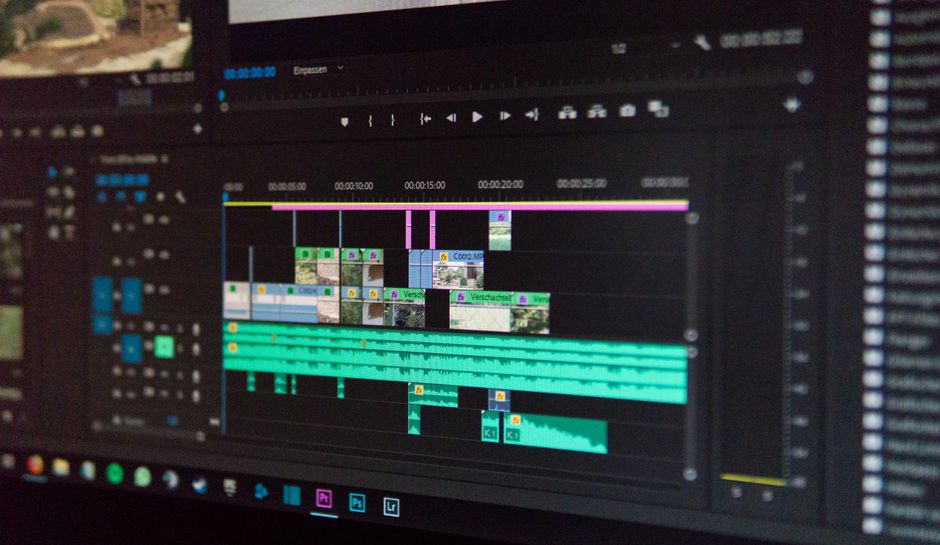
Compare Movavi Video Editor 2026 vs Wondershare Filmora. Discover pricing, AI features, ease of use, and find the best beginner video editor.
The landscape of video editing has undergone a massive transformation. Splicing raw footage together manually or spending dozens of hours mastering complex timelines is no longer a rite of passage for new content creators. Today, artificial intelligence handles the heavy lifting—from automated subtitle generation and voice denoising to text-to-video scene generation. If you are starting your journey as a YouTuber, TikToker, educator, or business owner, finding the right software is crucial. You need a platform that is accessible enough to learn in an afternoon, yet powerful enough to deliver professional results without dragging your workflow to a crawl.
In this arena, two software suites lead the charge as the absolute best beginner-friendly video editors on the market: Movavi Video Editor 2026 and Wondershare Filmora 15. Both programs are designed to capture the sweet spot between overly restrictive, free mobile apps and complex professional environments like Adobe Premiere Pro or DaVinci Resolve. However, they approach simplicity and creativity from entirely different directions. While Movavi leans heavily into minimalist, hyper-streamlined design with localized, fast AI functions, Filmora goes all-in on cloud-assisted generative AI and a massive creative asset library.
This comparison review breaks down both programs in depth. We will examine their current feature sets, performance levels, hardware system requirements, and pricing plans. By the end of this guide, you will know exactly which software deserves a permanent spot on your desktop drive.
For a fast overview, here is an at-a-glance comparison detailing how Movavi Video Editor 2026 and Wondershare Filmora 15 match up on their core capabilities, target audiences, and overall value propositions.
| Feature/Metric | Movavi Video Editor 2026 | Wondershare Filmora 15 |
|---|---|---|
| Target Audience | Absolute beginners, social media creators, casual editors, and musicians wanting zero learning curve. | Advanced beginners, intermediate YouTubers, marketers, and creators seeking cinematic effects. |
| Interface & Learning Curve | Hyper-minimalist, intuitive workspace; mastered in under 20 minutes. | Traditional non-linear timeline; slightly busier but highly customizable. Mastered in 1-2 hours. |
| Standout AI Tools | Local AI Background Removal, AI Motion Tracking, Auto Subtitles (30+ styles), and One-click Silence Removal. | Timeline integration with Sora 2 and Veo 3.1, AI Mate, AI Audio Stretch, and Smart Portrait tools. |
| Built-in Media & Assets | Modest selection of built-in music, transitions, and titles. Premium assets cost extra. | Massive library of 2.9M+ creative assets and 36,000+ ready-to-use templates. |
| System Requirements | Very lightweight; runs smoothly on older dual-core processors and integrated graphics (4 GB RAM recommended). | Moderate to high; requires dedicated GPU and at least 8 GB-16 GB RAM for 4K video editing. |
| Pricing | $19.95/month, $69.95/year (Plus), or $94.95 for a lifetime license. | $49.99/year (Basic), $59.99/year (Advanced), or $79.99 for a lifetime license (Perpetual). |
| Pros | Lightning-fast rendering, incredibly low system resource usage, clean interface, robust local AI processing. | Frontier AI video generation directly on the timeline, vast stock asset library, deeper multitrack capabilities. |
| Cons | Lacks advanced color grading; effects subscription is expensive; project loading can be sluggish. | Layered pricing with recurring add-on charges; AI credits deplete quickly; can lag on heavy, highly stacked timelines. |
To truly understand which editor is best for you, we must dive beneath the marketing claims and look at how these applications perform in everyday editing environments. Here is a comprehensive look at both tools, including their updates, performance levels, and cost structures.
Movavi Video Editor 2026 is built on a single, compelling promise: you should not need a technical background to create a highly polished video. Released in late November 2025, the 2026 version of Movavi’s flagship software leans heavily into local AI-powered tools that solve annoying editing bottlenecks in a single click. Unlike many modern platforms that force you to upload footage to remote cloud servers to run AI processing, Movavi performs its heavy lifting locally on your hard drive. This local-first architecture ensures your media remains private and secure, while avoiding annoying cloud queue times.
The standout feature of the 2026 build is its highly refined Auto Subtitle engine. Capable of transcribing spoken dialogue in seconds, the tool now includes more than 30 custom, eye-catching text styling options. This is a game-changer for vertical video creators building TikToks, YouTube Shorts, and Instagram Reels. Combined with the new One-click Silence Removal tool, editors can instantly scrub dead air and filler words from long dialogue tracks, reducing a tedious 30-minute cutting process to a single click. Additional AI utilities include an incredibly clean AI Background Removal tool that extracts subjects without the need for a physical green screen, and an updated AI Noise Reduction (Denoiser) that easily handles air conditioning hums and keyboard clicks.
The interface remains Movavi’s crowning achievement. It functions as the "Canva of video editing," utilizing a clean layout with easily identifiable drag-and-drop mechanics. New users can comfortably import, trim, apply transitions, and export a finished project in less than 20 minutes. It is also exceptionally lightweight. With system requirements asking for just a basic dual-core processor, 4 GB of RAM, and 400 MB of installation space, Movavi runs flawlessly on older laptops and budget workstations where heavier programs would crash.
Movavi Video Editor 2026 Pricing:
Note: While the base software is highly capable, accessing Movavi’s premium Effects Store to unlock all overlays and motion graphics requires an extra subscription costing $139.95 per year.
If Movavi is designed to keep editing as simple as possible, Wondershare Filmora 15 (the premier 2026 release) is designed to give you a vast, cinematic playground. Filmora targets the "prosumer" sweet spot. It provides a highly accessible, drag-and-drop workspace while packing in advanced timeline controls—such as custom speed ramping, extensive keyframing, multi-track audio nesting, and professional color-grading wheels—that allow you to grow as your editing skills progress.
In 2026, Filmora’s defining feature is its deeply integrated, cloud-powered AI suite. Wondershare has connected its timeline directly to cutting-edge generative AI models like OpenAI’s Sora 2 and Google’s Veo 3.1. This means you can type a text prompt directly into your media bin, and Filmora will generate high-fidelity, photorealistic video clips directly onto your timeline. This eliminates the need to pay for external stock video subscriptions. Additionally, the software features an AI Mate (providing 500 free conversational prompts) that can act as an in-app editing tutor, assisting you with technical questions as you build your project. For audio, the AI Audio Stretch feature allows you to perfectly fit any background music track to the exact duration of your video without messy cuts.
Filmora also outclasses the competition when it comes to creative assets. A base subscription gives users access to over 2.9 million royalty-free stock assets (images, video clips, and audio tracks) and more than 36,000 templates. However, this massive creative suite comes with a trade-off: system resources. Filmora 15 is much heavier than Movavi. To edit smooth HD or 4K footage, you will need at least an Intel 9th Gen or AMD Ryzen 3 CPU, 16 GB of system RAM, and a dedicated graphics card with at least 4 GB of VRAM. Without these specs, complex timelines with multiple overlapping effects can trigger lag and timeline stuttering.
Wondershare Filmora Pricing:
Note: Users should be aware that Wondershare heavily pushes add-on subscriptions inside the app, such as Filmstock Standard ($19.99/month) or the AI Portrait pack ($5.99/month), which can quickly inflate your total cost.
Choosing between Movavi Video Editor 2026 and Wondershare Filmora 15 comes down to three main factors: your computer’s hardware, your creative workflow, and how you prefer to pay for software. Let us break down how to evaluate these aspects to make the right buying decision.
Before spending a single dollar, take a close look at your computer’s specifications. If you are working on an ultra-light laptop, an older desktop, or a basic business computer without a dedicated graphics card, Movavi Video Editor 2026 is the clear choice. Movavi is masterfully optimized to run on low-end hardware. It renders files quickly and rarely experiences stability issues, even on systems with only 4 GB of RAM. On the other hand, if you own a modern gaming PC or a high-performance Mac with an M-series chip and at least 16 GB of RAM, you can easily handle Filmora 15’s heavier resource demands, allowing you to take full advantage of its 4K/8K timeline playback and intensive AI calculations.
Are you looking to produce quick, high-volume social media clips, or are you crafting cinematic, highly stylized travel vlogs and short films? If your primary goal is speed—getting in, cutting a clip, adding auto-subtitles, clearing out the silence, and exporting a YouTube Short or TikTok within 15 minutes—Movavi’s streamlined workspace will save you hours of unnecessary clicking. However, if you want your videos to have custom visual flourishes, complex text animations, stylized transition packs, and generative AI footage, Filmora’s massive asset library and advanced timeline tools offer far greater creative freedom.
While both programs offer "lifetime" licenses, they treat upgrades very differently. A lifetime purchase of Movavi Video Editor 2026 gives you permanent access to the 2026 edition, but you will not receive major yearly upgrades (like the 2027 or 2028 editions) without paying an upgrade fee. Similarly, Filmora’s Perpetual Plan ($79.99) secures your license for the Filmora 15 generation, but moving to future major versions will require a new purchase. Additionally, if you plan to use generative AI features heavily, Filmora’s Advanced Annual Plan ($59.99/year) is actually the better deal because it provides a fresh pool of 1,000 AI credits every single month.
Yes, both applications offer free download trials. However, both restrict their free versions significantly. Movavi Video Editor 2026 offers a 7-day trial that adds a watermark to exported videos and limits exports to 60 seconds in length. Wondershare Filmora’s free trial has no expiration date, but it places a very prominent, highly visible watermark across the center of your exported files and restricts access to premium AI features and assets.
While both tools are highly capable of creating vertical 9:16 videos, Movavi Video Editor 2026 has a slight edge for high-volume social media creators. Its automated dialogue features—like the one-click silence remover and the 30+ stylized auto-subtitle templates—make formatting vertical videos incredibly fast. Filmora is also excellent, but its workflow requires a few extra steps to achieve the same results.
For Movavi Video Editor 2026, you do not need an active internet connection for day-to-day editing because its primary AI engines (such as background removal and audio denoising) run locally on your computer’s hardware. Filmora 15, however, requires a stable internet connection to utilize its most advanced features, including the Sora 2 and Veo 3.1 text-to-video generators, the AI Mate assistant, and cloud-based stock downloads.
Yes, particularly with Filmora. Many users find that while the base subscription of Filmora is highly affordable, Wondershare locks many premium transitions, stock music tracks, and effects packs behind an additional Filmstock subscription. Furthermore, utilizing generative AI features in Filmora consumes "AI Credits," which may require you to purchase additional credit packs if you run out. Movavi also locks its best effects behind a secondary Effects Store subscription, though its basic built-in package is sufficient for most standard edits.
Both of these applications are exceptional, and choosing a winner depends entirely on your specific creative goals. However, in this head-to-head match, we must name a definitive champion for the title of Best Beginner Video Editor in 2026.
If you are an absolute beginner who values speed, privacy, and simplicity above all else, Movavi Video Editor 2026 is the winner. It is the closest thing to a "desktop Canva" available. It is incredibly fast, refuses to bog down older hardware, and allows you to go from raw footage to a beautifully subtitled, silence-free export in record time without any technical frustration.
However, if you want a tool that can grow alongside your skills, Wondershare Filmora 15 is our overall champion. For a slightly lower starting price, Filmora offers an incomparably larger ecosystem. Its direct timeline integration with frontier AI models like Sora 2 and Veo 3.1 gives you access to next-generation video creation tools that Movavi simply cannot match. While it demands beefier computer hardware and has some aggressive upselling, Filmora provides the absolute best balance of beginner accessibility and intermediate-to-advanced creative depth on the market today.
Prices and features mentioned are accurate as of the date of publication. Always check the official provider website for the most current pricing and availability.




