Physical Address
304 North Cardinal St.
Dorchester Center, MA 02124
Physical Address
304 North Cardinal St.
Dorchester Center, MA 02124

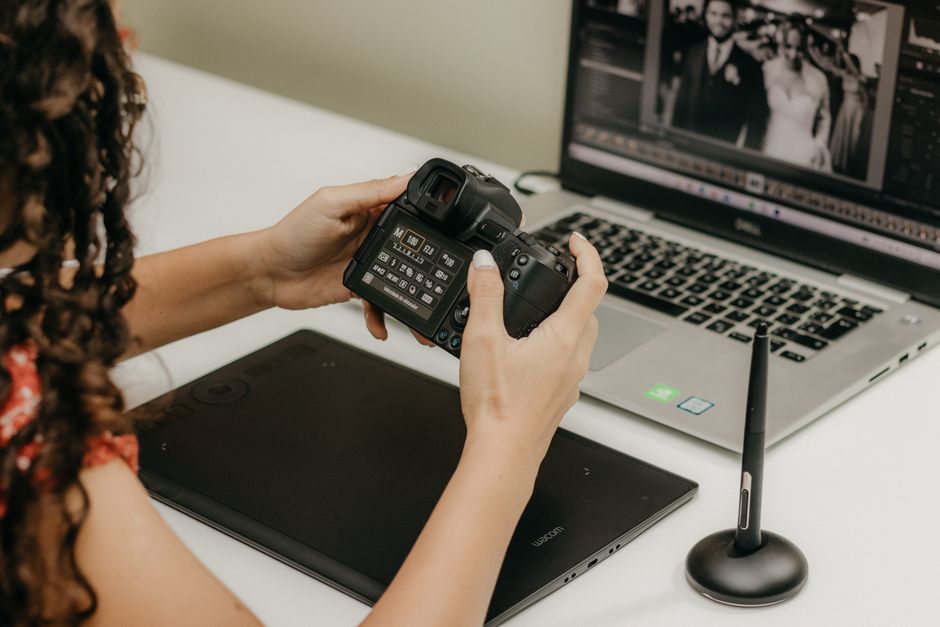
Our in-depth 2026 comparison of Capture One Pro 16.8 vs Adobe Lightroom 15.4. Compare updated pricing, AI features, tethering, and find your perfect RAW editor.
The debate between Capture One and Adobe Lightroom has reached a dramatic turning point in 2026. Both platforms have unleashed major mid-year updates—introducing Lightroom Classic version 15.4 (and Lightroom Desktop 9.4) alongside Capture One Pro version 16.8. These releases mark a massive shift in how professional photographers manage their digital assets, handle high-volume culling, and execute complex edits.
This year, the comparison is more than just a battle of sliders and color engines. Substantial price adjustments from both companies have forced creators to closely calculate their return on investment. Adobe has pushed its cloud ecosystem hard, while Capture One has responded with groundbreaking local network collaboration tools designed for commercial studios. Choosing the right software today requires a clear-eyed look at your budget, your computer hardware, and your day-to-day shooting requirements.
Whether you are a solo portrait shooter, a wedding photographer processing thousands of frames, or an enterprise studio coordinator managing multiple retouchers, this comprehensive 2026 guide will help you decide which platform is truly the best RAW photo editor for your business.
To give you an immediate overview of how the top two RAW processors stack up in 2026, here is a quick breakdown of their key specifications, costs, and primary use cases:
| Feature / Metric | Adobe Lightroom (Classic & Desktop) | Capture One Pro (v16.8) |
|---|---|---|
| Pricing Model | Subscription-only | Subscription or One-time Perpetual License |
| Starting Price (Annual Billed Monthly) | $11.99/mo (Lightroom only) or $19.99/mo (Photography Plan with Classic & Photoshop) | ~$18.00/mo (Pro) |
| Perpetual License Cost | N/A (Subscription-only) | $369.00 (Major updates not included) |
| Standout 2026 Feature | Assisted Culling (Faces Panel), Natural Language AI Search | Multi-User Sessions (Local LAN), Enhanced Denoise, Retouch Faces AI |
| Tethering Speeds | Good (Improved in 2026 updates) | Industry-Leading (Now with 2nd Gen Wireless Tethering) |
| Best For | Solo photographers, wedding/event shooters, and those desiring seamless mobile-desktop sync | Studio, commercial, fashion, and portrait photographers who prioritize color rendering and collaborative setups |
Adobe Lightroom remains the dominant ecosystem in the photographic world, and for good reason. It is split into two distinct experiences: Lightroom Classic, optimized for local desktop storage and cataloging, and Lightroom Desktop, which leverages Adobe Creative Cloud for a seamless, multi-device workflow.
In 2026, Adobe has refined its pricing. For new customers, the highly coveted $9.99/mo Photography Plan with 20GB of storage is no longer available. Instead, new users must opt for the 1TB Photography Plan, which costs $19.99 per month (billed monthly on an annual contract) or $239.88 paid upfront annually. This plan remains a superb value, packaging Lightroom Classic, Lightroom Desktop, Photoshop, and 1TB of cloud space together. Alternatively, solo shooters can subscribe to a Lightroom-only 1TB plan for $11.99 per month.
The June 2026 update (Lightroom Classic 15.4 / Desktop 9.4) brings several game-changing features. Leading the charge is the new Assisted Culling with the Faces Panel. This AI-driven tool automatically detects human faces in your images, scoring them on eye sharpness and whether the eyes are open or closed. This saves wedding and portrait photographers hours of manually zooming in on faces to check focus. Classic users also benefit from a built-in duplicate image finder, which automatically stacks identical or highly similar images to declutter large libraries.
On the cloud-based Lightroom Desktop front, Adobe has introduced true Natural Language AI Search. Photographers can now type conversational queries such as “golden hour portrait in the rain” or “mountain landscape sunset,” and the software instantly surfaces matching files without requiring manual tagging. Combined with Adobe Firefly-powered Generative Remove (which now intelligently generates matching shadows and reflections), Lightroom’s AI tools feel incredibly mature and highly integrated into everyday workflows.
Capture One Pro has built a legendary reputation as the absolute gold standard for tethered shooting, complex color editing, and high-end studio workflows. Rather than competing on cloud-first storage, Capture One focuses squarely on raw performance, hardware speed, and absolute file control.
In mid-2026, Capture One implemented a 6% price increase across its entire product lineup to support continuous platform development. For those choosing a subscription, Capture One Pro is now priced at ~$18.00 per month on an annual contract, or ~$27.50 on a rolling month-to-month plan. The All-in-One plan, which incorporates mobile iOS editing, online collaboration, and cloud-shared settings, sits at ~$24.75 per month. For photographers weary of endless subscriptions, Capture One still offers a one-time perpetual license of Pro for $369.00—though major feature upgrades are not included.
The latest Capture One Pro 16.8 release focuses heavily on team collaboration and studio automation. The most monumental addition is Multi-User Sessions (introduced in version 16.8.2). Operating entirely over a local area network (LAN) to bypass internet bottlenecks, Multi-User Sessions allow a main session owner to tether a camera while multiple retouchers and art directors view, crop, and edit the full-resolution RAW files simultaneously on their own machines. This completely eliminates the slow, traditional workflow of exporting and handing off drives on set.
For portrait and fashion editors, the “Retouch Faces” tool has become indispensable. Utilizing AI, the software detects up to 32 faces in a frame. It provides highly natural sliders for evening out skin tones, removing blemishes, reducing under-eye dark circles, and introducing subtle facial contouring—all while preserving realistic skin texture. Additionally, the newly introduced Enhanced Denoise engine cleans up high-ISO noise with spectacular detail retention. This is paired with 2nd Gen Wireless Tethering, enabling near-instantaneous RAW file transfers from Canon and Hasselblad cameras to desktop or iPad hosts.
When it comes to tethering, Capture One has always held the crown, and the gap has only widened in 2026. Capture One’s tethering is remarkably robust. With its 2nd Gen Wireless Tethering technology, cameras like the Canon EOS R5 send previews to iPads or laptops as quickly as a hardwired USB-C connection, allowing client-facing teams to review work on the fly.
Furthermore, Capture One’s Session-based file organization is perfectly suited for on-set commercial projects. A Session is a self-contained folder structure that holds your captures, selects, outputs, and trash. It can be easily moved between hard drives, shared with clients, or opened on different workstations without breaking database paths. The 2026 Multi-User Sessions take this a step further, allowing zero-latency team editing locally over Wi-Fi or ethernet.
Adobe Lightroom Classic has made strides to improve its tethering stability in version 15.4, but it is still fundamentally built around a monolithic Catalog structure. Managing multi-user edits in Lightroom Classic requires exporting portions of catalogs, passing them off, and merging them back later—a clunky process compared to Capture One’s real-time network sessions. If your daily income depends on shooting directly to a computer monitor with clients standing by, Capture One remains the undisputed champion.
Color rendering is highly subjective, yet there are distinct differences in how these two applications read RAW data from the sensor. Capture One is celebrated for its tailored, camera-specific color profiles. In its latest 16.8.3 service release, Capture One added dedicated color profiles for Hasselblad’s flagship X2D 100C and CFV 100C medium-format systems, delivering jaw-dropping skin tones right out of the box. The software’s specialized Skin Tone tool allows you to select a skin tone, even out the hue and saturation across multiple subjects, and apply a uniform color grade with pinpoint precision.
Adobe Lightroom Classic uses Adobe Color as its default rendering engine, which tends to be more neutral and sometimes flatter initially. While Adobe has added powerful tools like Point Color Variance to isolate and fine-tune colors, achieving the same richness and skin tone transitions in Lightroom often requires more manual adjustment. However, Lightroom’s integration of HDR editing and adaptive profiles makes it incredibly strong for landscape photographers who want to maximize dynamic range directly from high-contrast RAW files.
The choice between Capture One and Lightroom often comes down to your personal philosophy on file organization. Adobe Lightroom Classic operates on a centralized Catalog database. All your photos—whether shot yesterday or ten years ago—can be kept in a single catalog, making it easy to search through hundreds of thousands of files across multiple external drives. The new AI-powered natural language search on Lightroom Desktop and automatic duplicate stacking in Classic make organizing a vast lifetime library easier than ever.
Capture One offers both Catalogs and Sessions. While its Catalog system has improved, it is not as fast or resilient as Adobe’s when handling hundreds of thousands of images. However, Capture One’s Session model is vastly superior for project-by-project organization. It treats each shoot as an independent unit. If you shoot commercial gigs, weddings, or events where you want to keep projects strictly isolated, the Session architecture is clean, highly transportable, and less prone to database corruption.
With both programs boasting cutting-edge AI features and robust tools in 2026, your final decision should depend on your specific shooting style, budget, and collaborative needs. Here is a practical buying guide to help you choose:
Choose Adobe Lightroom if:
Choose Capture One Pro if:
Yes, Capture One Pro continues to offer a perpetual license option for $369.00. However, keep in mind that this one-time fee only covers the specific version you purchase (e.g., version 16.8) and its immediate service bug fixes. It does not include major future feature upgrades or new camera support launched after your purchase. Major upgrades require buying an upgrade license, which is discounted by up to 40% depending on how recently you bought your previous version.
Introduced in mid-2026, Multi-User Sessions allow multiple computers on the same local network (LAN) to connect to a single Capture One Session. The session host retains control over imports and camera tethering, while added collaborators can edit colors, crop, rate, and select RAW files in real time. Because the files remain on a local network, there are no internet speed or cloud storage bottlenecks.
For new subscribers in 2026, the 20GB Photography Plan has been discontinued. New accounts must choose between the 1TB Photography Plan for $19.99/mo or the Lightroom-only 1TB plan for $11.99/mo. Existing legacy subscribers who already had the 20GB plan can keep it, though billing has risen to $14.99/mo unless they choose to pre-pay annually, which locks in the original $9.99/mo rate.
It depends on what you need. Adobe Lightroom excels at generative editing and organizational AI, offering Firefly-powered Generative Remove, out-of-focus AI Sharpening, and Natural Language search. Capture One specializes in workflow and portrait AI, featuring automated “Retouch Faces” sliders for 32 subjects and Assisted Review for culling closed eyes during tethered shoots.
In 2026, the gap between these two programs has matured into a distinct specialization rather than a simple feature comparison. If we must crown a general winner for the vast majority of solo photographers, wedding shooters, and hobbyists, Adobe Lightroom takes the prize. Despite its shifting pricing tiers, the $19.99/mo Photography Plan remains an unbeatable package. You get an outstanding RAW processor, a stellar catalog system with state-of-the-art AI search, seamless cloud workflows, and full access to Adobe Photoshop.
However, for professional portrait artists, fashion shooters, commercial studios, and team-oriented agencies, Capture One Pro 16.8 is the undisputed champion. Its peerless color profiles, revolutionary Multi-User local network collaboration, and incredibly robust wireless tethering make it a mission-critical tool that easily justifies its premium subscription or perpetual price tag.
Prices and features mentioned are accurate as of the date of publication. Always check the official provider website for the most current pricing and availability.




