Physical Address
304 North Cardinal St.
Dorchester Center, MA 02124
Physical Address
304 North Cardinal St.
Dorchester Center, MA 02124

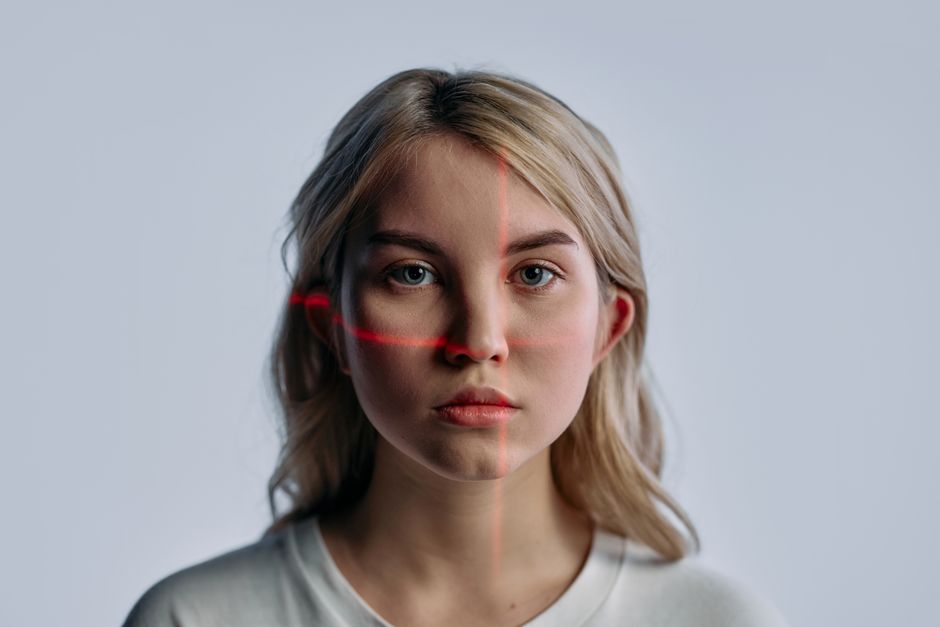
Compare Aperty, Evoto AI, and Retouch4me for 2026. Discover the best AI portrait editing software for your workflow, speed, and budget.
In 2026, the landscape of portrait photography has moved far beyond the initial, clumsy days of automated photo editing. We are no longer in an era where AI retouching is synonymous with plasticky, over-smoothed skin, lifeless eyes, and robotic features. Today, professional photographers, wedding studios, and high-volume retouchers demand software that respects natural skin textures, dramatically slashes post-production times, and fits seamlessly into modern workflows.
Portrait photography is a highly competitive, time-sensitive business. Whether you are delivering thousands of school portrait proofs, color-correcting a massive 800-image wedding catalog, or meticulously refining high-end editorial headshots, post-production is often where profits are either made or lost. This bottleneck has driven the massive rise of artificial intelligence as the primary engine for high-speed, professional-grade retouching. Three major platforms have risen to the top of the AI portrait editor market: Aperty (by Skylum), Evoto AI, and Retouch4me.
Each of these tools takes a wildly different approach to technology, workflow integration, and pricing. Aperty is a local-processing, premium standalone application built specifically for raw-to-export portrait editing. Evoto AI is an incredibly fast, credit-based powerhouse designed for batch-processing and high-volume studio work. Retouch4me is a suite of ultra-specialized, neural-network-powered plugins that mimic the exact surgical precision of a high-end human retoucher. Choosing the wrong tool can cost you hundreds of dollars in wasted credits, slow down your computer, or leave you with unnatural-looking images. In this definitive comparison, we will break down the features, workflows, pricing models, and performance of Aperty, Evoto, and Retouch4me to help you choose the ultimate tool for your photography business.
To help you get an immediate sense of how these three software titans match up, here is an at-a-glance breakdown of their features, pricing, and optimal use cases for 2026:
| Feature / Spec | Skylum Aperty (2026) | Evoto AI (2026) | Retouch4me (2026) |
|---|---|---|---|
| Primary Workflow | Standalone application & plugin (Photoshop/Lightroom) | Standalone desktop application (macOS/Windows/iPad) | Dedicated plugins for Photoshop, Lightroom, Capture One, & Standalone |
| Processing Model | Fully Local (no internet required) | Cloud/Local Hybrid (requires internet for analysis) | Fully Local (processed on computer GPU) |
| Pricing Philosophy | Fixed Subscription or Perpetual License | Pay-Per-Export Credits (Annual or Pay-As-You-Go) | Plugin-by-plugin Perpetual or Annual Credit Subscriptions |
| Entry Price | $19.95/mo, $199/yr, or $399 perpetual | From $49 (Pay-As-You-Go) or $80/yr (Starter Plan) | ~$124 to $179 per plugin, or subscription starting at $169/yr |
| Batch Processing | Good (Lightroom batch integration) | Industry-leading (instant preset syncing across hundreds of images) | Excellent (runs automated Photoshop Actions/batches) |
| Unique Capabilities | 4,000-point face mesh, realistic virtual studio lighting | Clothing de-wrinkling, eye vein removal, automated sky/backdrop swap | Outputs fully non-destructive layers/masks directly into Photoshop |
| Best For | Individual portrait photographers wanting an all-in-one local RAW workflow | High-volume wedding, school, and event studios needing extreme speed | Elite commercial, editorial, and fashion retouchers |
Skylum’s Aperty has established itself as the premier choice for portrait photographers seeking an all-in-one, local-processing workspace. Built in close collaboration with world-renowned portrait photographer and educator Julia Trotti, Aperty is designed specifically to tackle the hurdles of professional portrait workflows without the need for an internet connection or credit anxiety.
Aperty’s technological foundation is built on an incredibly detailed face-mapping system. The software maps up to 4,000 individual dots across a subject’s face mesh and identifies up to 30 distinct face and body parts. This high-resolution map allows the AI to perform highly selective adjustments that look remarkably natural. The Blemish Removal feature is a major highlight: it clears acne, blemishes, and temporary imperfections while preserving the underlying skin texture and pores. Additionally, the Face/Body Skin Color Correction slider is exceptionally good at balancing skin tones, neutralizing unflattering red patches, or correcting green color casts introduced by grass or foliage reflections.
Beyond skin correction, Aperty offers advanced makeup adjustments (including highlights, blush, and contouring) and creative lighting tools that allow photographers to virtually reposition studio softboxes and bounce cards in post-production. In early 2026, Skylum rolled out its latest major update, introducing deep Adobe Lightroom Classic batch processing and expanded export options, making it a highly reliable and faster desktop companion.
Aperty Pricing:
Aperty avoids the pay-per-image credit model entirely, offering unlimited local editing and exports:
If Aperty is a precise local workflow tool, Evoto AI is the automated assembly line of high-volume retouching. Evoto has revolutionized the industry by focusing on extreme batch speed, cloud-powered intelligence, and a diverse suite of generative adjustments that handle everything from the subject’s face to their environment.
Evoto’s feature set is staggeringly comprehensive and includes tools that other portrait editors simply cannot match. Key highlights include automatic clothing de-wrinkling, red eye vein removal, hairline cleanup, body reshaping, and advanced sky or studio backdrop replacement. For wedding and school portrait photographers who shoot in wildly varying environments, Evoto allows you to apply a standard preset to hundreds of images at once and achieve consistent, beautiful skin tones and exposures in seconds. It also features built-in tethered shooting integration, which instantly retouches incoming photos so clients can see polished proofs on a tablet during a live shoot.
Unlike its competitors, Evoto uses a credit-based system. All editing sliders, background swaps, presets, and tethering options are completely free to use inside the software. You are only charged one (1) credit when you choose to export a finished, edited image. If you export the same image multiple times with different adjustments, Evoto recognizes the unique photo and does not charge you extra credits.
Evoto AI Pricing:
Evoto provides flexible, tiered subscription plans and pay-as-you-go credit packs:
Retouch4me takes a radically different approach to portrait editing. While Aperty and Evoto pack all their features into single, massive workspaces, Retouch4me is a suite of individual, highly specialized neural-network-powered plugins. Developed by RELU OÜ, these plugins are designed to do exactly one job—and do it at an elite, human-retoucher level.
The Retouch4me ecosystem is composed of over a dozen independent plugins, including Heal (acne and blemish removal), Dodge & Burn (evening out skin shadows and highlights), Portrait Volumes (adding 3D depth and contrast to faces), Stray Hairs (removing flyaways), and Clean Backdrop (automatically removing dust and scuffs from studio paper backdrops). The standout advantage of Retouch4me is that its neural networks are trained to emulate the precise, non-destructive workflows of professional retouchers.
Instead of flattening your photo, Retouch4me can output its edits on separate, non-destructive layers with masks directly inside Adobe Photoshop. This allows you to let the AI do 90% of the tedious brushing, while leaving you 100% control to manually refine the results using standard Photoshop brushes on a clean mask. For 2026, Retouch4me has consolidated its pricing, offering both lifetime individual purchases and highly flexible, credit-based annual plans.
Retouch4me Pricing:
Retouch4me offers a hybrid pricing ecosystem to suit different workflow scales:
Choosing the best AI portrait editor in 2026 comes down to evaluating three critical components of your photography business: your volume of images, your primary editing environment, and your aesthetic goals.
1. Evaluate Your Monthly Volume
If you edit less than 20 portrait or family sessions a year, paying for high-end subscriptions or multi-plugin stacks is financially inefficient. For light workloads, a perpetual license of Skylum Aperty ($399) or Evoto’s Pay-As-You-Go credit packs provides professional AI power with no recurring monthly overhead. However, if you are a busy wedding or high-volume school portrait studio processing thousands of images monthly, Evoto’s Standard Plus annual plan or Retouch4me’s Pro subscription will yield the lowest cost-per-image and highest turnaround speeds.
2. Align with Your Software Workspace
Your choice should blend effortlessly into your existing software routine. If you prefer a streamlined, standalone application where you can import RAW files directly, perform advanced face-mesh skin retouching, color-grade, and export without opening any other program, Aperty is beautifully optimized for you. If you already live inside Adobe Photoshop and build complex multi-layered workflows, Retouch4me is unmatched. It is the only tool that exports its adjustments as native Photoshop layers rather than baked-in flat pixels. If your main goal is to rapidly batch-process entire catalogs in a dedicated cloud/desktop hybrid workspace, Evoto AI is the clear workflow champion.
3. Prioritize Your Client’s Aesthetic
Do your clients expect raw, natural authenticity or absolute commercial perfection? For high-end fashion, editorial, and beauty photography, Retouch4me is highly recommended because its neural networks are trained specifically to preserve genuine, unaltered skin pore textures. If your clients are corporate headshot subjects, high school seniors, or wedding couples who demand heavy physical adjustments—such as clothing wrinkle removal, teeth whitening, hairline styling, and studio backdrop replacement—Evoto AI handles these complex generative tasks automatically and flawlessly.
Q: Can these AI portrait editors be used as plugins within Lightroom and Photoshop?
A: Yes, all three options feature integration. Aperty and Evoto can run as standalone programs or be launched directly as external editors from Lightroom Classic and Photoshop. Retouch4me, however, is designed to live natively as individual utility panels directly inside Photoshop, though standalone desktop versions of each plugin are also included.
Q: Do Evoto credits expire, and am I charged twice for exporting the same image?
A: If you purchase Evoto’s Pay-As-You-Go credit packs, they are valid for 2 years. If you subscribe to an Annual Plan, unused credits roll over to the next year indefinitely, as long as your subscription remains active. Evoto only charges 1 credit per unique image; you can modify, re-edit, and re-export the exact same image multiple times without consuming additional credits.
Q: Does Skylum Aperty limit how many photos I can edit?
A: No. Aperty runs entirely on your local computer’s hardware (Mac or Windows) and does not utilize a credit system or cloud processing limits. You can edit and export an unlimited number of high-resolution RAW files without any per-image costs or monthly caps.
Q: Can I buy Retouch4me plugins individually, or do I have to pay a subscription?
A: Retouch4me offers both paths. You can purchase perpetual lifetime licenses for individual plugins (like Dodge & Burn or Heal) for a one-time fee. Alternatively, you can subscribe to their “Start” or “Pro” annual plans, which give you full access to the entire suite of plugins along with a generous allotment of yearly retouching credits.
In 2026, the crown for the best overall AI portrait editor belongs to Evoto AI. Evoto’s incredibly fast batch processing, spectacular background swaps, and unique generative features (such as clothing de-wrinkling and hairline adjustments) make it the most versatile and efficient tool on the market. Its flexible pay-per-export pricing models ensure that both independent freelancers and high-volume commercial studios can scale their editing costs directly with their active workload.
However, the runner-up options remain highly specialized powerhouses in their own right. For elite, high-end commercial and beauty retouchers who require non-destructive Photoshop layers and absolutely perfect skin texture preservation, Retouch4me remains the undisputed gold standard. Meanwhile, Skylum Aperty is the absolute best choice for independent, offline portrait photographers who demand an all-in-one RAW processing workspace with unlimited local exports and zero credit anxiety.
Prices and features mentioned are accurate as of the date of publication. Always check the official provider website for the most current pricing and availability.




