Physical Address
304 North Cardinal St.
Dorchester Center, MA 02124
Physical Address
304 North Cardinal St.
Dorchester Center, MA 02124

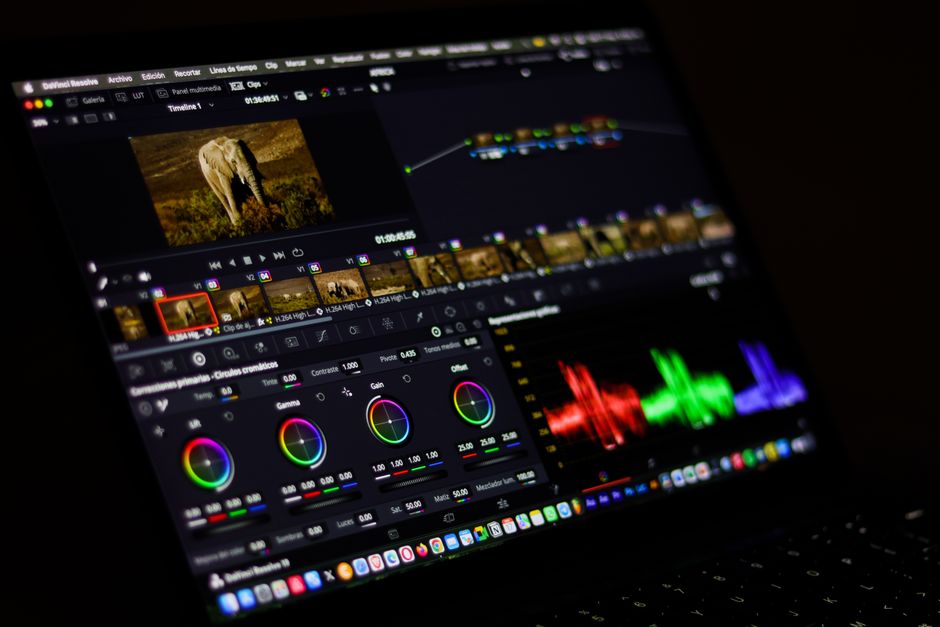
Compare DaVinci Resolve 21, Adobe Premiere Pro, and Final Cut Pro in 2026. Find the best video editing software with updated pricing, features, and specs.
In 2026, the video editing landscape has transformed dramatically. AI-driven features have evolved from experimental add-ons into fundamental post-production workflows, while software pricing models are undergoing massive shakeups. Selecting the right non-linear editor (NLE) defines your creative efficiency, collaborative power, and overall production quality.
Three heavyweights continue to dominate the industry: Blackmagic Design’s DaVinci Resolve 21, Adobe Premiere Pro, and Apple’s Final Cut Pro. However, major updates in 2026 have disrupted traditional expectations. Blackmagic has introduced a revolutionary Photo page, Adobe has integrated powerful Firefly generative AI directly into the timeline, and Apple has changed the game with its Apple Creator Studio subscription bundle. This guide breaks down the specs, key features, and current pricing to help you choose the best video editing software in 2026.
Before diving into the detailed breakdown, here is an at-a-glance comparison of how these three editing powerhouses stack up against each other in 2026.
| Feature | DaVinci Resolve 21 | Adobe Premiere Pro (2026) | Final Cut Pro (Apple Creator Studio) |
|---|---|---|---|
| Platform Support | Windows, macOS (Apple Silicon only), Linux | Windows, macOS | macOS, iPadOS, iOS |
| Pricing Model | Free basic version; Studio is a $295 one-time fee. | $22.99/mo (annual) or $34.49/mo (monthly). Creative Cloud Pro is $69.99/mo. | $299.99 standalone or $12.99/mo ($129/yr) via Apple Creator Studio. |
| Standout 2026 Features | Integrated Photo page, AI CineFocus, AI IntelliSearch, AI Speech Generator. | Generative Extend, Text-Based Editing, Enhance Speech. | Apple Creator Studio Bundle, AI Magnetic Mask, Transcript & Visual Search. |
| Pros | Incredibly powerful free tier; industry-standard color grading; new Photo page for still images; lifetime Studio license model. | Seamless integration with After Effects/Photoshop; leading text-based editing; state-of-the-art Generative Extend AI tools. | Unmatched rendering speed on Apple Silicon; Magnetic Timeline prevents sync issues; high-value Creator Studio bundle. |
| Cons | Steepest learning curve; macOS v21 dropped support for legacy Intel-based Macs. | Expensive monthly subscription with no lifetime purchase option; occasional performance instability on Windows. | Strictly restricted to Apple hardware (macOS and iPadOS); no native Windows support. |
Blackmagic Design’s DaVinci Resolve 21, which officially left public beta in June 2026, marks one of the most substantial updates in post-production history. The headline addition is the completely new Photo page. This tab fully integrates professional-grade still image editing directly alongside the traditional video editing, color, and audio workspaces. Photographers can now import RAW files, manage Lightroom catalogs, and apply Resolve’s legendary node-based color grading tools to still images. With tethering support for Canon and Sony cameras, DaVinci Resolve 21 actively challenges dedicated photo editors.
On the video editing front, DaVinci’s AI Neural Engine introduces massive workflow improvements in 2026. The new AI CineFocus tool allows editors to alter the focal point of a shot in post-production, adjusting aperture and depth of field with realistic optical bokeh and keyframed rack-focusing. Meanwhile, AI IntelliSearch indexes media pools by identifying faces, objects, and spoken phrases, drastically reducing raw footage review times. The software also features an AI Speech Generator capable of cloning a user’s voice for text-to-speech voiceovers using just a 10-second reference audio clip.
Pricing remains Resolve’s massive competitive advantage. The standard version of DaVinci Resolve 21 is completely free, easily outclassing any other free tool on the market. For advanced features like CineFocus, multi-GPU processing, stereoscopic 3D, and exports above 4K, DaVinci Resolve Studio 21 is a flat $295 one-time purchase with free lifetime upgrades. Note that macOS users now require Apple Silicon hardware to run version 21, as Blackmagic has dropped support for legacy Intel Macs.
Adobe Premiere Pro remains the most widely used professional NLE, holding roughly 35% of the market. Its focus in 2026 is deep generative AI integration powered by Adobe Firefly. The standout addition is Generative Extend, which creates realistic extra video frames to lengthen clips that cut off too early, eliminating the need for expensive reshoots. By analyzing the surrounding footage, Firefly generates seamless movement and matching audio to extend shots perfectly.
Premiere’s Text-Based Editing has also received massive performance optimizations. Editors can instantly transcribe footage and edit the video timeline by simply deleting or rearranging sentences in the text document. Furthermore, AI Enhance Speech remains the industry benchmark for audio cleanup, isolating voices and eliminating harsh background noises with a single click. Seamless integration with After Effects, Photoshop, and the wider Creative Cloud ecosystem makes Premiere Pro the go-to tool for large agency pipelines and professional teams.
However, subscription fatigue continues to be Premiere’s biggest hurdle. Premiere Pro costs $22.99 per month on an annual plan or $34.49 month-to-month. Adobe rebranded its All Apps subscription to Creative Cloud Pro in early 2026, bringing the cost up to $69.99 per month. While expensive, the Creative Cloud Pro suite remains a mandatory cost of doing business for multi-media studios and corporate design teams.
Apple shook the post-production world in early 2026 by launching Apple Creator Studio. While the standalone version of Final Cut Pro remains a one-time purchase of $299.99, Mac, iPad, and iPhone editors can now subscribe to Creator Studio for $12.99 per month or $129 per year. This incredible bundle includes Final Cut Pro, Logic Pro, Pixelmator Pro, Motion, Compressor, and MainStage, featuring family sharing for up to six members and full cross-platform capability between macOS and iPadOS.
Final Cut Pro is renowned for its speed, heavily optimized for M-series Apple Silicon. Playback of multiple 8K ProRes RAW streams is butter-smooth without rendering. FCP’s signature Magnetic Timeline keeps audio and video clips in sync while avoiding track collisions. In 2026, FCP adds the AI Magnetic Mask, allowing editors to easily isolate and track complex subjects, and a revamped Transcript Search to locate spoken dialogue instantly. The software’s optimization means it runs exceptionally cool and fast even on entry-level Mac laptops.
The biggest drawback is platform exclusivity; Final Cut Pro is strictly for macOS and iPadOS. It remains impractical for cross-platform teams. However, for solo creators or Mac-centric studios, the new Apple Creator Studio bundle delivers unprecedented value, grouping elite video editing with professional audio design and graphic tools.
Choosing between these three tools in 2026 depends on your operating system, budget, and project requirements.
Operating System: If you use Windows or Linux, your choice is between DaVinci Resolve 21 and Adobe Premiere Pro. For macOS users, Apple Silicon is now a necessity if you want the latest DaVinci Resolve 21 updates, though Final Cut Pro remains the absolute performance king on M-series chips.
Budgeting: DaVinci Resolve 21 is the most budget-friendly, offering an incredibly powerful free tier and a lifetime Studio license for $295. Apple Creator Studio ($12.99/mo) represents unmatched bundle value for Mac and iPad creators. Premiere Pro ($22.99/mo) is the most expensive and best suited for those already paying for the full Creative Cloud suite.
Workflow Demands: Choose DaVinci Resolve 21 if you need industry-leading color grading, visual effects, and integrated photo editing. Choose Premiere Pro if you work in collaborative environments and require heavy integration with motion graphics and text-based editing. Choose Final Cut Pro if you value editing speed, a trackless timeline, and need to edit fluidly across Mac and iPad.
Yes, the standard version of DaVinci Resolve 21 is completely free and includes the new Photo page and core editing features. The $295 Studio upgrade is only needed for advanced AI tools, multi-GPU support, and high-frame-rate, high-resolution exports.
Launched in 2026, Apple Creator Studio is a subscription bundle ($12.99/month or $129/year) that packs Final Cut Pro, Logic Pro, Motion, Compressor, Pixelmator Pro, and MainStage. It works across Mac, iPad, and iPhone.
Yes, Apple still sells the standalone macOS version of Final Cut Pro for a flat $299.99 one-time fee, which continues to receive free updates. It remains an excellent choice for editors who prefer to own their software outright.
Adobe rebranded its All Apps subscription to Creative Cloud Pro, priced at $69.99/month, incorporating advanced generative AI tools like Generative Extend and deeper collaboration features. Single app subscriptions start at $22.99/month.
No, starting with version 21, Blackmagic Design requires Apple Silicon (M-series chips) for macOS systems, dropping support for legacy Intel Macs. Windows and Linux users are unaffected.
For 2026, DaVinci Resolve 21 is the overall best video editing software. Its transition into a hybrid photo/video editing space via the Photo page, combined with cutting-edge AI tools like CineFocus and IntelliSearch, puts it ahead of the competition. Given that Blackmagic provides an outstanding free version and a lifetime $295 Studio license, its value proposition is unbeatable.
However, the competition is closer than ever. Final Cut Pro is a close runner-up for Apple users, as the new Apple Creator Studio bundle makes professional audio, motion, and video tools highly affordable. Adobe Premiere Pro remains a necessary titan for enterprise teams and agencies already embedded in the Creative Cloud ecosystem, but it is the hardest to recommend for solo freelancers on a budget. Ultimately, DaVinci Resolve 21 offers the most complete, cost-effective, and future-proof toolset for modern creators in 2026.
Prices and features mentioned are accurate as of the date of publication. Always check the official provider website for the most current pricing and availability.




