Physical Address
304 North Cardinal St.
Dorchester Center, MA 02124
Physical Address
304 North Cardinal St.
Dorchester Center, MA 02124

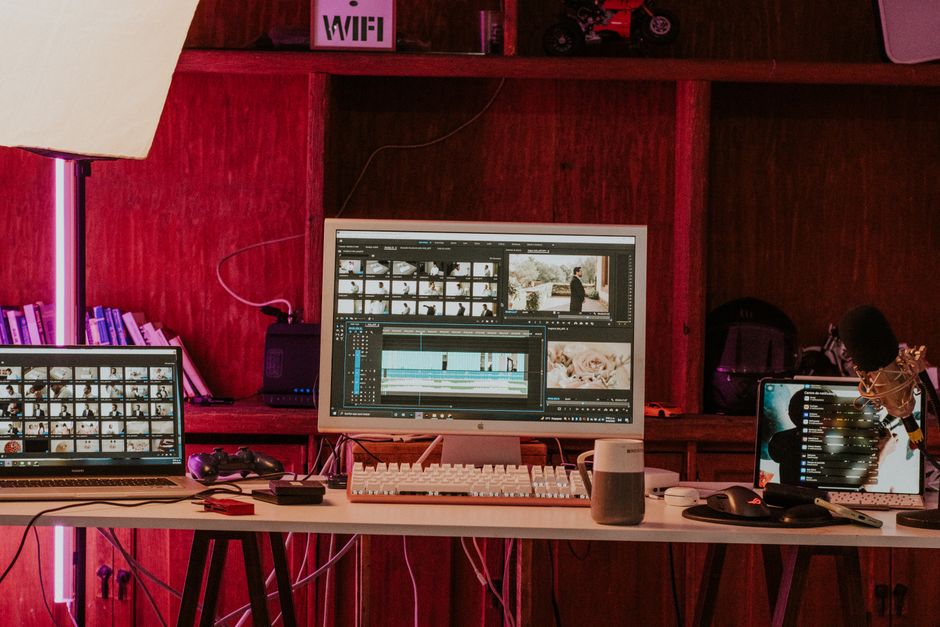
Which beginner video editor reigns supreme in 2026? Check out our comparison of CapCut, Movavi, and Wondershare Filmora to find your perfect fit.
Video editing was once a highly technical craft, reserved for those who could master complex node structures, color scopes, and dense multi-layered timelines. In 2026, the landscape looks entirely different. Generative AI, high-speed cloud rendering, and intuitive drag-and-drop interfaces have fully democratized the creative process. For beginners taking their very first creative steps, or content creators managing rapidly growing channels, selecting the right software is the single most important workflow decision they will make.
Today, three dominant titans rule the beginner-to-intermediate video editing market: ByteDance’s CapCut, Movavi Video Editor 2026, and Wondershare Filmora. Each of these applications has evolved aggressively over the past year, integrating highly sophisticated AI tools that automate once-tedious tasks such as silence removal, audio ducking, and green-screen keying. However, despite their shared target market, they are built with vastly different philosophies, workflows, performance limitations, and pricing models.
This deep-dive comparison from ComparisonMath cuts through the marketing hype. We evaluate CapCut, Movavi, and Filmora based on actual 2026 real-world performance, feature sets, hardware demands, and true out-of-pocket costs. By the end of this guide, you will know precisely which application deserves a spot on your computer or mobile device.
To give you an immediate, high-level snapshot of how these three video editing solutions stack up in 2026, we have summarized their core specifications, pricing structures, and ideal use cases below.
| Feature / Metric | CapCut (2026) | Movavi Video Editor (2026) | Wondershare Filmora (2026) |
|---|---|---|---|
| Primary Platform Focus | Mobile and Desktop (Cross-Platform) | Desktop (Windows & macOS) | Desktop, Mobile, and Tablet |
| Starting Price (2026) | Free (Standard: $9.99/mo; Pro: $19.99/mo) | $19.95/mo or $69.95/yr ($99.95 Lifetime) | $29.99/quarter or $49.99/yr (~$79.99 Lifetime) |
| Best Suited For | TikTok, Instagram Reels, YouTube Shorts | Fast horizontal vlogs, tutorials, older PCs | Cinematic vlogs, structured long-form content |
| Watermark Policy | None on Free (if you delete final slide) | Yes, on Free Trial exports | Yes, on Free Trial exports |
| Standout Feature | TikTok templates, viral sound integration, AI lip-sync | Silence Removal, lightweight hardware footprint | AI Copilot, professional color scopes, deep audio tools |
| Cloud Storage Included | 1 GB (Free) to 100 GB (Pro) | None | 1 GB to 10 GB (depending on plan) |
Originally engineered to fuel the explosive growth of TikTok, ByteDance’s CapCut has matured into a ubiquitous cross-platform powerhouse. Available as an Android/iOS app, a web browser editor, and dedicated desktop programs for Windows and macOS, CapCut’s primary goal is rapid, visually striking, and trend-focused video creation. If your daily creative routine involves editing vertical footage, CapCut is designed to feel as familiar as scrolling through your social feeds.
CapCut’s pricing structure in 2026 is highly tiered. Its globally popular Free version remains an incredible entry point, offering multi-track timeline editing, basic filters, and text templates at no cost, though exports are capped at 1080p. To expand your features, CapCut now offers a Standard Plan at $9.99 per month (or $89.99 annually) which removes watermarks on premium assets and unlocks basic commercial licensing. For serious creators, the CapCut Pro Plan costs $19.99 per month (or $179.99 annually), providing 100 GB of secure cloud storage, pristine 4K video exporting, a full manual color grading suite featuring curves and wheels, and access to premium generative AI tools.
Feature-wise, CapCut is incredibly dominant in AI-driven automation. Its AI Auto-Edit engine analyzes footage to generate rapid-cut montages synced perfectly to trending audio tracks. Furthermore, the 2026 Pro version includes highly sophisticated features like automated AI lip-syncing and high-fidelity virtual avatars, enabling creators to build faceless channels with ease. However, CapCut’s weaknesses become apparent during traditional, horizontal editing. The magnetic timeline can feel incredibly restrictive for editors accustomed to free-form layer placement, and the application frequently struggles with stability when handling heavy, high-bitrate log footage on mid-tier hardware.
Movavi Video Editor 2026 is built on a highly focused, user-first philosophy: video editing software should not require a college degree to operate. It offers a traditional, non-linear desktop timeline that is widely regarded as the cleanest, most uncluttered user interface on the consumer market. Movavi deliberately bypasses heavy post-production nomenclature in favor of clear, labeled icons and drag-and-drop mechanics, allowing absolute beginners to master its features in less than twenty minutes.
Movavi’s licensing structure is highly attractive to users who are exhausted by modern subscription fatigue. While you can opt for a monthly subscription at $19.95, or a 1-year package at $69.95 (which includes full access to their curated Effects store), Movavi continues to offer a Perpetual (Lifetime) license for a flat one-off fee of $99.95. This perpetual model is a massive selling point for home movie makers and casual hobbyists, although buyers should note that lifetime licenses do not cover future major release cycles.
Where Movavi truly sets itself apart is operational efficiency. The software is spectacularly optimized for lower-end laptops and aging desktop PCs, requiring far less RAM and GPU power than CapCut or Filmora. Its standout features in 2026 include an exceptional ‘Silence Removal’ tool with user-defined threshold controls.
This tool automatically scans video or voiceover files, pinpoints pauses or dead space, and slices them out instantly—saving creators hours of tedious trimming. Along with fast rendering, Movavi provides clean AI-powered motion tracking, seamless noise reduction, and smart subtitle generation, accompanied by an integrated effects library.
Wondershare Filmora (with Filmora 14 leading its product lineup in 2026) serves as the ultimate bridge between basic beginner tools and complex professional editors like DaVinci Resolve or Adobe Premiere Pro. While CapCut targets vertical social content and Movavi prioritizes raw operational speed, Filmora focuses on creative control. It encourages beginners to develop intermediate skills by providing accessible paths to advanced concepts like keyframing, motion graphics, color scopes, and detailed audio mixing.
Wondershare’s pricing structure in 2026 balances subscriptions with perpetual options. Filmora offers a Cross-Platform Quarterly Plan for $29.99 and an Annual Plan for $49.99, which allows seamless editing across Windows, Mac, iOS, Android, and tablets. Alternatively, users can secure a Perpetual Plan for a one-off fee ranging from $79.99 to $99.99. Crucially, Filmora operates on a hybrid model for its heavy generative AI functions; active subscribers receive 200 Filmora AI credits monthly, while perpetual license buyers receive a single pool of 1,000 credits, with additional credit packs sold separately. There is also an optional Creative Assets subscription for $19.99/month to unlock millions of premium media files.
Filmora’s feature set is the most comprehensive in the consumer market. It features a deeply integrated stock library powered directly by Filmstock, Giphy, Unsplash, and Pixabay, bringing millions of high-quality assets directly into your timeline. Its 2026 AI Copilot acts as an intelligent assistant, offering real-time editing advice, suggesting stylistic transitions, and pinpointing tools based on natural language queries. Audio engineering in Filmora is also best-in-class, utilizing AI-driven vocal isolation, wind denoise, and highly accurate auto-ducking that immediately lowers background music when dialogue is detected. The primary drawback to Filmora is its interface weight; the sheer volume of hidden sub-menus, combined with persistent upsell screens for their premium asset plan, can sometimes feel overwhelming to absolute beginners.
Choosing the correct editor in 2026 depends heavily on your hardware limits, content goals, and long-term financial expectations. To prevent buyer’s remorse, carefully weigh these three essential pillars before finalizing your purchase decision.
If you are building a brand centered on short-form vertical video (such as TikTok, YouTube Shorts, or Instagram Reels), CapCut is your best bet. Its user interface, sticker library, automated mobile syncing, and rapid transition systems are specifically engineered for vertical ratios. However, if your long-term goal is to build a traditional YouTube channel, publish highly structured documentaries, edit corporate presentations, or organize detailed family travel vlogs, Movavi or Filmora are superior choices. Their traditional timelines accommodate widescreen multi-cam sequences and heavy B-roll layering with far less resistance.
Video rendering can quickly push older computer hardware to its physical limits. If you are editing on a standard school laptop, a basic office computer, or an aging desktop PC lacking a high-performance graphics card, Movavi Video Editor is the most practical choice. It delivers fast exports and smooth timeline scrubbing without demanding heavy system resources. Conversely, both CapCut and Filmora, with their heavily stacked AI algorithms and dense asset caches, require a moderately modern PC equipped with a dedicated GPU and at least 16 GB of RAM to operate smoothly during intensive multi-layered edits.
Subscription models are not for everyone. If you despise monthly bills, Movavi and Filmora both offer lifetime perpetual licenses that allow you to edit forever without recurring charges. However, bear in mind that Filmora restricts your access to its generative AI features using an AI credit system, and both brands limit lifetime upgrades to the major version you purchased. If you prefer low-friction monthly payments that are easy to pause during creative hiatuses, CapCut’s monthly plans offer great flexibility, though over a multi-year period, its $19.99/mo Pro price tag eventually exceeds the cost of a perpetual license.
Is CapCut Pro actually worth the monthly fee in 2026?
Yes, but only if you are producing high-volume content. If your projects only require simple cuts, basic transitions, and standard text, CapCut’s Free or Standard plans are more than sufficient. However, if you require commercial licensing, advanced 4K exports, deep HSL color curves, and advanced AI features like auto lip-syncing and smart upscaling, the $19.99/month Pro tier provides incredible value compared to professional suites.
Does Movavi Video Editor support 4K editing?
Yes, Movavi completely supports 4K import and export in 2026. Because it is highly optimized to utilize hardware acceleration technologies from NVIDIA, Intel, and AMD, it processes high-resolution footage surprisingly well. By utilizing lightweight proxy editing, Movavi allows you to work with heavy 4K timelines smoothly, even on intermediate-spec machines.
How does Wondershare Filmora’s AI credit system work?
Filmora uses a credit-based system to distribute the computing power required for heavy generative AI features, such as AI copywriting, smart cutout, and text-to-video tools. Each task consumes a specific number of credits. Annual subscribers receive a monthly allotment of 200 credits, while Perpetual buyers get a flat pool of 1,000 credits. Additional credit packages are easily purchasable if you exhaust your balance.
Can I export videos from these programs for free without a watermark?
CapCut is the only editor in this comparison that offers a fully functional free tier where you can export clean, unwatermarked 1080p videos (provided you delete the default outro slide at the end of your workspace). Both Movavi Video Editor and Wondershare Filmora offer free trial periods, but any video you attempt to export during these trials will contain a large, prominent brand watermark in the center of the screen until a paid license is purchased.
After compiling the current 2026 specifications, pricing structures, and real-world performance capabilities of these three editing suites, ComparisonMath has named a clear winner for the average beginner.
For the vast majority of aspiring content creators and hobbyists, Wondershare Filmora is the overall best beginner video editing software in 2026. It strikes a flawless balance between initial ease of use and long-term room to grow. Filmora’s rich toolset, extensive royalty-free media library, advanced audio engineering features, and reasonably priced lifetime license make it an outstanding value proposition for creators who want to build a professional-looking digital presence.
However, specific needs may dictate other paths:
Prices and features mentioned are accurate as of the date of publication. Always check the official provider website for the most current pricing and availability.




