Physical Address
304 North Cardinal St.
Dorchester Center, MA 02124
Physical Address
304 North Cardinal St.
Dorchester Center, MA 02124

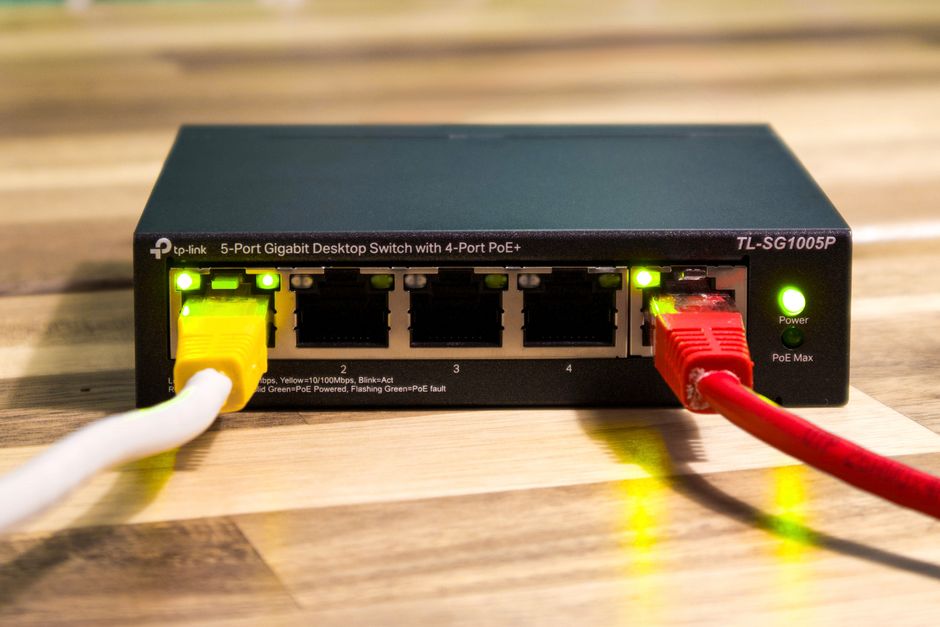
We compare the top Wi-Fi 7 travel routers of 2026: TP-Link Roam 7, GL.iNet Slate 7, and ASUS RT-BE58 Go. Find the perfect portable router for your trips.
Traveling in 2026 demands more than just checking emails from a beach chair. Whether you are a digital nomad managing high-stakes cloud databases, a remote worker on an urgent Zoom call in a bustling airport terminal, or a family trying to stream 4K content in a hotel room, standard internet connectivity on the road is often a massive bottleneck. Relying directly on public Wi-Fi networks is not only incredibly slow, but it also presents major cybersecurity liabilities. That is where a dedicated travel router comes into play, acting as a secure, private bridge between hostile public networks and your personal devices.
In 2026, Wi-Fi 7 (802.11be) has fully transitioned from an expensive home luxury into a travel necessity. With key technical advancements like Multi-Link Operation (MLO) and 4K-QAM, Wi-Fi 7 allows modern devices to transmit data over multiple frequency bands simultaneously. For travelers, this means significantly reduced latency, higher throughput, and unprecedented connection stability even in highly congested environments like cruise ships and hotel corridors. Today, three heavy hitters dominate the premium travel router space: the budget-friendly TP-Link Roam 7, the powerhouse GL.iNet Slate 7, and the highly-polished ASUS RT-BE58 Go. In this in-depth guide, we pit them head-to-head to help you decide which deserves a permanent spot in your carry-on.
Before diving into the detailed specifications, here is an at-a-glance overview of how these three elite Wi-Fi 7 travel routers stack up against one another in key operational areas:
| Feature | TP-Link Roam 7 (TL-WR3602BE) | GL.iNet Slate 7 (GL-BE3600) | ASUS RT-BE58 Go |
|---|---|---|---|
| MSRP | $119.99 | $169.99 | $159.99 |
| Wi-Fi Speed Class | BE3600 (Dual-Band) | BE3600 (Dual-Band) | BE3600 (Dual-Band) |
| Ethernet Ports | 1x 2.5G WAN/LAN + 1x 1G LAN | 2x 2.5G (1x WAN, 1x LAN) | 1x 2.5G WAN + 1x 1G LAN |
| VPN Speeds (WireGuard) | Up to 150 Mbps | Up to 540 Mbps | Up to 350 Mbps |
| Power Supply | USB-C (18W Power Delivery) | USB-C (18W/24W Power Delivery) | USB-C (18W/24W Power Delivery) |
| Unique Hardware Features | Featherlight, pocket-friendly frame | 2.8-inch LCD Touchscreen | Custom Side Function Toggle Switch |
| Software / Firmware | TP-Link Tether / Proprietary | OpenWrt 23.05 / Custom UI | ASUSWRT 5.0 / Mobile App |
The TP-Link Roam 7 (TL-WR3602BE) is designed to bring the lightning-fast capabilities of Wi-Fi 7 to casual travelers without breaking the bank. Priced at a very approachable MSRP of $119.99, it is the most affordable option among the top-tier contestants. Built with portability in mind, this dual-band travel router features a sleek white chassis with two flat external folding antennas that fold flush into its sides. It is exceptionally lightweight, weighing roughly 200 grams, making it virtually unnoticeable inside a backpack pocket.
Hardware-wise, the Roam 7 is powered by a competent quad-core processor and includes a fast 2.5 Gbps WAN/LAN port alongside a standard 1 Gbps LAN port. This makes it great for high-speed wired internet backhauls in hotel rooms with modern gigabit fiber lines. Additionally, it features a USB 3.0 port designed for 4G/5G phone tethering, which allows you to plug your phone directly into the router to share your cellular data plan with other devices. The device is conveniently powered via an 18W USB-C Power Delivery port, meaning you can run it off a laptop brick or a portable power bank during transit.
On the software side, the Roam 7 uses the highly intuitive TP-Link Tether app. Bypassing captive portals (the splash screens at hotels or airports that force you to input your room number or email) is exceptionally straightforward with this device. You connect the Roam 7 to the hotel network once, sign in via a phone or tablet, and immediately share that single authenticated connection with up to 90 devices—which can easily bypass pay-per-device rules on cruise ships or planes. However, it does lack a physical toggle switch on the hardware, and its casing feels a bit more plastic-heavy than the premium GL.iNet and ASUS models.
For power users, IT professionals, and privacy enthusiasts, the GL.iNet Slate 7 (GL-BE3600) represents the gold standard of mobile networking. Retailing at $169.99, it is the most expensive of the trio, but it justifies that premium with spectacular hardware and software versatility. The absolute standout physical feature is its built-in 2.8-inch color touchscreen display. This interactive screen lets you bypass the need for an app to check network diagnostics; you can view real-time data speeds, toggle VPN tunnels on or off, and even scan a QR code on the display to immediately join new client devices to your encrypted local network.
The Slate 7 is an absolute beast under the hood. It features a Qualcomm quad-core processor clocked at 1.1 GHz, paired with a massive 1GB of DDR4 RAM and 512MB of high-speed NAND flash storage. It is currently the only travel router on the market to feature dual 2.5G Ethernet ports (both WAN and LAN). This makes it perfect for heavy workloads like transferring raw video files to a portable NAS or hardwiring high-performance workstation laptops without bottlenecking your local network.
Because it is built on OpenWrt 23.05, the customization depth is limitless. The router supports over 30 external VPN providers and is heavily optimized for VPN throughput. In real-world testing, it achieves a blazing-fast 540 Mbps client speed using the modern WireGuard protocol and up to 385 Mbps on OpenVPN-DCO. The downsides are minor but worth noting: it is slightly heavier and bulkier than its competitors, and it runs noticeably warmer under sustained dual-band workloads, requiring a small internal cooling system.
ASUS has a long-standing reputation for building outstanding home networking gear, and with the RT-BE58 Go, they have successfully brought their signature high-end features to the travel space. Priced right in the sweet spot at $159.99, the RT-BE58 Go features a pristine white aesthetic, flat folding antennas, and a premium, durable build quality. It is powered by a high-performance Broadcom 2.0 GHz quad-core processor and 1GB of DDR4 RAM, giving it immense processing overhead for high-speed routing.
Port selection on the RT-BE58 Go is robust, including a 2.5G WAN port, a 1G LAN port, and a USB 3.0 port designed for 4G/5G mobile tethering. One of the most practical physical features is the customizable slide switch on the side of the router. This physical toggle can be programmed through the ASUS Router app to perform quick functions, such as instantly establishing a pre-configured WireGuard VPN client tunnel or shutting off all status LEDs so your dark hotel room is not kept awake by blinking lights.
Where ASUS separates itself from both TP-Link and GL.iNet is its software ecosystem. The RT-BE58 Go runs ASUSWRT 5.0 and is fully compatible with ASUS AiMesh. This means that when you are not traveling, you can integrate this pocket-sized router into your home mesh network as a node. Furthermore, its Guest Network Pro software allows users to set up up to five distinct SSIDs, which is fantastic for segregating your corporate work laptop, family entertainment streaming devices, and guest access into completely isolated sub-networks. It also comes with lifetime commercial-grade AiProtection network security with zero ongoing subscription costs.
Selecting the ideal Wi-Fi 7 travel router requires evaluating how and where you plan to use it. Here are the core factors to consider before pulling the trigger:
The primary use of a travel router is operating in Wireless Internet Service Provider (WISP) mode. In this mode, the router connects to public Wi-Fi wirelessly as its internet source and broadcasts its own local, secure private Wi-Fi network. All three routers support WISP mode flawlessly, but handling captive portals differs slightly. TP-Link’s Tether app is the most streamlined for average users, while GL.iNet’s touchscreen lets you bypass using an app entirely to connect to new access points. If you plan to rely on cellular backhaul, make sure your router supports direct USB-A tethering to your specific smartphone.
If security is your top priority, you should look for a router that can encrypt all of your connected devices automatically at the router level. Doing so saves you from installing individual VPN apps on every phone, tablet, and streaming stick. The GL.iNet Slate 7 is the undisputed champion in this regard, boasting a custom-engineered OpenWrt system that delivers WireGuard speeds over 500 Mbps. ASUS is a close second, offering excellent VPN setup with up to 30 custom providers supported and stable site-to-site VPN connections. The TP-Link Roam 7 is competent but hits a bottleneck around 150 Mbps, making it less ideal for heavy encrypted workloads.
Consider what you will be hardwiring into your portable network. If you only plan to connect wirelessly, port selection is secondary. However, if you are a content creator, photographer, or remote developer who travels with a portable network-attached storage (NAS) unit, GL.iNet’s dual 2.5G Ethernet ports are a massive advantage. Both TP-Link and ASUS restrict their second LAN port to 1 Gbps, meaning file transfers between hardwired devices will be limited to 1,000 Mbps.
Many prospective buyers are initially confused as to why these premium “Wi-Fi 7” travel routers only support dual-band configurations (2.4GHz and 5GHz) and completely omit the high-frequency 6GHz band found in home Wi-Fi 7 systems. In travel scenarios, omitting 6GHz is a deliberate, strategic engineering decision. High-frequency 6GHz signals have notoriously poor wall penetration, making them highly ineffective in concrete hotel rooms. Furthermore, adding a 6GHz radio drastically increases a travel router’s physical size, weight, thermal output, and power draw. By focusing on dual-band BE3600 with Multi-Link Operation (MLO), manufacturers can offer the intelligence, speed, and congestion-management of Wi-Fi 7 over the highly penetrative 2.4GHz and 5GHz frequencies while keeping the device truly pocket-sized and power-efficient.
While a smartphone’s mobile hotspot works in a pinch, it has major limitations. Mobile hotspots quickly drain your phone’s battery, cause thermal throttling, and are often restricted by cellular carriers who throttle data speeds or limit the number of concurrently connected devices. Additionally, a dedicated travel router allows you to establish router-level VPN encryption, connect wired Ethernet devices, and seamlessly bypass captive portals without exposing your phone to local threats.
Yes, this is one of their greatest advantages. Hotels and cruise ships typically charge per-device or limit connection speeds based on individual MAC addresses. By connecting your travel router to the hotel’s network, the hotel’s system only registers a single client (the router). You then log in through the captive portal splash screen once. After that, you can connect your laptops, tablets, smartphones, and smart TVs to the travel router, and they will all share that single paid connection securely.
None of these three specific Wi-Fi 7 travel routers have an integrated battery. Having a built-in lithium-ion battery would make the routers significantly heavier and subject to strict airline travel restrictions. Thankfully, they are all designed to be powered via standardized USB-C ports. This allows you to power them using a lightweight USB-C wall charger or even a standard portable power bank when you are on a plane or train.
No. All three manufacturers offer robust, built-in security features with no ongoing subscription costs. However, while the software client to connect to a VPN is entirely free, you will still need to purchase a subscription from a third-party VPN provider (such as NordVPN or ExpressVPN) if you wish to route your traffic through their private global servers.
In 2026, the travel router space has matured into an exceptionally competitive market, but each of our three contenders serves a distinct type of traveler.
If you are looking for the absolute best value and a straightforward, stress-free setup, the TP-Link Roam 7 (TL-WR3602BE) is our top budget recommendation. At just $119.99, it provides all the basic advantages of dual-band Wi-Fi 7 speeds, painless captive portal handling via the Tether app, and a compact, lightweight footprint. It is the perfect companion for casual vacationers and business travelers who want simple security without overcomplicating things.
If you are a tech-savvy professional, privacy advocate, or hardwired performance enthusiast, the GL.iNet Slate 7 (GL-BE3600) is an absolute triumph. Its dual 2.5G ports, deep OpenWrt customizability, blistering WireGuard VPN speeds, and interactive touchscreen make it a joy to use for those who love having total control over their network on the go. It is easily worth the premium $169.99 price tag for power users.
However, for the vast majority of travelers, the ASUS RT-BE58 Go is the ultimate winner. Retailing at $159.99, it strikes the perfect balance of premium hardware and refined consumer-friendly software. With its customizable side function switch, seamless AiMesh home integration, robust Guest Network Pro SSIDs, and highly optimized quad-core Broadcom processor, it delivers an unparalleled travel routing experience. It is our top pick for the best overall Wi-Fi 7 travel router of 2026.
Prices and features mentioned are accurate as of the date of publication. Always check the official provider website for the most current pricing and availability.




