Physical Address
304 North Cardinal St.
Dorchester Center, MA 02124
Physical Address
304 North Cardinal St.
Dorchester Center, MA 02124

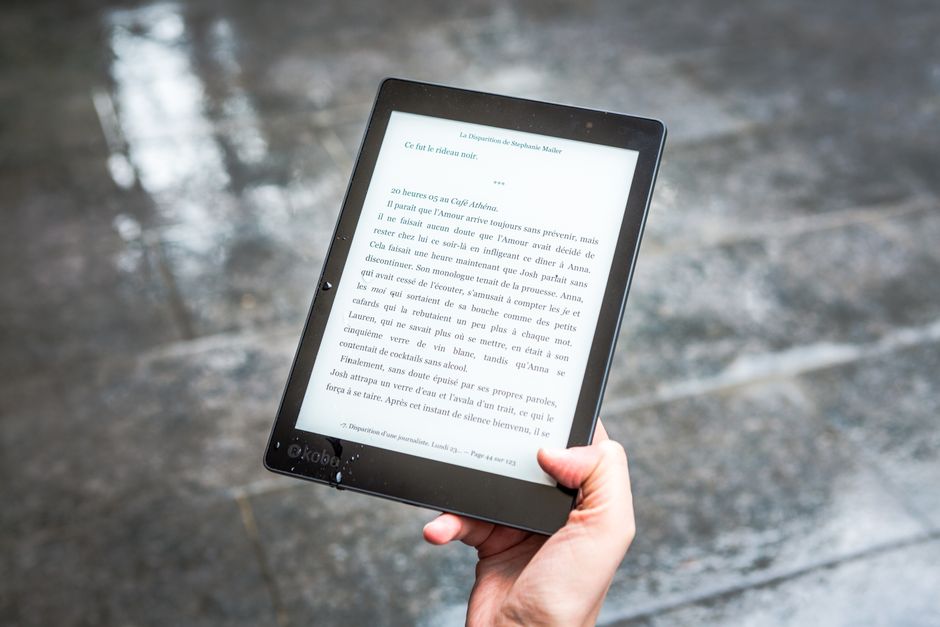
Compare Kindle Colorsoft vs Kobo Libra Colour in 2026. Discover current specs, prices, design differences, and find out which color e-reader is best.
For over a decade, digital reading was a strictly monochrome affair. E-readers did an exceptional job of mimicking physical paper, but comic books, graphic novels, non-fiction textbooks, and vibrant book covers remained relegated to backlit tablets and smartphones. That landscape has shifted dramatically. In 2026, color e-readers have officially matured from a niche novelty into the mainstream standard for digital bibliophiles.
If you are looking to upgrade your digital library this year, the search inevitably narrows down to two titans: the Amazon Kindle Colorsoft and the Rakuten Kobo Libra Colour. Both devices offer 7-inch displays that blend traditional black-and-white readability with splashy color overlays. However, the philosophies guiding these two devices could not be more different.
Understanding these differences has become more crucial than ever. A wave of component price hikes in mid-2026 has hit the e-reader industry hard, driving retail prices up across both ecosystems. To help you navigate these sudden pricing shifts and complex hardware disparities, we have put both color e-readers head-to-head to determine which device truly deserves a spot in your backpack.
Before diving into our exhaustive analysis, here is an at-a-glance look at how these two premium color e-readers compare across pricing, design, and performance metrics as of late 2026.
| Feature | Amazon Kindle Colorsoft (Base & Signature) | Rakuten Kobo Libra Colour |
|---|---|---|
| US Retail Price (2026) | $289.99 (16GB Base) / $319.99 (32GB Signature) | $259.99 (32GB) |
| Screen Size & Tech | 7-inch Custom Colorsoft Oxide Display | 7-inch E Ink Kaleido 3 with FastGLR |
| Resolution | 300 PPI (B&W) / 150 PPI (Color) | 300 PPI (B&W) / 150 PPI (Color) |
| Physical Page Buttons | No (Touchscreen only) | Yes (Two physical buttons on ergonomic grip) |
| Stylus / Writing Support | No (Reading & highlighting only) | Yes (Kobo Stylus 2 compatible, sold separately) |
| Ecosystem & Cloud | Amazon Kindle Store, Kindle Unlimited | Kobo Store, Kobo Plus, Google Drive, Dropbox |
| Waterproofing | IPX8 waterproof rating | IPX8 waterproof rating |
| Battery Life | Up to 8 weeks (Signature Edition) | Up to 4 weeks |
As the table demonstrates, while both devices target the same 7-inch sweet spot, Kobo focuses heavily on open versatility and note-taking productivity, while Kindle emphasizes premium screen technology, longer battery life, and integration with the massive Amazon ecosystem.
Both devices deploy a screen resolution of 300 PPI for black-and-white text and 150 PPI for color content, but they arrive at their color delivery via different engineering paths. The Kobo Libra Colour is built around the off-the-shelf E Ink Kaleido 3 panel. This displays a color depth of 4,096 muted, pastel-like colors. It is highly readable in bright sunlight, but the screen has a slightly darker, gray-toned background compared to traditional monochrome e-readers. Readers will likely need to keep the front light cranked up slightly higher to compensate for this contrast gap.
Amazon, on the other hand, engineered a custom-formulated optical stack for the Kindle Colorsoft. They paired a custom light guide with an oxide backplane to significantly boost the contrast and vibrancy of the color layout. When early models debuted in late 2024, they were marred by a widespread yellow band issue at the bottom of the screen. However, late 2025 and 2026 hardware revisions have entirely eliminated this problem, leaving the Kindle Colorsoft with the most vibrant, color-accurate, and bright display in the e-reader category. Book covers pop, and graphics look clean and luminous.
Design is where these two e-readers diverge most dramatically. The Kindle Colorsoft shares its physical chassis with the standard Kindle Paperwhite. It features a symmetrical, flat bezel with a flush screen and relies entirely on touch controls to turn pages. It weighs a solid 218 grams, which feels premium and stable, but lacks the specialized ergonomic advantages of its rival.
The Kobo Libra Colour leans into an asymmetrical layout that has earned it critical acclaim. One side of the bezel is widened to create a natural, textured handgrip, which houses two physical page-turn buttons. Because the device features a built-in accelerometer, the screen automatically rotates, making it incredibly comfortable to hold with either your left or right hand. At 200 grams, it is lighter than the Kindle, and the tactile click of physical buttons is an absolute game-changer for those who find swipe gestures distracting.
If you are looking to do more than just read, this category is an absolute blowout in Kobo’s favor. The Kobo Libra Colour offers full compatibility with the Kobo Stylus 2 (sold separately). This compatibility transforms the e-reader into a mini notebook, allowing you to handwrite notes in the margins, color-code your textbooks, highlight key scenes, and export handwritten journals directly to the cloud.
The Kindle Colorsoft has absolutely no stylus support. It is strictly a consumption device. While you can highlight text with your finger in four different colors, you cannot write notes, sketch, or annotate PDFs. If you are a student, researcher, or active journal-keeper, the Kobo Libra Colour is the only choice here.
Software and library management represent another stark contrast. Historically, Amazon has maintained a walled-garden approach, and that grip has tightened in 2026. New DRM policies implemented by Amazon in late 2026 have made it increasingly difficult to sideload custom documents or manage library books via third-party software. Kindle remains best-in-class if you exclusively buy your books directly from the Kindle Store or use a Kindle Unlimited subscription, but the friction for external files is at an all-time high.
Kobo continues to build its reputation on open-format freedom. The Libra Colour plays beautifully with EPUBs and PDFs natively, with none of the conversion headaches found on Kindle. It features built-in support for Google Drive and Dropbox, making cloud syncing a breeze. Additionally, Kobo has seamless integration with Pocket (for reading web articles offline) and OverDrive, meaning you can browse, borrow, and read local library books directly from your device without needing to transfer them via a smartphone or computer.
Following the major pricing shifts of mid-2026, both devices have become more expensive investments, but the value structures differ. Kobo offers the Libra Colour in a single, feature-packed 32GB model that now retails for $259.99.
Amazon offers the Kindle Colorsoft in two configurations. The standard 16GB Kindle Colorsoft is priced at $289.99, lacking wireless charging and an ambient auto-adjusting light sensor. To get those premium features—alongside 32GB of storage—you must upgrade to the Kindle Colorsoft Signature Edition, which currently commands a steep $319.99. This means that for 32GB of storage, Amazon’s offering is roughly $60 more expensive than Kobo’s.
Because these devices cater to very different reading habits, your decision should come down to how you plan to use your e-reader every day.
Q: Does the Kindle Colorsoft support note-taking with a stylus?
A: No, the Kindle Colorsoft does not support stylus input. It is strictly designed for reading and basic digital highlighting with your finger. If you want a color Kindle that supports stylus note-taking, you will need to look at the much larger and more expensive Kindle Scribe Colorsoft.
Q: Can I use library books on both of these color e-readers?
A: Yes, but the experience is different. The Kobo Libra Colour features built-in OverDrive integration, allowing you to borrow books directly from the on-device interface. The Kindle Colorsoft relies on sending library books via your phone’s Libby app, though recent DRM changes in 2026 have made some of these transfers slightly more restricted.
Q: Why are color screens dimmer than classic black-and-white e-readers?
A: Color e-readers use an extra color filter array (CFA) layer over the standard monochrome E Ink layer. This extra layer blocks a portion of the light reflecting off the display, which is why color screens look slightly grayer than purely black-and-white screens when the front light is turned off.
Q: Is the yellow screen band issue on the Kindle Colorsoft still a problem?
A: No. The yellow band issue was confined to early production batches from late 2024. Hardware revisions deployed by Amazon in late 2025 and 2026 have completely resolved the issue, and current retail units feature uniform, bright lighting.
In 2026, the battle for the best color e-reader is remarkably tight, but we have a clear winner for the vast majority of consumers. The Kobo Libra Colour is the best overall color e-reader on the market. Even after the recent price adjustments, it represents a far better value than Amazon’s offerings. Kobo provides 32GB of storage, physical page-turn buttons, open cloud synchronization, direct library book downloads, and full stylus capability for a price that undercuts Amazon’s comparable Signature Edition by a wide margin. It is a versatile, user-friendly powerhouse that respects your digital freedom.
The Kindle Colorsoft remains a highly polished alternative, but only for a specific audience. If you are already deeply committed to Amazon’s content ecosystems, or if you demand the brightest, most saturated color representation possible on an e-reader screen, the Kindle is an excellent device. However, the lack of stylus support, the restrictive walled-garden software, and the much higher price tag for comparable storage space prevent it from taking the crown this year. For 2026, the Kobo Libra Colour reigns supreme.
Prices and features mentioned are accurate as of the date of publication. Always check the official provider website for the most current pricing and availability.




