Physical Address
304 North Cardinal St.
Dorchester Center, MA 02124
Physical Address
304 North Cardinal St.
Dorchester Center, MA 02124

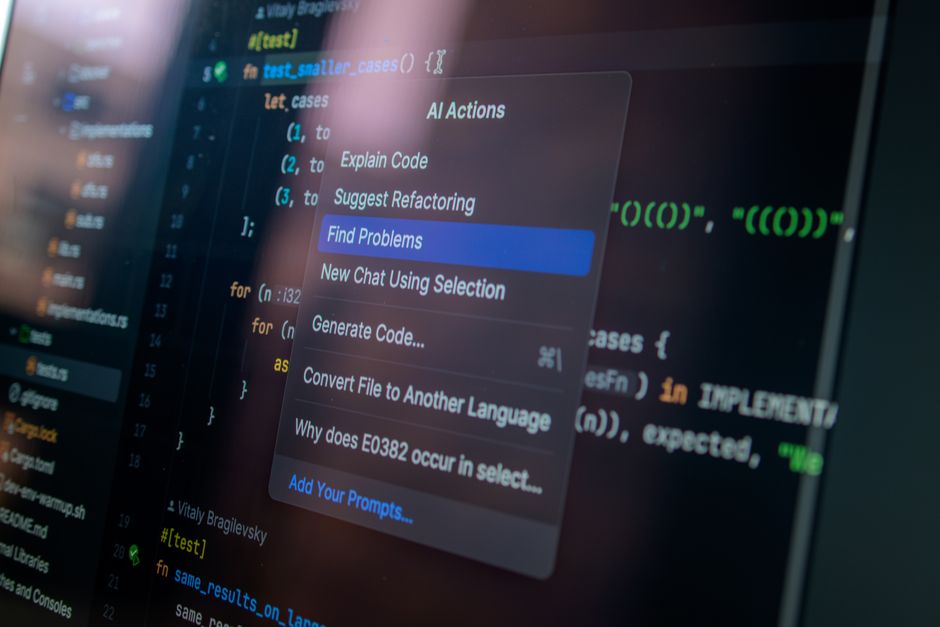
Compare Claude Code vs Cursor in 2026. Discover key differences in specs, pricing, and workflows to choose the best AI tool for your development.
In 2026, the landscape of software engineering has shifted dramatically. We are no longer in the era of basic helper plugins. Today, developers talk about ‘vibe coding,’ agentic workflows, and deploying autonomous systems that write and debug code with minimal human intervention. AI coding tools have evolved from optional helpers into central operating environments.
As you evaluate the best options to supercharge your workflow, two giants dominate the discussion: Claude Code and Cursor. While both tools cost $20 per month for their entry-level plans, they represent fundamentally different visions of the future. One is a highly autonomous, terminal-first agent; the other is a feature-rich, visual, multi-model IDE.
Choosing the right tool is about identifying which workflow philosophy aligns with your habits, your budget, and the scale of autonomy you want to delegate. In this comparison, we analyze the current 2026 specifications, pricing, and use cases for both to help you make an informed decision.
Before diving into the detailed specs, here is an at-a-glance comparison of how Claude Code and Cursor stack up across essential developer criteria in 2026.
| Feature | Claude Code (Anthropic) | Cursor AI (Anysphere) |
|---|---|---|
| Primary Philosophy | Agent-first: Describe the goal, and the terminal agent drives. | IDE-first: You drive the code editor, and the AI assists. |
| Interface | Terminal/CLI, with companion extensions for VS Code and JetBrains. | Visual IDE (a fully customized fork of VS Code) and CLI agent. |
| Tab Autocomplete | Not a core focus (relies on manual invocation or extensions). | Best-in-class (powered by Cursor Tab v2 / Supermaven engine). |
| Model Support | Anthropic models only (Claude 3.7, Claude 4.6, Claude 4.8). | Multi-model (Claude, GPT, Gemini, DeepSeek, Grok). |
| Autonomous Editing | Highly autonomous across multiple files, running tests and shell commands. | Integrated multi-file editing (Composer) and Cloud Agents. |
| Cost & Plans | Included in Claude Pro ($20/mo) & Max ($100-$200/mo) or pay-as-you-go API. | Hobby (Free), Pro ($20/mo), Pro+ ($60/mo), Ultra ($200/mo), Teams ($40/mo). |
| MCP Support | Native, first-class Model Context Protocol (MCP) tool integration. | Full MCP v2.1 support with a built-in server marketplace. |
| Code Review | CLI automation and integrated git actions. | Autonomous PR review via Bugbot on usage-based billing. |
| Best For | Autonomous refactoring, migrations, and terminal-native workflows. | Fluid, day-to-day visual coding, rapid feature additions, and UI work. |
Developed by Anysphere, Cursor is the undisputed leader of the AI-native editor space. By early 2026, Cursor crossed $2 billion in annualized revenue with over one million paying subscribers. It is used inside over half of the Fortune 500, including OpenAI, Stripe, and Figma. The secret to its massive adoption is its deep, editor-level integration.
Because Cursor is a VS Code fork, it maintains complete compatibility with your existing extensions and keybindings while introducing native AI capabilities. At its heart is Cursor Tab (v2), which leverages a custom Supermaven integration. It offers incredibly fast, multi-line completions that anticipate your next edits before your fingers touch the keys.
For multi-file changes, Cursor features Composer, a collaborative canvas that displays modifications as inline visual diffs, allowing you to accept or reject edits line by line. Cursor also includes Cloud Agents. These allow you to start a massive programming task, close your laptop, and let remote servers execute the work in the background.
Another major advantage is model flexibility. You are never locked into one provider; you can switch between Claude, GPT, Gemini, DeepSeek, and Grok with a single click. It also features Bugbot for automated PR reviews before you commit.
In mid-2025, Cursor shifted to a credit-based pricing model. The free Hobby plan is limited, and the student free year of Pro ended on June 25, 2026. The Pro plan ($20/month) features unlimited autocomplete and unlimited ‘Auto mode’ alongside a $20 premium model credit pool. For heavy agent workflows, Pro+ ($60/month) and Ultra ($200/month) provide massive credit capacities.
While Cursor redesigns the visual editor, Anthropic’s Claude Code is built as an autonomous terminal agent. It lives inside your computer’s shell, treating your local workspace as its canvas. It reads files, writes code, executes shell commands, and runs test suites natively.
Claude Code is built to take complete ownership of complex tasks. You can ask it to ‘add JWT authentication and run tests.’ The agent will search your codebase, modify the files, run compilation commands, observe test errors, and rewrite the code until the tests pass. It operates like an autonomous developer right on your disk.
In 2026, the highlight of Claude Code is Adaptive Reasoning (Adaptive Thinking). Replacing manual token budgets, Adaptive Reasoning dynamically scales Claude’s cognitive compute based on task complexity. The developer simply selects an effort level (Standard, High, X-High, or Max), and Claude handles the rest, catching its own logical flaws before writing code.
To manage costs, Claude Code v2.1.92 includes the /cost command. It provides real-time, per-model cost breakdowns, cache hit rates, and rate-limit utilization. This prevents runaway agent billing loops. Additionally, the tool uses a persistent CLAUDE.md file to store project-specific rules and context.
Claude Code is bundled directly into standard Claude subscriptions. The Pro plan ($20/month) includes standard usage, while the Max 5x ($100/month) and Max 20x ($200/month) plans provide high dedicated capacity. Developers can also run Claude Code pay-as-you-go using their own Anthropic API keys.
When choosing between Claude Code and Cursor, the decision comes down to your personal workflow preferences and the scale of autonomy you are comfortable delegating to an AI.
Because these two tools represent different workflow layers, many elite developers in 2026 choose not to compromise. Since Claude Code is a terminal-based tool, you can install it and run it directly within the integrated terminal panel of the Cursor IDE. This allows you to use Cursor’s elite tab completion and visual Composer for fast, day-to-day coding, while spinning up Claude Code in the terminal to handle heavy background agentic tasks like test execution and complex repository refactoring.
Yes. Because Claude Code is a command-line interface (CLI) tool, it can be run within any terminal. You can easily install Claude Code and execute its commands directly inside the integrated terminal of the Cursor IDE, giving you the best of both worlds.
No. Cursor officially closed its popular free one-year Pro promotion for verified student emails on June 25, 2026. However, students can still use the free Hobby plan, which offers basic autocomplete and limited agent requests, or subscribe to the standard Pro plan.
The CLAUDE.md file is a persistent markdown file placed at the root of your project directory. It stores project-specific context, architectural guidelines, styling standards, and common build or test commands. Claude Code automatically reads this file, ensuring the agent adheres to your specific team rules without wasting token space.
Following its transition to a credit-based system, Cursor paid plans provide a monthly dollar-matched credit pool (for instance, $20 on the Pro plan). Manually selecting premium frontier models like GPT-4 or Claude Sonnet depletes this pool based on active token usage. Meanwhile, ‘Auto Mode’ remains unlimited and routes requests through highly optimized internal routing systems to prevent you from running out of credits.
Both tools offer robust privacy controls. Cursor includes a ‘Privacy Mode’ that prevents your code from being used for model training, which is strictly enforced on Teams and Enterprise plans. Similarly, Anthropic adheres to strict enterprise data protection policies, ensuring that code sent through Claude Code subscriptions or API keys is not used to train future public models.
Both of these platforms represent the pinnacle of AI-assisted software development in 2026, and you cannot go wrong with either. However, for the vast majority of developers, Cursor is the overall winner. Its visual, intuitive, and extension-rich VS Code fork environment makes it immediately productive for any developer, and its best-in-class visual diffs and multi-model support offer unmatched flexibility.
That said, if you are a terminal purist who values deep, hands-off autonomy for massive codebase refactoring and automated testing, Claude Code is the ultimate agentic force multiplier. For the ultimate developer workflow, we highly recommend utilizing the hybrid approach: keep Cursor as your visual command center, and let Claude Code run in your terminal to handle the heavy lifting.
Prices and features mentioned are accurate as of the date of publication. Always check the official provider website for the most current pricing and availability.




