Physical Address
304 North Cardinal St.
Dorchester Center, MA 02124
Physical Address
304 North Cardinal St.
Dorchester Center, MA 02124

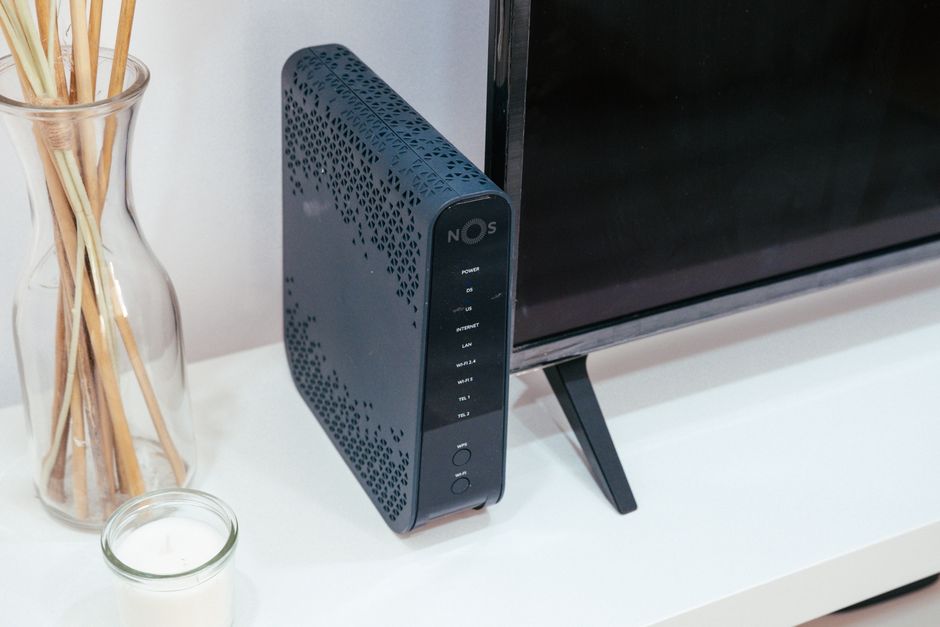
Deciding between renting your internet equipment or buying your own in 2026? This guide compares costs, performance, and features of ISP-provided vs. personal modems and routers.
In 2026, the demand for fast, reliable home internet is higher than ever. Whether you’re streaming 8K content, engaging in cloud gaming, or managing an array of smart home devices, your network infrastructure is critical. A foundational decision for any internet subscriber is whether to use the modem and router provided by your Internet Service Provider (ISP) or to purchase your own.
This choice goes beyond a simple rental fee. It impacts your internet speed, Wi-Fi coverage, network security, and overall control over your home network. With advancements like Wi-Fi 7 and DOCSIS 4.0 modems becoming more common, understanding the implications of each option is crucial for optimizing your digital experience and ensuring you get the best value for your money in the current market.
| Feature | ISP-Provided Equipment | Owning Your Own Equipment |
|---|---|---|
| Initial Cost | Often $0 upfront, included in plan or rental fee | Significant upfront investment ($150 – $600+) |
| Monthly Cost | Typically $15-$20 rental fee/month | $0 rental fee/month |
| Long-Term Savings | None, continuous fees | Significant savings over 1-2 years |
| Performance | Standard, often sufficient for most users | Potentially superior (latest tech, better coverage) |
| Features & Control | Limited customization, basic features | Full control, advanced features (QoS, parental controls) |
| Updates & Maintenance | Managed by ISP, automatic updates | User responsible for firmware updates, troubleshooting |
| Compatibility | Guaranteed to work with your ISP’s service | Must verify compatibility with your ISP |
| Support | Single point of contact (ISP) | Requires understanding separate modem/router support |
| Security | ISP-managed security protocols | User-managed, often more robust options |
| Upgrade Path | ISP dictates upgrade schedule | Freedom to upgrade anytime |
Most major ISPs, including Xfinity, Spectrum, AT&T Fiber, and Verizon Fios, offer their subscribers modem/router combo units or separate devices as part of their service package. In 2026, these devices are increasingly sophisticated, often supporting Wi-Fi 6E or even entry-level Wi-Fi 7, and DOCSIS 3.1 or 4.0 for cable internet.
For example, Xfinity’s xFi Gateway offers built-in Wi-Fi 6E support and DOCSIS 3.1 connectivity for speeds up to 2.5 Gbps. While the device itself is capable, Xfinity typically charges a rental fee of $16 per month. Spectrum’s Advanced WiFi router often supports similar speeds and features, with a standard rental fee of $15 per month, which sometimes can be waived for specific premium plans.
The primary advantage of ISP-provided equipment is convenience. Setup is usually plug-and-play, and the ISP handles all maintenance, firmware updates, and troubleshooting. If something goes wrong, you have a single point of contact for support. This can be ideal for users who prefer a hands-off approach or are less technologically inclined.
However, the monthly rental fees accumulate quickly. Over two years, an Xfinity customer would pay $384 in rental fees. Over three years, this jumps to $576. These costs often exceed the purchase price of high-quality retail equipment. Furthermore, ISP-provided units may lack advanced features like robust Quality of Service (QoS) controls, extensive parental controls, or superior Wi-Fi customization settings found in premium retail routers. Firmware updates might also be delayed or locked down, limiting access to the latest security patches or performance improvements.
Purchasing your own modem and router offers greater control, potentially better performance, and significant long-term savings. This option is particularly appealing in 2026, as Wi-Fi 7 and DOCSIS 4.0 technologies mature, offering unparalleled speeds and efficiency.
If you have cable internet (e.g., Xfinity, Spectrum, Cox), you’ll need a compatible modem. In 2026, DOCSIS 3.1 modems are still prevalent and support multi-gigabit speeds, but DOCSIS 4.0 is emerging for symmetrical multi-gigabit performance (up to 10 Gbps symmetrical in some areas). Always check your ISP’s approved modem list.
Popular DOCSIS 3.1 models in 2026 include the Arris SURFboard S33, priced around $190, and the Netgear Nighthawk CM2000, typically $220. Both are capable of handling internet plans up to 2.5 Gbps. For those looking to future-proof or access symmetrical multi-gig speeds, newer DOCSIS 4.0 modems like the CommScope SB8200v2 or Netgear Nighthawk CM3000 are available, with prices starting around $280-$350. These ensure you can take full advantage of emerging high-speed cable plans without constant equipment upgrades.
The savings from owning a modem are substantial. Assuming a $16/month rental fee, a $200 modem pays for itself in just over 12 months. Any use beyond that is pure savings. Many users find their modems last for 3-5 years, translating to hundreds of dollars saved.
A high-quality router is the heart of your home network. In 2026, Wi-Fi 7 (802.11be, also known as Extremely High Throughput or EHT) is becoming the new standard for premium routers, offering theoretical maximum speeds exceeding 40 Gbps and significant improvements in latency and network efficiency. Wi-Fi 6E routers are still excellent choices, leveraging the 6GHz band for less interference.
Top-tier Wi-Fi 7 routers include the ASUS ROG Rapture GT-AXE16000, priced around $650, offering quad-band support and robust gaming features. For a more budget-friendly, yet high-performance, option, the TP-Link Archer AXE300 (Wi-Fi 7) can be found for about $380, providing excellent speed and coverage for most homes. If you need whole-home mesh Wi-Fi, the Eero Pro 6E (three-pack for $550) or Google Nest WiFi Pro (two-pack for $330) are popular choices, delivering seamless coverage and smart features.
Owning your router gives you complete control over your Wi-Fi network. You can set up advanced parental controls, prioritize specific devices or applications (QoS), create guest networks, and access detailed network analytics. Many retail routers also come with enhanced security features, often including subscription-based threat protection, offering a more secure environment than basic ISP-provided units. Furthermore, you can choose a router designed for your home’s size and layout, ensuring optimal coverage and eliminating dead zones.
Let’s consider a scenario where you buy a DOCSIS 3.1 modem (e.g., Arris SURFboard S33 for $190) and a mid-range Wi-Fi 7 router (e.g., TP-Link Archer AXE300 for $380). Your total upfront cost is $570. Compared to a $16/month rental fee over three years ($576), you essentially break even in just over three years. However, a $16/month rental fee is often for a combo unit, which means owning a separate modem and router will almost always pay for itself faster if you factor in the often inferior performance of combo units for advanced users.
If your ISP charges separate fees for a modem and a router, or if you plan to keep your equipment for 4-5 years, the savings become substantial, often exceeding $500-$800 over the lifespan of the equipment. For power users, the enhanced performance and features are an invaluable bonus.
Choosing between ISP-provided and your own equipment depends heavily on your specific needs, budget, and technical comfort level.
Budget-Conscious Users with Basic Needs: If your internet usage is primarily casual browsing, email, and standard-definition streaming, and you prefer not to deal with technical setups, sticking with ISP-provided equipment might be acceptable. Factor in the monthly rental fee and compare it to the cost of buying a basic combo unit yourself. If you only plan to keep the service for a year or less, the upfront cost of buying might not be worth it.
Performance Enthusiasts & Smart Homes: For gamers, 4K/8K streamers, remote workers with frequent video calls, or households with numerous smart devices, investing in your own high-performance modem and router is almost always the better choice. You’ll benefit from superior Wi-Fi coverage, lower latency, more stable connections, and advanced features like Wi-Fi 7’s multi-link operation (MLO) or robust QoS settings. Consider a DOCSIS 4.0 modem for future-proofing if multi-gig symmetrical cable internet is available or coming soon in your area.
Tech Savvy vs. Hands-Off Approach: If you enjoy customizing network settings, monitoring traffic, and troubleshooting minor issues, owning your equipment offers unparalleled flexibility. If the thought of setting up a new router or updating firmware gives you anxiety, the convenience of ISP-managed equipment and support might outweigh the long-term costs.
Internet Speed Requirements: For basic internet plans (e.g., 200-500 Mbps), most ISP-provided equipment will suffice. However, for multi-gigabit plans (1 Gbps and above), you’ll often find that even ISP-provided premium gateways struggle to deliver the full potential, especially over Wi-Fi, due to internal bottlenecks or suboptimal antenna arrays. A dedicated, high-end Wi-Fi 6E or Wi-Fi 7 router will maximize your speed across all devices.
Home Size and Layout: For larger homes or those with multiple floors and thick walls, a single ISP-provided router may not provide adequate coverage. Owning your equipment allows you to invest in a dedicated Mesh Wi-Fi system, such as the Eero Pro 6E or Orbi RBKE960 series, ensuring seamless, strong Wi-Fi throughout your entire property. These systems are rarely offered or fully optimized by ISPs.
Q: Will owning my own equipment void my ISP warranty or service agreement?
A: No. Federal law (specifically the Telecommunications Act of 1996) prevents ISPs from requiring you to use their equipment. However, your ISP is only responsible for the service up to the modem. If you have an issue with your owned router, you’ll need to contact the manufacturer for support.
Q: How much can I really save by buying my own modem and router?
A: With typical rental fees of $15-$20 per month, you can save between $180 and $240 per year. Over a standard equipment lifespan of 3-5 years, this amounts to savings of $540 to $1,200, easily covering the cost of high-quality retail devices.
Q: What is DOCSIS 4.0 and do I need it in 2026?
A: DOCSIS 4.0 is the latest cable modem standard, enabling symmetrical multi-gigabit speeds (up to 10 Gbps up/down) over cable networks. As of October 2026, it’s still being rolled out by major ISPs like Xfinity and Spectrum in select areas. If your ISP offers multi-gig symmetrical plans and you want to future-proof your setup for the next 5-7 years, a DOCSIS 4.0 modem is a wise investment. Otherwise, a high-quality DOCSIS 3.1 modem is perfectly adequate for most plans up to 2.5 Gbps.
Q: Do I need a separate modem and router, or can I get a combo unit?
A: A separate modem and router generally offer more flexibility and often better performance. If one component fails, you only need to replace that specific device. It also allows you to upgrade your router independently as Wi-Fi technology advances. Combo units are convenient and save space but can be a bottleneck for advanced users and offer less customization.
For the vast majority of home internet users in 2026, purchasing your own modem and router is the superior option. While it requires a higher upfront investment, the long-term financial savings, enhanced performance, greater control, and improved security far outweigh the initial cost and the minimal convenience of ISP-provided equipment.
If you’re aiming for optimal Wi-Fi coverage, leveraging the latest Wi-Fi 7 speeds, or simply want full command over your home network, investing in a top-tier modem (like a DOCSIS 4.0 unit for cable) and a powerful Wi-Fi 7 router or mesh system is a smart decision. The break-even point is typically between 12-24 months, making it a sound financial choice that also elevates your entire internet experience. Unless you require the absolute simplest, hands-off setup and plan to switch ISPs frequently, buying your own is the clear winner for 2026.
Prices and features mentioned are accurate as of the date of publication. Always check the official provider website for the most current pricing and availability.




