Physical Address
304 North Cardinal St.
Dorchester Center, MA 02124
Physical Address
304 North Cardinal St.
Dorchester Center, MA 02124

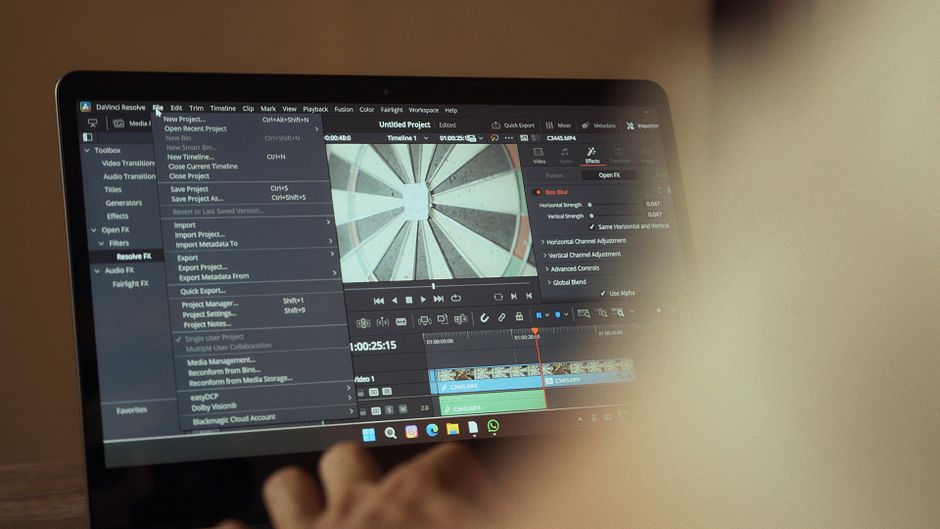
Deciding between After Effects and DaVinci Resolve Fusion for motion graphics in 2026? Our in-depth comparison covers features, pricing, and performance to help you choose the best software.
In the vibrant and ever-evolving landscape of digital content creation, motion graphics stand as a critical element for engaging audiences across various platforms. From sleek corporate videos and dynamic social media content to intricate film title sequences and interactive web animations, the demand for high-quality motion design has never been greater. For professionals and aspiring artists alike, selecting the right software is paramount to turning creative visions into reality.
As of October 2026, two titans dominate the professional motion graphics arena: Adobe After Effects and DaVinci Resolve Fusion. After Effects has long been the industry benchmark, revered for its robust feature set and extensive ecosystem. However, Fusion, integrated within Blackmagic Design’s increasingly popular DaVinci Resolve, has rapidly ascended as a formidable, often disruptive, challenger. This comparison delves deep into their capabilities, performance, and value in 2026, helping you determine which tool best fits your creative workflow and budget.
This article will dissect each platform, considering their specific strengths for motion graphics, integration with AI tools, pricing structures, and overall user experience. We aim to provide a neutral, fact-driven analysis to empower your decision-making process in this highly competitive software market. The ongoing market shifts, including increased competition from Blackmagic and the impact of advanced AI on creative workflows, make this comparison more relevant than ever.
| Feature | Adobe After Effects (2026) | DaVinci Resolve Fusion (2026) |
|---|---|---|
| Primary Workflow | Layer-based, Timeline-centric | Node-based, Flow-centric |
| Pricing Model | Subscription (Creative Cloud) | Free (Resolve Free) or One-time Purchase (Resolve Studio) |
| AI Features | Advanced AI rotoscoping, generative fill for VFX, object tracking, text-to-animation. | Magic Mask, AI-powered object isolation, enhanced smart tracking, scene cut detection, generative effects. |
| Learning Curve | Moderate to High (for advanced features) | Steep (Node-based can be challenging initially) |
| Integration | Excellent with Adobe CC (Premiere Pro, Photoshop, Illustrator) | Seamless with DaVinci Resolve’s Edit, Color, Fairlight modules |
| Performance | Good, but can be resource-intensive on complex projects; improved multi-core/GPU. | Highly optimized, GPU-accelerated; known for real-time playback. |
| Plugin Ecosystem | Vast and mature (Trapcode, Video Copilot, etc.) | Growing, but smaller than After Effects; focused on Resolve ecosystem. |
| 3D Capabilities | Basic 3D layers, plugins for advanced 3D. | Robust 3D workspace, particles, volumetric effects. |
| Pros | Industry standard, massive community, extensive plugins, great for general motion graphics, tight Adobe CC integration. | Free/one-time purchase, excellent performance, powerful node-based compositing, strong 3D tools, integrated with full NLE. |
| Cons | Subscription cost, can be resource heavy, some users dislike Adobe’s ecosystem. | Steep learning curve, smaller community/plugin market, less ideal for quick, simple text animations. |
Adobe After Effects remains the venerable powerhouse of motion graphics and visual effects, solidifying its position as an industry standard. As of October 2026, it continues to evolve as part of the Adobe Creative Cloud suite, offering a comprehensive toolkit for designers and animators. Its layer-based timeline workflow is intuitive for many, making it accessible for those transitioning from other timeline-centric editing software.
For motion graphics, After Effects excels with its vast array of tools. Users can leverage powerful text animators, intricate shape layer controls, and the versatile Puppet Tool for character animation. The integration of expressions allows for complex, data-driven animations, while third-party plugins like Maxon’s Trapcode Suite and Video Copilot’s Element 3D continue to expand its capabilities for advanced particle systems and 3D rendering. The ecosystem of tutorials and resources available for After Effects is unparalleled, providing extensive support for learners and professionals alike.
Adobe has significantly advanced its AI integration in After Effects by 2026. Features like AI-powered rotoscoping have become more precise and efficient, capable of handling complex subjects with minimal manual input. Generative fill capabilities, reminiscent of Photoshop’s groundbreaking tools, now allow artists to quickly extend backgrounds or remove unwanted elements in motion with remarkable accuracy. Furthermore, new text-to-animation assistants can generate basic motion graphic templates from descriptive prompts, streamlining initial design phases. Despite these advancements, Adobe has faced increasing pressure from competitors and a shift in market sentiment, as evidenced by reports of Adobe Stock hitting multi-year lows and a general frustration among some users with the subscription model.
Performance in After Effects has seen continuous improvements, with better optimization for modern multi-core CPUs and advanced GPUs, including the latest M-series chips and high-end NVIDIA/AMD cards. Real-time playback for many effects and compositions has become more robust, though resource-intensive projects with numerous layers, complex effects, or un-rendered 3D elements can still push system limits. Its seamless integration with other Adobe Creative Cloud applications like Premiere Pro, Photoshop, and Illustrator creates an unbroken workflow for designers working across different media types.
The pricing model for After Effects, as of October 2026, continues to be subscription-based. An individual After Effects single app plan typically costs around $22.99 per month. For those needing a broader suite of tools, the Creative Cloud All Apps plan, which includes Premiere Pro, Photoshop, Illustrator, and more, is priced at approximately $59.99 per month. While this provides access to an expansive creative ecosystem, the recurring cost is a significant consideration for many, particularly when compared to perpetual licenses offered by competitors.
DaVinci Resolve Fusion, Blackmagic Design’s powerful node-based compositor, has firmly established itself as a top-tier solution for motion graphics and visual effects, especially within the increasingly popular DaVinci Resolve ecosystem. Unlike After Effects’ layer-based approach, Fusion employs a node-based workflow, where each operation—be it an effect, a mask, or a source—is represented by a node, connected in a flow graph. This methodology offers immense flexibility, precision, and clarity for complex compositions, appealing to artists who appreciate a non-destructive and highly organized project structure.
Fusion’s motion graphics capabilities are extensive and powerful. It boasts a full 3D workspace, allowing for the creation and manipulation of 3D objects, particles, and volumetric effects directly within the software. Tools like the Text+ node offer advanced typographical control, while its robust particle system, replicators, and vector paint tools provide immense creative freedom. Fusion truly shines in intricate compositing tasks, advanced tracking (planar and 3D), and rotoscoping, delivering film-quality results often found in high-end VFX pipelines.
Blackmagic Design has been aggressive in integrating AI into DaVinci Resolve, and Fusion benefits greatly from these advancements in 2026. Features like the Magic Mask have become even more sophisticated, allowing for rapid, AI-powered isolation of specific objects or body parts with remarkable accuracy and speed. Enhanced smart tracking algorithms can follow complex movements even with occlusions, while new generative effect nodes allow for experimental texture and background creation. These AI tools significantly accelerate common compositing tasks, making complex VFX more accessible and efficient for artists.
Performance is a significant advantage for DaVinci Resolve Fusion. Known for its exceptional optimization and GPU acceleration, Fusion often provides superior real-time playback, particularly on systems equipped with high-performance GPUs. This efficiency is critical for artists working on demanding 4K or 8K projects, where fluid interaction with the software can drastically improve workflow speed. Blackmagic’s philosophy of providing powerful, hardware-optimized software is clearly evident in Fusion’s responsiveness.
One of Fusion’s most compelling aspects is its pricing. The full DaVinci Resolve suite, which includes Fusion, is available in two versions: DaVinci Resolve (free) and DaVinci Resolve Studio. The free version of Resolve provides an incredibly robust set of features for motion graphics, making it an ideal choice for beginners, students, or those on a tight budget. For professionals, DaVinci Resolve Studio is offered as a one-time purchase, typically around $295 USD, often bundled with Blackmagic Design hardware. This perpetual license model stands in stark contrast to Adobe’s subscription, offering significant long-term savings and a major draw for users seeking to escape recurring costs. The comprehensive nature of Resolve means Fusion integrates seamlessly with its award-winning editing, color grading, and audio (Fairlight) modules, providing an all-in-one post-production solution.
Selecting the ideal motion graphics software between After Effects and DaVinci Resolve Fusion in 2026 requires a careful evaluation of your specific needs, existing workflow, and long-term goals. Both are incredibly powerful tools, but they cater to slightly different user profiles and project requirements.
Consider your budget first. If you are operating on a tight budget or prefer a one-time investment over recurring subscriptions, DaVinci Resolve Fusion is an extremely attractive option. The free version offers substantial power, while Resolve Studio’s $295 perpetual license provides incredible value. After Effects, with its mandatory Creative Cloud subscription (starting around $22.99/month for the single app), represents a higher ongoing cost, though it provides access to Adobe’s extensive creative ecosystem.
Your preferred workflow style is another critical factor. If you’re accustomed to a layer-based timeline and appreciate an intuitive, Photoshop-like approach for quick animations and effects, After Effects might feel more natural initially. Conversely, if you thrive on precision, complex interconnectivity, and a highly organized, non-destructive environment, Fusion’s node-based workflow could be a game-changer. Be prepared for a steeper initial learning curve with Fusion, but also for greater control and flexibility once mastered.
Evaluate your existing software ecosystem. If your team or personal workflow is already deeply integrated into Adobe Creative Cloud—using Premiere Pro for editing, Photoshop for image manipulation, and Illustrator for vector graphics—After Effects offers unparalleled synergy. Files, assets, and projects can move seamlessly between applications. However, if you are looking for an all-in-one post-production suite, or if you already use DaVinci Resolve for editing and color grading, Fusion’s tight integration within Resolve creates an equally powerful, consolidated pipeline.
The complexity and scale of your projects should also guide your decision. For general motion graphics, social media animations, and quick informational videos, After Effects offers a rapid development environment with a vast array of templates and plugins. For highly technical compositing, complex 3D motion graphics, advanced particle systems, and high-end visual effects where precision and performance are paramount, Fusion’s dedicated 3D workspace and robust node editor might offer a more powerful and efficient solution. Its performance, especially on high-resolution projects, often surpasses After Effects.
Finally, consider community support and learning resources. After Effects has a massive, well-established community, an endless supply of tutorials, and a rich plugin market developed over decades. Fusion’s community is growing rapidly, with Blackmagic Design actively fostering its development, but it still has a smaller dedicated library of third-party plugins and specialized tutorials compared to After Effects. Your willingness to learn a new workflow and seek out specific resources will play a role here.
While DaVinci Resolve Fusion is an incredibly powerful motion graphics and compositing tool, and certainly a strong alternative, calling it a ‘direct replacement’ depends on individual needs. Fusion excels in node-based compositing, 3D space, and performance, especially for complex VFX. After Effects remains dominant for general motion graphics, character animation, and its extensive plugin ecosystem. Many professionals might use both, leveraging their specific strengths.
Absolutely. The free version of DaVinci Resolve includes the full Fusion page, offering an incredibly robust set of tools for professional motion graphics. It supports unlimited resolution, advanced 3D compositing, particles, tracking, and more. While Resolve Studio offers a few additional advanced features like neural engine AI tools, advanced noise reduction, and some third-party plugin support, the core Fusion experience for motion graphics is fully available in the free version.
The primary advantage of Fusion’s node-based workflow is its non-destructive nature and clarity for complex projects. Each operation is a distinct node, making it easier to reorder, modify, or disable specific effects without affecting others. It provides a visual representation of your entire composition’s flow, which can be much more manageable and efficient for intricate visual effects or detailed motion graphics with many interconnected elements, unlike the potentially messy layer stacks in After Effects.
For optimal performance in 2026, both applications benefit greatly from powerful hardware. You’ll want a modern multi-core CPU (Intel Core i7/i9 or AMD Ryzen 7/9), at least 32GB of RAM (64GB recommended for complex projects), and a dedicated GPU with a minimum of 8GB VRAM (12GB+ recommended, especially for Fusion’s GPU acceleration). Fast SSD storage is essential for cache and project files. Consult Adobe and Blackmagic Design’s official websites for the most current and detailed system specifications.
As of October 2026, the choice between After Effects and DaVinci Resolve Fusion for motion graphics is less about a single ‘best’ and more about the ‘best fit’ for your particular circumstances. Both are exceptionally powerful, industry-leading tools that have evolved significantly, particularly with the integration of advanced AI capabilities.
Adobe After Effects continues to be a gold standard for good reason. Its layer-based workflow, vast plugin ecosystem, and deep integration with the Adobe Creative Cloud make it an indispensable tool for many studios and freelancers. If you are already entrenched in the Adobe ecosystem, prioritize a more intuitive timeline-based approach for general motion graphics, or rely heavily on third-party After Effects-specific plugins, then it remains a strong, reliable choice. Adobe’s AI enhancements for rotoscoping and generative tasks offer powerful accelerations, even if the company faces broader market pressures.
However, DaVinci Resolve Fusion presents a compelling and increasingly disruptive alternative. For those seeking to escape subscription models, Fusion’s free tier and one-time Studio license are unmatched in value. Its node-based workflow, while requiring a steeper learning curve, offers unparalleled control and flexibility for complex compositing, 3D motion graphics, and high-end visual effects. Fusion’s robust performance, excellent GPU acceleration, and seamless integration within the comprehensive DaVinci Resolve suite make it a powerhouse for a unified post-production workflow. Blackmagic Design’s aggressive innovation and powerful AI tools position Fusion as a formidable contender for any serious motion graphics artist.
Our recommendation for the ‘best’ motion graphics software in 2026 hinges on your specific needs:
Ultimately, both platforms empower artists to create stunning motion graphics. The shift towards powerful, accessible alternatives like Fusion, coupled with ongoing AI advancements, signifies an exciting future for digital artists. We encourage you to try both the free DaVinci Resolve and an After Effects trial to experience their unique strengths firsthand before making your final decision.
Prices and features mentioned are accurate as of the date of publication. Always check the official provider website for the most current pricing and availability.




