Physical Address
304 North Cardinal St.
Dorchester Center, MA 02124
Physical Address
304 North Cardinal St.
Dorchester Center, MA 02124

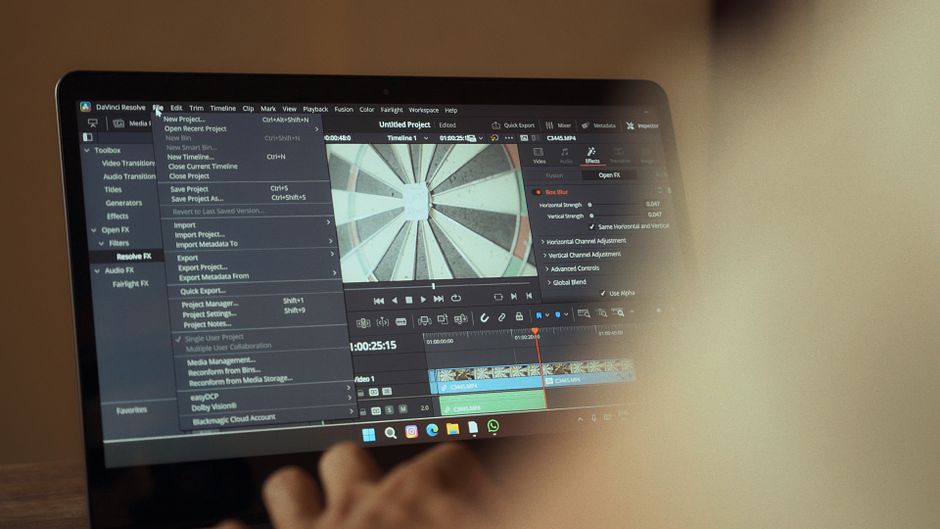
Compare CapCut Pro, Adobe Premiere Pro, and DaVinci Resolve 21 in 2026. Find the best video editor for your workflow, budget, and creative goals.
In 2026, the digital video creation landscape is more dynamic than ever. Creators are tasked with producing high-quality content across multiple platforms, ranging from quick, 15-second TikTok videos to full-length narrative projects. To survive in this highly competitive space, choosing the right video editing software is no longer just a technical detail—it is a critical business decision. The tool you select dictates your production speed, the visual polish of your final product, and ultimately, your return on investment.
Three heavyweights dominate the video editing market, each representing a fundamentally different approach to content creation: CapCut Pro, Adobe Premiere Pro, and DaVinci Resolve. CapCut Pro caters heavily to short-form, mobile-first creators who rely on lightning-fast turnaround times and robust AI templates. Adobe Premiere Pro remains the deeply entrenched industry veteran, favored by traditional agencies and collaborative studios. Meanwhile, DaVinci Resolve stands as the elite technical choice, famous for its world-class color grading, Fairlight audio, and a licensing model that challenges subscription fatigue.
Whether you are a solo YouTuber looking to streamline your workflow or a seasoned editor evaluating the financial viability of recurring subscriptions, this guide is for you. We analyze the pricing, performance, features, and target workflows of these three editors in 2026 to help you make an informed choice.
To help you understand the landscape at a glance, here is how CapCut Pro, Adobe Premiere Pro, and DaVinci Resolve compare across pricing, platforms, and primary strengths in 2026:
| Feature/Metric | CapCut Pro | Adobe Premiere Pro | DaVinci Resolve 21 |
|---|---|---|---|
| Pricing Model | Subscription ($19.99/mo or $179.99/yr) | Subscription ($22.99/mo on annual plan) | Free version available; $295 one-time for Studio |
| Platform Support | Windows, macOS, Web, iOS, Android | Windows, macOS | Windows, macOS, Linux, iPadOS |
| Primary Strength | Social media speed, AI templates, ease of use | Collaborative workflows, native Adobe ecosystem | Industry-standard color grading and audio |
| AI Capabilities | 1,200 monthly credits for automated templates | Generative Extend, Media Intelligence search | IntelliSearch, CineFocus, voice isolation |
| Learning Curve | Very Low (Beginner-friendly) | Medium to High (Requires training) | High (Node-based VFX and technical layout) |
To truly understand which software fits your toolkit, we must dive beneath the surface-level marketing. Here is a comprehensive look at what each platform brings to the editing desk in 2026.
Originally known as a companion app for TikTok, CapCut has grown into a highly capable, cross-platform powerhouse. In 2026, parent company ByteDance introduced upgraded membership structures to better align with professional and marketing-focused creators. The free version still exists, but the platform is heavily driving users toward its paid tiers to unlock premium AI functions and templates.
2026 Pricing: CapCut Pro is priced at $19.99 per month or $179.99 for an annual commitment. For casual creators, a new middle-tier “Standard Plan” is available at $9.99 per month ($89.99 per year), though it lacks the advanced AI capabilities of the Pro version.
Standout Features & AI: The Pro plan includes a massive upgrade to 1,200 monthly AI credits (up from the previous limit of 550). This powers features like AI virtual try-ons, automatic product background removal, and voiceover generation. Pro users also benefit from an expanded 1TB of cloud storage (up from 100GB). This upgrade allows for seamless cross-device editing where you can start an edit on your phone and finish it on your desktop computer.
The Verdict on CapCut Pro: It is designed for velocity. CapCut Pro is unbeatable if you need to churn out multiple high-quality vertical videos a day. It is not built for complex documentary editing or multi-camera cinema workflows, but it is highly efficient for modern social media management.
Adobe Premiere Pro remains a standard choice for creative agencies, corporate marketing teams, and traditional post-production houses. It thrives on deep integration within the Adobe Creative Cloud suite, making it exceptionally easy to send clips to After Effects for visual effects or Audition for sound design.
2026 Pricing: Premiere Pro continues to operate on a strict subscription-only model. The standalone Premiere Pro Individual plan costs $22.99 per month when billed annually. For creators who require the entire suite, Adobe rebranded the All Apps bundle to “Creative Cloud Pro,” which is priced at $69.99 per month on an annual commitment.
Standout Features & AI: The most significant update for 2026 is the rollout of “Color Mode,” a completely rebuilt color-grading environment tailored specifically for editors. This system aims to match the grading capabilities of dedicated suites without forcing users to leave their main timeline. On the AI front, Premiere Pro utilizes “Media Intelligence” to automatically index, tag, and organize imported footage, allowing editors to search for objects, locations, and framing using natural language. The software also includes Generative Extend, which uses Firefly-powered AI to add frames to the beginning or end of a clip.
The Verdict on Premiere Pro: Despite recurring user frustration regarding subscription costs, Premiere Pro remains incredibly powerful. It is the ideal choice if you collaborate with other editors, work with complex graphics, or need a platform that is universally recognized by corporate clients.
Blackmagic Design’s DaVinci Resolve is widely praised by the post-production industry. In early 2026, Blackmagic announced DaVinci Resolve 21. This update elevates the software from a video editor and color suite to a multi-disciplinary visual workspace.
2026 Pricing: DaVinci Resolve remains the absolute champion of value. The base version of DaVinci Resolve 21 is entirely free and contains roughly 90% of the features needed by professional editors. To unlock high-framerate 8K exports, advanced noise reduction, multi-GPU rendering, and the full suite of DaVinci Neural Engine AI tools, you must upgrade to DaVinci Resolve Studio for a one-time perpetual license of $295.
Standout Features & AI: DaVinci Resolve 21 introduces the “Photo Page,” bringing Hollywood-tier grading and RAW development tools directly to still photography. On the video side, new AI tools include “IntelliSearch,” which allows editors to search through thousands of hours of footage for specific objects, faces, or spoken phrases in seconds. Additionally, the “CineFocus” AI tool lets you adjust focus points, aperture shapes, and depth of field in post-production, mimicking high-end cinema lenses. DaVinci Resolve 21.0.2 also vastly improves playback performance for H.265 files on modern NVIDIA GPUs.
The Verdict on DaVinci Resolve: For professional color grading, cinematic storytelling, and visual effects, DaVinci Resolve 21 is a top-tier choice. The perpetual license model breaks even against a Premiere Pro subscription in just over a year, making it a very smart financial choice for independent creators and small studios.
With three incredibly powerful options on the table, the best choice depends heavily on your specific workflow, experience, and financial preferences. Use the guidelines below to match your needs with the perfect software.
Yes. The free version of DaVinci Resolve 21 is exceptionally robust. Unlike other free software that exports with massive watermarks or locks basic features, the free version of DaVinci Resolve includes full multitrack editing, basic Fusion effects, Fairlight audio, and the legendary color-grading page. You only need to pay the $295 fee for the Studio version if you require advanced AI tools, 8K resolutions, or noise reduction.
If you are a professional content creator, social media manager, or business owner who needs to produce a high volume of videos, yes. The time saved using Pro’s automated features—like premium templates, AI-enhanced voices, and massive 1TB cloud collaboration tools—easily justifies the price. However, hobbyists should stick with CapCut’s free version or the $9.99/month Standard Plan.
Adobe Premiere Pro is sold only as a subscription model, costing roughly $275 per year for the standalone app or $840 per year for the Creative Cloud Pro suite. Because DaVinci Resolve Studio is a one-time perpetual purchase of $295 (which includes free lifetime updates), it pays for itself in just over a year compared to Premiere Pro, offering massive savings for long-term users.
CapCut Pro is by far the easiest to learn. It features a highly intuitive drag-and-drop interface and automated tools that handle complex tasks with a single click. Premiere Pro and DaVinci Resolve are professional, timeline-based programs that require a steeper learning curve, though DaVinci Resolve’s “Cut Page” offers a simpler entry point for beginners.
In 2026, there is no single “best” video editor, but there is a clear winner for your specific financial and creative goals.
For independent filmmakers, professional videographers, and budget-conscious creators, the crown goes to DaVinci Resolve 21. Its combination of a powerful free tier, a financially smart $295 one-time Studio license, and industry-standard color grading makes it the most complete and valuable video editor on the market today.
For social media influencers, content agencies, and solo creators who live and breathe short-form content, CapCut Pro is the winner. The April 2026 update, which expanded AI capabilities and added 1TB of cloud storage, makes it a highly efficient choice for high-volume creator pipelines.
Finally, for creative agencies, enterprise teams, and editors who rely on After Effects, Adobe Premiere Pro remains a strong, reliable option. If you can look past the subscription cost, its unmatched integration and the newly introduced Color Mode make it a powerful platform for professional editing teams.
Prices and features mentioned are accurate as of the date of publication. Always check the official provider website for the most current pricing and availability.




