Physical Address
304 North Cardinal St.
Dorchester Center, MA 02124
Physical Address
304 North Cardinal St.
Dorchester Center, MA 02124

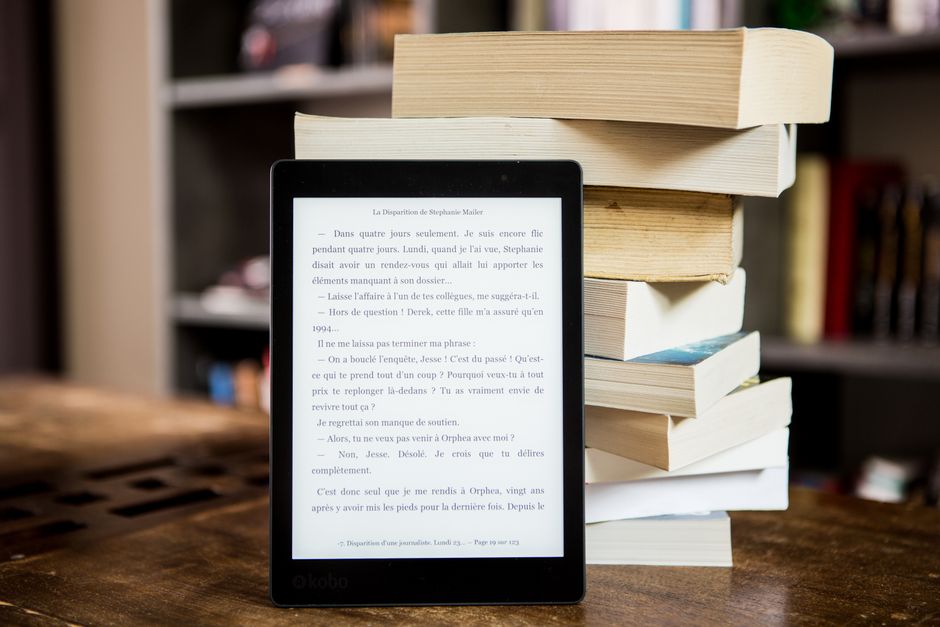
Compare Kindle Colorsoft and Kobo Libra Colour in 2026. Discover specs, prices, screen differences, and which color e-reader is best for you.
For over a decade, digital reading was famously a monochromatic experience. E-ink technology prioritized high-contrast, paper-like black and white text over vibrant palettes. However, color has officially taken over the e-reader landscape in 2026, marking a monumental shift in how we engage with digital books, graphic novels, comics, and textbooks. Leading this colorful revolution are two absolute heavyweights: Amazon’s Kindle Colorsoft and Rakuten Kobo’s Libra Colour. Both of these premium devices offer gorgeous, eye-friendly color displays that replace dull, gray book covers with vivid illustrations, but they approach the digital reading experience from vastly different design philosophies.
Choosing between these two premium color e-readers is about more than just comparing simple spec sheets. It is a decision that dictates your reading ecosystem, your daily ergonomics, and how much you value note-taking or library integration. While Amazon relies on its industry-dominating store, custom-formulated display layers, and seamless content delivery, Kobo leverages physical buttons, open-format freedom, and active stylus support. This comparison will analyze where your money is best spent in 2026, comparing the updated hardware, current pricing, and real-world performance of both devices.
Before diving into the detailed specifications, here is a high-level overview of how the Kindle Colorsoft and Kobo Libra Colour stack up against each other in 2026:
| Feature | Amazon Kindle Colorsoft (16GB / Signature 32GB) | Rakuten Kobo Libra Colour (32GB) |
|---|---|---|
| Screen Size & Type | 7-inch Custom Colorsoft Display (Nitride LEDs, Oxide Backplane) | 7-inch E Ink Kaleido 3 with FastGLR |
| Resolution | 300 PPI (Black & White) / 150 PPI (Color) | 300 PPI (Black & White) / 150 PPI (Color) |
| Current Price (2026) | $249.99 (Standard 16GB, often on sale for $169.99) / $279.99 (Signature 32GB) | $259.99 (MSRP updated in May 2026) |
| Physical Buttons | None (Touchscreen only) | Yes, dedicated page-turn buttons |
| Stylus Support | No | Yes, Kobo Stylus 2 (sold separately) |
| Waterproofing | IPX8 (Up to 2 meters for 60 mins) | IPX8 (Up to 2 meters for 60 mins) |
| Connectivity & Storage | USB-C, Dual-band Wi-Fi, 16GB or 32GB | USB-C, Dual-band Wi-Fi, Bluetooth, 32GB |
| Ecosystem | Amazon Kindle Store, Kindle Unlimited, Audible | Kobo Store, OverDrive (Public Libraries), Pocket, Google Drive, Dropbox |
The rollout of Amazon’s Kindle Colorsoft has been one of the most interesting stories in modern consumer hardware. Initially launched in late 2024, the original Kindle Colorsoft Signature Edition was met with mixed reviews due to a highly publicized “yellow band” issue near the bottom edge of the screen. Amazon took this customer feedback seriously, halting shipments and releasing a radical hardware revision in mid-2025. This update modified the display technology, swapped the main board, and relocated the internal wireless charging coils. By 2026, the Kindle Colorsoft lineup is available in two distinct models: the Standard 16GB version (launched in mid-2025 at $249.99 and frequently discounted to $169.99 during promotional events) and the premium Signature Edition 32GB version ($279.99). Both utilize a flawless, second-generation panel that provides a beautiful, yellow-band-free reading experience with incredibly clean white levels.
Technologically, Amazon did not just settle for an off-the-shelf color screen. Instead, the Colorsoft features a custom-engineered display stack built on an oxide backplane. This provides incredibly fast refresh rates and high-contrast, paper-like color. Rather than relying on standard color layers, Amazon added a custom-formulated protective coating combined with a light guide utilizing nitride LEDs. This custom engineering yields richer, more vibrant colors that resist washing out under direct sunlight, and text that looks exceptionally sharp for a color E Ink device. When you view book covers on your home screen or browse through colored graphic novels, the display delivers standard and vivid color modes that pop far more than traditional color E Ink panels. Furthermore, the 2026 software ecosystem finally brings a system-wide Dark Mode update, allowing users to fully invert the interface with white text on a deep black background, making nighttime reading comfortable.
In terms of daily use, the Kindle Colorsoft remains deeply tied to the robust Amazon ecosystem. Navigating the Kindle Store, synchronizing highlights, and utilizing Kindle Unlimited is as seamless as ever. The device is fully IPX8 waterproof, making it pool-friendly, and offers up to eight weeks of battery life depending on usage. The 16GB standard version provides plenty of room for thousands of books, while the 32GB Signature Edition adds wireless charging capability and an ambient light sensor that automatically adjusts to your environment. Its flush glass-front design is sleek and matches the premium feel of the Paperwhite lineup, offering a modern aesthetic that remains a favorite among purists who prefer a flat, symmetric reading slate.
Rakuten Kobo beat Amazon to the color market with the launch of the Kobo Libra Colour. While it was originally priced as a highly competitive $219.99 device, Kobo implemented a series of price hikes due to shifting manufacturing realities. By mid-2026, the retail price of the Kobo Libra Colour stands at $259.99, solidifying its place as a premium tier color e-reader. Despite this price increase, the Libra Colour remains one of the most well-rounded and versatile e-readers ever designed. This is largely thanks to its highly praised ergonomic form factor, open-source approach to file management, and stylus compatibility.
Under the hood, the Libra Colour features a 7-inch E Ink Kaleido 3 display with 300 PPI for black-and-white text and 150 PPI for color content. While it lacks the highly customized layer stack and nitride LEDs of the Kindle Colorsoft—meaning the background has a slightly darker, more textured matte grey appearance—it makes up for it with incredibly fast page turns and native stylus integration. By pairing the device with the Kobo Stylus 2 (sold separately for $69.99), the Libra Colour transforms from a passive reading device into a full-fledged notebook. You can highlight text in various colors, jot down thoughts directly in the margins of your EPUB files, or draft standalone notebooks. This functionality makes it highly popular among students, academics, and professionals who actively engage with their reading material.
Ergonomics are another area where Kobo holds a distinct advantage. Borrowing the asymmetric layout popularized by the beloved Kindle Oasis, the Libra Colour features a wider bezel on one side that acts as a natural handle. Built right into this handle are two physical page-turn buttons. This allows for effortless, tactile, single-handed reading—a feature that Kindle users have been begging Amazon to bring back for years. Furthermore, the device is extremely friendly to sideloading. It natively supports a massive array of file formats, including EPUB, EPUB3, FlePub, PDF, MOBI, and comic files like CBZ and CBR. The native integration of OverDrive allows you to browse, borrow, and read books from your local public library directly on the device, while integrated support for Pocket, Dropbox, and Google Drive makes transferring personal files completely wireless and painless.
With both of these color e-readers presenting strong cases in 2026, finding the right match depends heavily on your specific reading habits. Here is a breakdown of which features should tilt your decision in either direction:
1. Ecosystem and Content Acquisition: If you are already deeply embedded in Amazon’s ecosystem, the Kindle Colorsoft is the logical choice. Your existing Kindle library, Kindle Unlimited subscriptions, and Audible audiobooks will sync perfectly. However, if you prefer borrowing books from your local public library or have a large personal collection of EPUB and comic files, the Kobo Libra Colour is far superior. Kobo’s built-in OverDrive integration means you can borrow library books directly from the device screen without needing to route them through an external app, while its native support for Dropbox and Google Drive makes sideloading personal collections a breeze.
2. Screen Quality vs. Physical Buttons: If screen quality and color vibrance are your highest priorities, the Kindle Colorsoft is the winner. Thanks to its custom-engineered display layer, nitride light guide, and oxide backplane, it offers a brighter background, punchier colors, and less ghosting. However, if you value physical ergonomics, the Kobo Libra Colour’s asymmetric design with physical page-turn buttons makes it incredibly comfortable to hold and read for hours without accidentally touching the screen.
3. Note-Taking and Annotation: This is a massive differentiator. The Kindle Colorsoft does not support a stylus; you can only highlight text with your finger. If you want to sketch, write notes in the margins, keep a digital journal, or actively annotate documents, the Kobo Libra Colour is the only choice between the two. When paired with the Kobo Stylus 2, it becomes a powerful dual-purpose reader and notepad.
4. Pricing and Value: In 2026, the pricing landscape has shifted. The Kobo Libra Colour now sits at $259.99. Meanwhile, the Kindle Colorsoft is highly competitive. If you opt for the standard 16GB Colorsoft (which often dips to $169.99 during Amazon sales), it represents incredible value for a premium color reader. Even at its regular price of $249.99, it is slightly cheaper than the Kobo, though the 32GB Kindle Colorsoft Signature Edition will set you back $279.99.
Q: Does the Kindle Colorsoft still have the yellow band screen issue in 2026?
A: No. The yellow band issue only affected early manufacturing batches of the Kindle Colorsoft Signature Edition in late 2024. Amazon paused shipments and re-engineered the screen stack and motherboard in mid-2025. All Kindle Colorsoft units sold in 2026—including both the Standard 16GB and the Signature Edition 32GB models—feature the updated, flawless screen technology with even, clean illumination.
Q: Can I use a stylus to write on the Kindle Colorsoft?
A: No, the Kindle Colorsoft does not have active stylus support. You can only interact with the screen using your fingers to tap, swipe, and make color highlights. If you want a color e-reader that supports active writing, you should choose the Kobo Libra Colour (which supports the Kobo Stylus 2) or look at Amazon’s larger Kindle Scribe Colorsoft.
Q: Is the color on these e-readers as bright as an iPad or Android tablet?
A: No. Color E Ink technology (used in both devices) operates differently than LCD or OLED tablet screens. It uses reflective light rather than direct emissive light, resulting in a matte, paper-like display that is highly comfortable for long reading sessions and visible in direct sunlight. However, colors are more pastel and muted compared to the highly saturated glowing screens of modern tablets.
Q: Which device is better for reading manga and comic books?
A: Both are excellent, but they shine in different ways. The Kindle Colorsoft has a superior custom display stack that makes color graphic novels look punchier with better contrast. On the other hand, the Kobo Libra Colour natively supports comic book file formats like CBZ and CBR, has 32GB of storage for heavy image files, and features physical page-turn buttons which make flipping through manga pages incredibly satisfying.
Both the Kindle Colorsoft and the Kobo Libra Colour are phenomenal devices that prove color E Ink is no longer a gimmick, but a mature reading medium in 2026. However, looking at the feature sets and current pricing, we have a clear recommendation depending on your primary use case.
For the average reader who wants the absolute best visual experience, the Amazon Kindle Colorsoft takes the crown. Its custom display coating, nitride LED illumination, and updated screen engineering deliver colors that are visibly punchier and backgrounds that are significantly brighter than standard Kaleido 3 screens. If you do not need stylus note-taking or physical buttons, the Kindle Colorsoft—especially when you find the 16GB Standard model on sale—is the ultimate way to experience your library in color.
However, if you are a power user who values physical page-turn buttons, open-format sideloading, effortless library borrowing, and digital note-taking, the Kobo Libra Colour is the superior tool. Even with Kobo’s 2026 price increase to $259.99, its sheer versatility as an e-reader and a digital notebook makes it a powerhouse that Amazon’s standard reader simply cannot match.
Prices and features mentioned are accurate as of the date of publication. Always check the official provider website for the most current pricing and availability.




