Physical Address
304 North Cardinal St.
Dorchester Center, MA 02124
Physical Address
304 North Cardinal St.
Dorchester Center, MA 02124

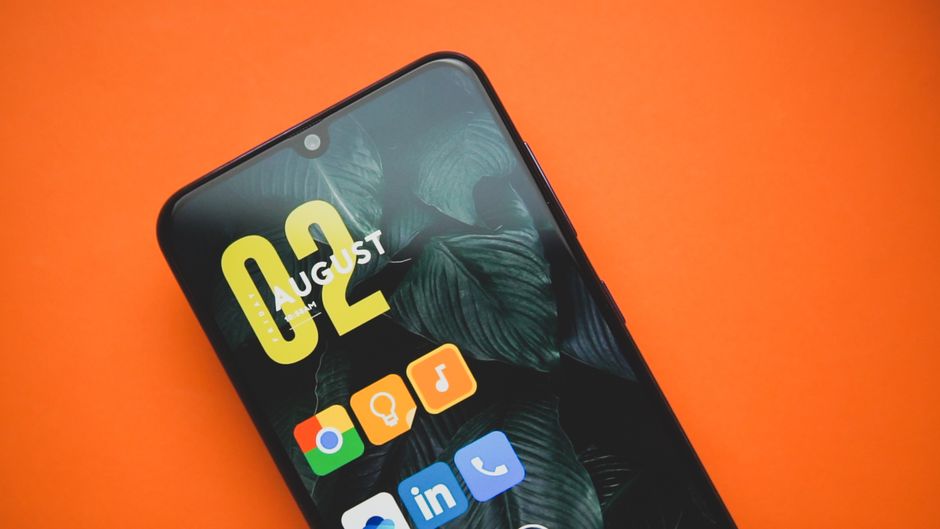
We compare Niagara Launcher, Mango Launcher, and Smart Launcher 6 to find the absolute best minimalist Android launcher of 2026. Read our in-depth review.
\n
Android customization has undergone a massive paradigm shift. In 2026, the era of bloated setups, excessive widget clusters, and heavy resource-draining live wallpapers has largely faded. Today, smartphone users demand something entirely different: digital mindfulness, clean lines, and peak one-handed efficiency. With digital fatigue at an all-time high, your phone’s launcher is no longer just a landing page; it is your gateway to productivity.
\n
Three heavyweights have risen to the top of the minimalist category: Niagara Launcher, Mango Launcher, and Smart Launcher 6. Niagara Launcher continues to dominate the vertical-list niche, recently celebrating major team updates and a sleek rebranding. Smart Launcher 6 remains a powerhouse of automatic organization, blending a highly functional grid-less design with sophisticated smart categories. Meanwhile, Pinya Apps has shook up the market in August 2026 with Mango Launcher, a brilliant new minimalist release that injects a touch of tactile joy and physics-based playfulness into an otherwise sterile design space.
\n
Choosing the right launcher can completely redefine how you interact with your device. Whether your goal is to dramatically cut down your daily screen time, automate app cleanup, or simply make your home screen a visually stunning oasis, this in-depth comparison will guide you to your perfect setup. We analyze their designs, standout features, and latest 2026 pricing to help you make an informed decision.
\n\n
\n
To help you see how these launchers compare at a glance, we have compiled their key attributes, current 2026 pricing tiers, and primary strengths below.
\n
| Feature / Metric | Niagara Launcher | Mango Launcher | Smart Launcher 6 |
|---|---|---|---|
| Primary UI Style | Vertical Scrolling List | Minimal Home Grid & Physics Themes | Gridless Custom, Bottom-Weighted |
| Standout Feature | Wave Alphabet sidebar, Direct Notification Reply | Physics-based layouts, Scribble Widget | Automatic smart app categorization |
| Customizability | Moderate (Opinionated structure) | High (Adaptive icon shapes, daily themes) | Very High (Pixel-perfect widget stacks, fonts) |
| One-Handed Usability | Excellent (Intuitive gestures, vertical list) | Great (Pie layouts & tumble features) | Excellent (Action buttons positioned at bottom) |
| Free Tier Quality | Excellent (Highly functional, completely ad-free) | Very Good (Many premium-feeling options included) | Good (But popups & advanced sorting are restricted) |
| Pricing (2026 Pro Plans) | $13.99/year or $42.99 lifetime | $6.99/year or $24.99 lifetime | $2.49/month, $6.99/year, or $20.99 lifetime |
\n\n
\n
To truly understand how these apps affect your day-to-day productivity, let’s dive into each launcher, exploring their features, design philosophies, and 2026 pricing models.
\n\n
\n
Developed by the team at Mellowdrop (which has grown to a dedicated team of eight as of 2026), Niagara Launcher is founded on the concept of extreme decluttering. Instead of pages filled with scattered grids, Niagara presents you with a single, highly refined vertical list of your favorite apps on the home screen. Everything else is relegated to an alphabetical sidebar on the side of your display, known as the \”Wave Alphabet\”. By dragging your finger along this wave, you can quickly slide to any app on your phone with an incredibly satisfying, fluid haptic feedback engine.
\n
What makes Niagara a masterpiece of focus is its deep notification integration. You do not need to pull down your notification shade to read or reply to incoming messages. Instead, notifications appear directly next to the app’s name on your home screen list. Swiping right on the app allows you to read the full notification, quickly reply, or execute actions on the fly. In 2026, Niagara also shines with its \”Usage Breaker\” feature—a built-in digital wellness tool that lets you set gentle timers on distracting apps to help reduce mindless phone pickups. Additionally, its widget stack integration is brilliantly integrated, allowing you to stack up to four widgets in a clean, scrollable card directly above your favorite apps list without breaking the interface’s symmetry.
\n
For foldables, Niagara remains a top-tier choice because of its dynamic layout adaptation. It effortlessly moves the vertical app list to a column format when unfolding devices like the Galaxy Z Fold 8, ensuring that no space is wasted.
\n
\n
\n
\n
\n\n
\n
Launched in mid-2026 by Pinya Apps (as a feature-packed evolution of their older Lime Launcher), Mango Launcher represents a fascinating concept: minimalist utility infused with whimsical, joyful design. While most minimal launchers pride themselves on being static and serious, Mango breaks the mold by introducing high-performance physics-based layouts. Through its \”Floating Theme,\” your home screen icons actually tumble and slide around, responding organically to gravity, your touch, and your phone’s physical movements. Swapping between portrait and landscape modes causes your icons to roll neatly to the bottom corner, making them incredibly easy to reach on larger screens.
\n
Beyond this whimsical touch, Mango is a power user’s playground. It features a unique \”Scribble Widget,\” allowing you to draw simple gesture shapes on your screen—such as sketching an ‘S’ to instantly launch Spotify or writing an ‘M’ to open your email. If you don’t like list layouts, you can activate the “Pie Layout” gesture wheels, bringing up tactile, thumb-friendly dials that let you launch apps via circular swipe wheels. The app drawer also includes a highly efficient one-handed alphabetical scrubber.
\n
Mango Launcher offers superb visual styling, with deep options for frosted glass effects, accent color matching derived dynamically from your wallpaper, and the ability to customize adaptive app shapes and colors on an individual basis.
\n
\n
\n
\n
\n\n
\n
Smart Launcher 6 is built for people who want a clean screen but own far too many apps to comfortably navigate via simple lists. It is highly regarded as one of the most intelligent launchers on the Play Store, primarily due to its automatic categorization engine. Upon installation, Smart Launcher scans your device and automatically sorts your apps into designated, easily accessible tabs in the drawer: Communication, Internet, Games, Media, Utility, and Settings. This eliminates the need to spend hours creating manual app folders.
\n
In terms of screen design, Smart Launcher utilizes a highly flexible, grid-less layout. This means you can place icons and widgets with sub-pixel precision, aligning them perfectly without rigid columns or rows. It prioritizes one-handed usability by placing the hotkey elements, apps, and most-used system functions near the bottom half of your screen—ideal for massive displays in 2026. Another stellar addition is “Popup Widgets”: you can double-tap a standard app icon to open a small floating widget right above it. For instance, double-tapping your calendar app brings up your schedule without opening the full application.
\n
Additionally, Smart Launcher features an ambient theme editor that adapts color palettes to your current wallpaper dynamically, a built-in search panel for files/web/contacts, and an integrated news page with RSS support.
\n
\n
\n
\n
\n\n
\n
When selecting the best minimalist launcher for your phone in 2026, you must align the software with your personal interaction habits. If you aren’t sure which launcher fits your workflow, consider the following parameters:
\n
1. Your Navigational Preference: List vs. Physics vs. Categories
\nDo you navigate your phone better by typing, scrolling alphabetically, or spotting visual categories? Niagara is built for text-list lovers who appreciate scrolling alphabetically to find their apps. If you want your phone’s interface to be tactile and interactive, Mango Launcher’s physics and doodle gestures will keep you engaged and smiling. If you have hundreds of apps and hate sorting them yourself, Smart Launcher 6 is the absolute best because its automatic category tabs handle the organization for you.
\n
2. One-Handed Usability and Form Factor
\nIf you use a exceptionally tall device or a modern foldable, Niagara Launcher provides the most seamless scaling. Its dual-layout scaling fits foldables perfectly. However, if you are strictly holding a massive non-folding phone with one hand, Smart Launcher 6’s bottom-weighted layout is phenomenal, keeping every major touch zone safely within range of your thumb.
\n
3. Focus and Digital Wellness
\nIf your phone is a source of constant distraction, Niagara Launcher’s \”Usage Breaker\” and text-based main screen are explicitly designed to reduce phone addiction. By stripping away the visual noise of colorful grid icons, it naturally discourages mindless tapping. Smart Launcher 6, with its built-in news feed, is geared slightly more toward power and productivity than strict digital mindfulness.
\n
4. Value for Money
\nAt $24.99 for a lifetime license, Mango Launcher offers incredible value for users looking for a modern, actively updated 2026 app with no monthly fees. Smart Launcher 6 is extremely competitive, with its lifetime subscription hovering around $20.99, while Niagara Pro sits at the premium end of the market at $42.99 for a lifetime license.
\n\n
\n
Q: Do these third-party launchers drain more battery than standard stock launchers?
\nA: Not noticeably. Niagara Launcher and Mango Launcher are lightweight (often under 25 MB) and optimized for low memory usage. Smart Launcher 6 has more background tasks running for category organization, but its modern resource management ensures minimal battery impact on devices in 2026.
\n
Q: Why does my Samsung Fold taskbar disappear when using these launchers?
\nA: Since 2025, Samsung switches off the inner-screen taskbar and app-pair shortcuts as soon as a third-party launcher becomes the default. If you prioritize taskbar utilization above custom layouts on a Galaxy Fold, you may want to stick to Samsung’s stock One UI Home combined with the Good Lock \”Home Up\” module.
\n
Q: Is Mango Launcher safe to use since it is a newer release in 2026?
\nA: Yes. Mango Launcher is developed by Pinya Apps, the verified developers behind Lime Launcher. It adheres to standard Google Play security and privacy guidelines and does not require intrusive system permissions to function.
\n
Q: Do these launchers support standard Android gesture controls?
\nA: Yes, all three fully support Android’s built-in system navigation gestures. However, system navigation is handled on the OS level, meaning minor animation stutters can occasionally occur on some devices when returning home—a known Android-wide limitation for third-party launchers.
\n\n
\n
Selecting the \”best\” minimalist launcher depends entirely on your operational goals in 2026. If your primary objective is to reclaim your attention span, minimize screen time, and navigate with effortless vertical flow, Niagara Launcher remains the undisputed king of digital zen. Its direct notification replies, Usage Breaker features, and ultra-fluid Wave Alphabet sidebar make phone usage a conscious, streamlined experience.
\n
If you want a launcher that is incredibly smart, handles all your app sorting behind the scenes, and supports high-density widget layouts, Smart Launcher 6 is your go-to option. It perfectly bridges the gap between pure minimalism and feature-dense layout customization.
\n
However, the standout surprise of 2026 is Mango Launcher. For users who find traditional minimalist setups boring, Mango strikes a flawless balance. By blending a distraction-free home screen with physics-based tumbling icons and custom scribble gestures, it makes using your phone fun again without sacrificing speed or productivity. No matter which you choose, each of these three options will radically upgrade your daily Android experience.
Prices and features mentioned are accurate as of the date of publication. Always check the official provider website for the most current pricing and availability.




