Physical Address
304 North Cardinal St.
Dorchester Center, MA 02124
Physical Address
304 North Cardinal St.
Dorchester Center, MA 02124

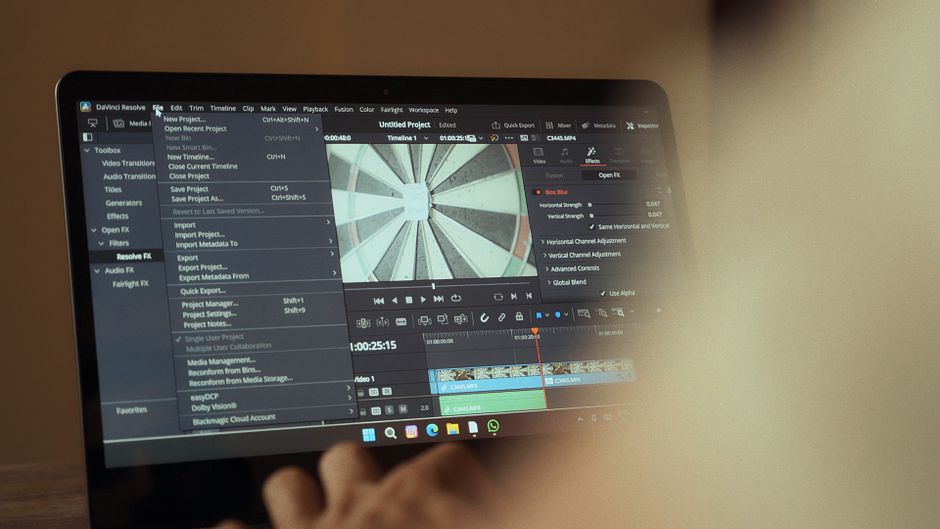
Compare CapCut Pro, DaVinci Resolve 21, and Adobe Premiere in 2026. Discover the best video editor for your workflow, budget, and hardware.
Video editing in 2026 has reached an incredible evolutionary milestone, where artificial intelligence and hybrid workflows dictate how we tell stories. Whether you are crafting a viral vertical clip or masterfully color-grading an indie film, your choice of editing software defines your productivity. The landscape has consolidated around three primary giants: CapCut Pro, DaVinci Resolve, and Adobe Premiere.
No longer isolated by their respective niches, these programs are increasingly crossing into each other’s territory. CapCut is no longer just a quick mobile app, having matured into a feature-rich desktop powerhouse. Meanwhile, DaVinci Resolve 21 has expanded into still photography, and Adobe Premiere has fully integrated deep generative AI workflows.
Finding the right editor requires a careful look at your technical needs, hardware setup, and budget. This comparison will dissect how each platform stands in 2026, comparing their features, cost-effectiveness, and AI tools. Let us help you determine which of these industry-leading tools deserves a spot on your machine.
Before diving into the detailed breakdowns, here is an at-a-glance comparison of these three video editing powerhouses in 2026. This table highlights their pricing, strengths, and target audiences to help you quickly assess which option fits your initial needs.
| Metric | CapCut Pro (2026) | DaVinci Resolve Studio 21 | Adobe Premiere (2026) |
|---|---|---|---|
| Pricing Model | Subscription: $19.99/mo or $179.99/yr | Perpetual: $295 one-time fee | Subscription: $22.99/mo (annual) or $34.49/mo (monthly) |
| Best For | Social media creators, quick turnarounds | Professional colorists, filmmakers, indie creators | Corporate, broadcast, integrated agency workflows |
| AI Capabilities | Strong (Auto-captions, background removal, 1200 AI points) | Deep (IntelliSearch, CineFocus, Voice Isolation) | Advanced (Generative Extend, Text-Based Editing, Firefly credits) |
| Key Strengths | Ease of use, mobile-desktop sync, massive asset library | Industry-standard color, Fusion VFX, no subscription fees | Deep Creative Cloud ecosystem, industry legacy, powerful transcription |
| Major Weakness | Limited timeline flexibility, rising subscription cost | Steep learning curve, demanding hardware specs | Subscription fatigue, occasional bugs, high recurring cost |
Once known primarily as a mobile-first companion for TikTok creators, ByteDance’s CapCut has undergone a dramatic transformation. In 2026, the software is a fully realized desktop and web editing suite that bridges the gap between amateur and professional creators. The platform’s greatest draw remains its sheer speed, giving users instant access to templates, trending effects, and massive sticker libraries. Its cloud synchronization is seamless, allowing you to begin an edit on your phone and complete it on a desktop workstation.
The big news for 2026 is CapCut’s restructured pricing model, which has split the application into multiple tiers. To better cater to different creators, CapCut now offers a Free tier, a Standard tier at $9.99 per month, and a robust Pro tier at $19.99 per month (or $179.99 annually). The new Pro subscription is a power upgrade designed for advanced marketing-focused creators. Choosing Pro grants you up to 1,200 monthly AI credits, 1TB of cloud storage, 4K export support, and a complete suite of pro-level effects.
CapCut Pro’s AI capabilities are incredibly refined in 2026. The full AI toolkit offers advanced background removal, auto-captions in dozens of languages, and automated translation. The 1,200 AI points allow you to generate smart templates, generate script-to-video drafts, and run face retouching algorithms on the fly. However, CapCut’s timeline is still relatively rigid compared to track-based editors, making it less ideal for traditional feature filmmaking.
Blackmagic Design has shaken up the video editing community once again with the stable release of DaVinci Resolve 21. For years, Resolve has been celebrated as the gold standard for color grading in Hollywood. In 2026, it is a complete, all-in-one post-production suite incorporating professional editing, motion graphics, audio engineering, and still photography. The software is known for its incredible stability and hardware optimization, especially on modern Apple Silicon and Windows ARM systems.
DaVinci Resolve’s pricing strategy remains incredibly consumer-friendly in 2026. The base version of DaVinci Resolve 21 is completely free to download, featuring no watermarks, no time limits, and access to core editing tools. For professionals, DaVinci Resolve Studio 21 remains a one-time perpetual license costing $295. Unlike its subscription-based competitors, there are no monthly fees, and Blackmagic Design continues to provide major version updates at no additional cost.
The standout highlight of DaVinci Resolve 21 is the introduction of a dedicated Photo page. This groundbreaking addition allows colorists and photographers to apply advanced Hollywood grading nodes to raw, still images directly inside the editor. Additionally, Resolve 21 debuts powerful AI features like IntelliSearch, which lets you instantly locate clips by typing keywords or searching for specific faces. Other AI-driven additions include CineFocus for automated rack focus, advanced speech generation, and a Face Age Transformer.
Adobe Premiere (rebranded in 2026 from “Premiere Pro” to simply “Adobe Premiere”) continues to hold its ground as the dominant industry standard for broadcast, agencies, and professional film sets. The application’s long-standing legacy means it boasts an unparalleled ecosystem of plugins, templates, and integration with the wider Adobe Creative Cloud. Editors who frequently jump between video editing, audio mixing in Audition, and complex visual effects in After Effects find Premiere’s workflow essential. It remains the default choice for collaborative environments and multi-user post-production pipelines.
In 2026, Adobe continues to sell Premiere strictly through a subscription model, which has seen some pricing adjustments. A standalone subscription to Premiere costs $22.99 per month with an annual commitment, or $34.49 on a flexible month-to-month basis. If you require the full Creative Cloud suite, Creative Cloud Pro is available for $69.99 per month on an annual contract. The Pro tier provides access to over 20 Adobe desktop applications and includes 4,000 monthly premium generative AI credits to fuel Adobe Firefly.
Premiere’s competitive edge in 2026 lies in its cutting-edge generative AI integrations. Features like Generative Extend allow editors to use Adobe Firefly to seamlessly lengthen a video clip or audio track that cuts off too early. Text-based editing is another massive time-saver, allowing you to edit your timeline by deleting sentences directly from an auto-generated text transcript. Additionally, Premiere features deep integration with Frame.io, making real-time client reviews and remote collaboration incredibly smooth.
Selecting the best video editor in 2026 depends entirely on your production style, workflow, and financial preferences. Each of these three platforms excels in completely different creative environments. To help you make the right investment, we have broken down the primary decision factors below.
If your primary output is short-form social media content for YouTube Shorts, TikTok, or Instagram Reels, CapCut Pro is almost unbeatable. Its massive template library and lightning-fast captioning tools allow you to produce finished videos in a fraction of the time. However, for complex narratives, multi-camera shoots, or high-fidelity sound design, CapCut Pro’s timeline will feel restrictive. In those scenarios, DaVinci Resolve 21 and Adobe Premiere offer the multi-track depth and precision controls needed to manage heavy workloads.
Between the two industry heavyweights, DaVinci Resolve 21 is the superior choice if you prioritize color grading and standalone audio editing. The Fairlight audio suite and the legendary Color page provide unparalleled creative control. On the other hand, Adobe Premiere excels in agency environments where multiple team members collaborate. Its integration with After Effects is still the gold standard for heavy motion graphics workflows, saving hours of rendering time.
Budget is another critical factor when deciding between these platforms. For budget-conscious creators who despise recurring monthly fees, DaVinci Resolve Studio is the ultimate winner. Paying $295 once for lifetime access to one of the world’s best editors is an unmatched bargain. Furthermore, the free version of DaVinci Resolve 21 is so robust that many hobbyists will never need to upgrade to Studio.
Conversely, CapCut Pro’s $19.99 monthly fee and Adobe Premiere’s $22.99 monthly fee can lead to significant subscription fatigue over time. CapCut Pro is ideal if you value convenience and want immediate access to pre-made templates and automated AI tools. Adobe Premiere is worth the subscription price if you are a professional earning a living from clients who expect Premiere files, or if you already use other Adobe applications like Photoshop and Illustrator.
Your computer’s hardware will heavily dictate your editing experience. DaVinci Resolve 21 is highly optimized for modern hardware, particularly systems running on Apple Silicon or the latest Windows ARM processors. Resolve utilizes GPU acceleration to its fullest, resulting in incredibly smooth real-time playback even with high-resolution footage. However, it requires a robust graphics card and ample RAM to run efficiently, making it less suitable for older or entry-level laptops.
Adobe Premiere is notoriously resource-heavy and has faced criticism for stability issues on older hardware configurations. While Adobe has made major strides in performance updates for 2026, it still demands a powerful CPU and fast storage. CapCut Pro is by far the most lightweight of the three. It runs smoothly on modest laptops, mobile devices, and even within a web browser, making it the perfect option for creators who edit on the go.
Yes, the standard version of DaVinci Resolve 21 is completely free to download and use without watermarks or time limits. It includes professional editing, color grading, Fusion effects, and Fairlight audio. The paid $295 Studio version simply unlocks advanced AI tools, higher resolutions, 120 fps support, and spatial audio.
In early 2026, CapCut restructured its pricing to introduce a Standard plan at $9.99 per month and an upgraded Pro plan at $19.99 per month. This shift reflects the addition of massive cloud storage upgrades (up to 1TB) and an expanded AI credit system (1,200 points). This tiered structure allows everyday creators to pay for exactly what they use without overspending on features they do not need.
Yes, Adobe Premiere runs locally on your desktop computer and can be used offline. However, you will need an active internet connection periodically to verify your Creative Cloud subscription status and to use cloud-based AI features like Generative Extend. Keeping your system connected also ensures you receive the latest stability patches and plugin updates.
CapCut Pro remains the undisputed champion for vertical short-form content due to its specialized mobile-to-desktop sync, automated captioning, and vast library of trending music. While Premiere and Resolve can easily export vertical videos, they require more manual effort to achieve the same energetic social media aesthetic. For fast-paced, high-volume creators, this difference in speed makes all the difference.
After analyzing the features, pricing, and hardware requirements of 2026, the best overall video editor is DaVinci Resolve 21. Blackmagic Design’s perpetual licensing model remains an unbeatable value proposition in a market saturated with monthly subscriptions. By combining world-class color grading, the brand-new Photo page, and cutting-edge AI features like IntelliSearch, Resolve 21 provides a complete studio experience for a one-time fee of $295.
However, the perfect choice ultimately depends on your specific workflow. If your goal is to pump out social media content with maximum speed and minimum technical friction, CapCut Pro is the ideal investment. It provides the templates and speed you need to stay ahead of fast-moving social media trends. For professional agencies and motion designers embedded in the Adobe ecosystem, Adobe Premiere remains the necessary industry standard, particularly due to its groundbreaking Generative Extend AI tools.
Prices and features mentioned are accurate as of the date of publication. Always check the official provider website for the most current pricing and availability.




