Physical Address
304 North Cardinal St.
Dorchester Center, MA 02124
Physical Address
304 North Cardinal St.
Dorchester Center, MA 02124

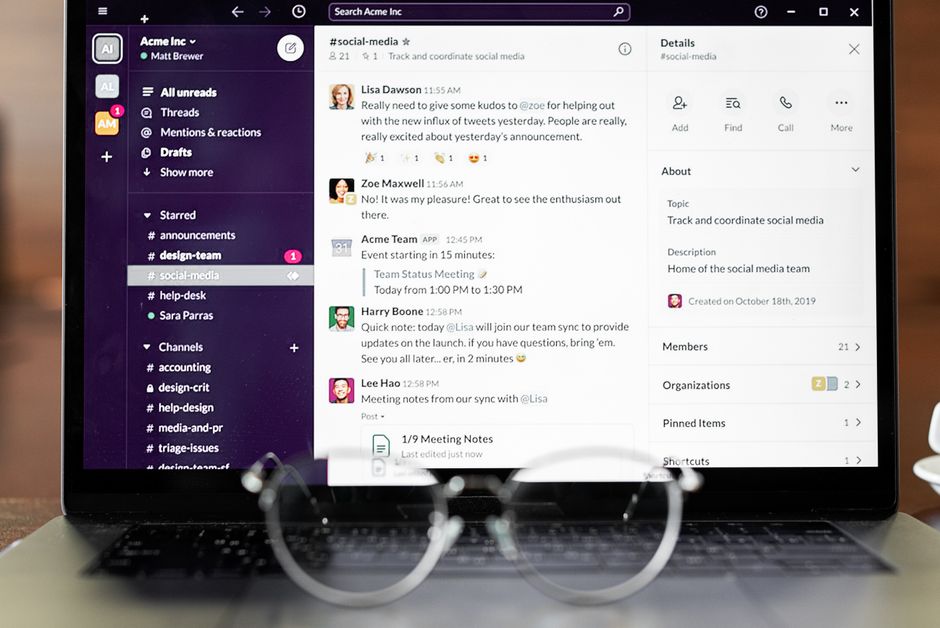
Discover the top productivity apps for remote vs. hybrid teams in 2026. Our in-depth comparison helps you choose tools for collaboration, communication, and project management to boost efficiency.
In September 2026, the global workforce continues its dynamic evolution, with remote and hybrid models firmly established as the norm for countless organizations. The once-novel concept of working outside a traditional office has matured, bringing with it a heightened demand for productivity applications that truly support dispersed teams. As a recent September 2026 report highlighted, the question of whether ‘Employees Can Be More Productive From Home’ is less about location and more about the tools and culture in place.
However, the needs of a fully remote team often differ significantly from those operating in a hybrid setup, where some employees are in the office while others work remotely. Hybrid models, while offering flexibility, present unique challenges in ensuring equitable participation and seamless communication. This article from ComparisonMath delves into the best productivity apps for both remote and hybrid teams in 2026, comparing their features, pricing, and suitability to help your organization thrive, regardless of its operational structure.
| App Name | Best For | Remote Strengths | Hybrid Strengths | Key Feature 2026 | Starting Price (2026) |
|---|---|---|---|---|---|
| Microsoft Teams | Enterprise Hybrid Teams | Deep M365 integration, robust video, shared files | Seamless meeting room integration, virtual front desk | Copilot AI meeting summaries & actions | $6.00/user/month (M365 Business Basic) |
| Slack | Agile Remote Teams | Real-time chat, channels, Huddles 2.0, integrations | Quick communication, reduces email, searchable history | AI-powered channel summarization & smart search | $8.75/user/month (Pro) |
| Notion | Flexible All-in-One Workspace | Asynchronous documentation, project tracking, wikis | Centralized knowledge base, flexible project dashboards | Enhanced Notion AI (drafting, summarizing, Q&A) | $10.00/user/month (Plus) |
| Asana | Structured Project Management | Clear task management, workflow automation, progress tracking | Visible project timelines, cross-team coordination | AI-driven project risk prediction & workload balancing | $13.49/user/month (Premium) |
| Zoom Workspace | Video-First Hybrid Communication | Reliable video conferencing, virtual collaboration | Advanced conference room solutions, virtual reception | AI Companion for real-time coaching & enhanced recaps | $15.99/user/month (Pro) |
Microsoft Teams remains a powerhouse for organizations deeply integrated into the Microsoft 365 ecosystem. As of 2026, its strength lies in its comprehensive suite of communication, collaboration, and productivity tools, making it particularly well-suited for hybrid environments. Teams provides a unified platform for chat, video conferencing, file sharing, and application integration, minimizing context switching.
For remote teams, Teams offers robust video calls, integrated file access via SharePoint, and channels for focused communication. Its true advantage in 2026 for hybrid setups, however, is its enhanced AI capabilities, including Microsoft Copilot integration. Copilot now provides instant meeting summaries, highlights action items, and can even draft follow-up emails, bridging the communication gap between in-office and remote participants seamlessly. Furthermore, advanced meeting room systems integrate effortlessly with Teams, ensuring remote attendees have an equitable experience.
Pricing for Teams in 2026 typically starts with Microsoft 365 Business Basic at $6.00 per user per month, which includes Teams, Exchange, OneDrive, and SharePoint. For more advanced features and desktop apps, Microsoft 365 Business Standard is $12.50 per user per month. A standalone Teams Essentials plan is available for $4.00 per user per month for basic communication features.
Slack has maintained its position as a go-to communication hub, especially for remote-first and agile teams that prioritize real-time, informal communication. In 2026, Slack continues to excel with its intuitive channel-based messaging, extensive third-party integrations, and robust Huddles 2.0, offering quick audio and video calls that mimic spontaneous office interactions. Its emphasis on quick, searchable communication reduces email clutter and fosters a sense of immediate connection.
For remote teams, Slack’s customizable channels ensure focused discussions, while Slack Connect allows secure collaboration with external partners, a critical feature in an interconnected remote economy. For hybrid teams, Slack’s instant messaging capabilities ensure that remote workers are always just a message away, fostering inclusion. New for 2026, Slack features advanced AI-powered channel summaries, allowing users to quickly catch up on lengthy discussions and identify key decisions, greatly benefiting both synchronous and asynchronous workflows.
Slack offers a robust free plan for smaller teams. Its Pro plan, providing unlimited message history and integrations, costs $8.75 per user per month when billed annually. The Business+ plan, which includes advanced identity management and guaranteed uptime, is $16.00 per user per month, catering to larger organizations with stricter compliance needs.
Notion has evolved beyond a simple note-taking app into a comprehensive, all-in-one workspace that adapts to virtually any team’s needs. As of 2026, it’s a favorite for both remote and hybrid teams seeking flexibility in documentation, project management, wikis, and databases. Its strength lies in its highly customizable blocks and interconnected pages, making it an excellent hub for asynchronous collaboration and centralized knowledge.
For remote teams, Notion is invaluable for creating detailed handbooks, project plans, and meeting notes that are accessible anytime, anywhere. This reduces reliance on real-time meetings and supports asynchronous work crucial for global teams. Hybrid teams benefit from Notion’s ability to serve as a single source of truth, ensuring all team members, regardless of location, have access to the latest information and project updates. The 2026 iteration boasts significantly enhanced Notion AI, which can now automatically draft meeting agendas, summarize complex documents, and even answer specific questions based on your workspace content, making knowledge retrieval more efficient.
Notion offers a free Personal plan. For teams, the Plus plan costs $10.00 per user per month, offering unlimited blocks and file uploads. The Business plan, at $18.00 per user per month, adds advanced features like SAML SSO and unlimited guest access, making it suitable for growing organizations.
Asana continues to be a leader in project and task management, providing clarity on who is doing what by when. In 2026, Asana’s strength for both remote and hybrid teams lies in its visual project timelines, detailed task tracking, and powerful workflow automation. It excels at breaking down complex projects into manageable tasks, assigning ownership, and tracking progress, which is vital for distributed teams needing clear oversight.
For remote teams, Asana’s structured approach ensures that everyone understands their responsibilities and deadlines without constant check-ins, fostering accountability and reducing communication overhead. Its robust reporting features provide leaders with a clear overview of project health, regardless of team member locations. For hybrid teams, Asana ensures that projects initiated in the office can be seamlessly continued by remote workers, and vice versa. New for 2026, Asana includes AI-driven project risk prediction, which analyzes task dependencies and progress to proactively flag potential bottlenecks, and enhanced workload balancing tools that intelligently suggest task reassignments across distributed teams.
Asana offers a Basic free plan. The Premium plan, at $13.49 per user per month (billed annually), unlocks features like timelines, advanced reporting, and custom fields. For larger teams requiring advanced integrations, portfolio management, and goal tracking, the Business plan costs $30.49 per user per month.
While Zoom is synonymous with video conferencing, its evolution into Zoom Workspace (a bundle often referred to as Zoom One or an extended Essentials suite) in 2026 makes it a formidable productivity platform for communication-heavy teams, especially those with significant hybrid components. Beyond its industry-leading video quality, Zoom Workspace now integrates team chat, a cloud phone system, whiteboarding, and even scheduling tools into a cohesive offering.
For remote teams, Zoom’s reliability in video calls is paramount, enabling face-to-face interaction when text isn’t enough. For hybrid teams, its advanced meeting room solutions, including intelligent cameras and seamless room booking, ensure that physical and virtual attendees have an equally immersive experience. A significant 2026 advancement is the fully integrated AI Companion suite, offering real-time coaching during meetings, intelligent summaries, and action item extraction. This makes hybrid meetings more productive by ensuring all key points are captured and shared instantly, regardless of attendance method.
Zoom’s Pro plan, which includes up to 30-hour meeting durations and cloud recording, is $15.99 per user per month. The Business plan, adding features like single sign-on and company branding, costs $20.00 per user per month. Enterprise-level plans are available with custom pricing.
Selecting the ideal productivity apps for your team in 2026 requires a nuanced understanding of your organization’s unique needs and structure. It’s not a one-size-fits-all decision, particularly when weighing the distinct demands of remote versus hybrid models.
First, assess your team’s primary mode of operation. Is your team fully remote, with members spread across different time zones? Or is it a hybrid model, balancing in-office presence with remote flexibility? Fully remote teams often prioritize asynchronous communication, robust documentation, and tools that minimize the need for real-time meetings. Look for solutions like Notion for knowledge management and Asana for project tracking that facilitate clear communication without requiring everyone to be online simultaneously. Slack’s comprehensive messaging and Huddles 2.0 can bridge gaps, but strong asynchronous tools are paramount.
For hybrid teams, the focus shifts to creating seamless transitions between physical and virtual collaboration. Tools that excel in integrated video conferencing, like Microsoft Teams or Zoom Workspace, are crucial to ensure equitable participation for both in-office and remote colleagues. The ability to easily share screens, annotate documents together, and utilize smart meeting room technology becomes a top priority. Interoperability with existing software, such as your email client or CRM, is also a critical factor to avoid siloed workflows and duplicated efforts.
Consider your budget carefully. While many apps offer free tiers, advanced features essential for larger or growing teams often come with a per-user monthly fee. Factor in the total cost of ownership, including potential integration costs and training. Finally, evaluate the security features and compliance certifications of each app. In 2026, data security is non-negotiable, especially with sensitive company information being shared across distributed networks.
The biggest difference lies in the emphasis on synchronous versus asynchronous collaboration. Remote teams often prioritize apps that facilitate clear, detailed asynchronous communication and documentation (like Notion or Asana) to overcome time zone differences and reduce meeting fatigue. Hybrid teams, conversely, place a higher premium on seamless video conferencing (e.g., Zoom Workspace, Microsoft Teams) and tools that ensure equitable participation and smooth transitions between physical and virtual spaces.
Not necessarily. While all-in-one solutions like Notion or Microsoft Teams can simplify your tech stack and reduce context switching, they might not offer the depth of features that specialized apps provide for specific functions, such as Asana for advanced project management or Slack for highly agile communication. The best approach depends on your team’s specific needs, budget, and willingness to integrate multiple best-of-breed tools.
Budgeting for productivity apps in 2026 varies significantly based on team size, required features, and the chosen platform. For a comprehensive suite of tools (communication, project management, documentation), companies typically budget between $10 to $30 per user per month. Enterprise-level solutions with advanced security and compliance features can range higher. It’s crucial to evaluate free tiers and bundled offerings to optimize costs.
Extremely important. AI has become a cornerstone of productivity apps in 2026. Features like AI-powered meeting summaries (Microsoft Copilot, Zoom AI Companion), intelligent search, content generation (Notion AI), and predictive analytics (Asana) are no longer niche; they are essential for boosting efficiency, automating mundane tasks, and providing actionable insights for both remote and hybrid teams. Expect AI capabilities to deepen across all leading platforms.
In the evolving landscape of 2026, the ‘best’ productivity app isn’t a singular solution but rather a strategic choice aligned with your team’s specific operational model. The insights from trends in March 2026, highlighting the permanence of hybrid work, underscore the importance of this decision.
For **purely remote-first teams** prioritizing agile, async-friendly communication and robust documentation, a combination of **Slack for real-time interaction and Notion for an all-encompassing knowledge and project base** offers unparalleled flexibility and clarity. This duo minimizes reliance on synchronous meetings and empowers global teams to collaborate effectively across time zones.
For **hybrid teams**, especially those embedded in a broader corporate ecosystem, **Microsoft Teams emerges as a highly robust choice**. Its deep integration with Microsoft 365, advanced video conferencing, and the powerful AI capabilities of Copilot make it ideal for bridging the gap between in-office and remote staff, ensuring equitable participation and seamless workflows. Pairing Teams with a dedicated project management tool like **Asana** provides a powerful solution for structured project execution.
Alternatively, for a video-centric hybrid approach, **Zoom Workspace** with its comprehensive AI Companion features provides superior virtual meeting experiences, complemented well by **Notion** for flexible, shared documentation. Ultimately, the optimal choice hinges on a thorough assessment of your team’s communication patterns, project management needs, existing technological infrastructure, and budget. The right suite of tools in 2026 will empower your workforce, foster collaboration, and drive productivity, regardless of where your team members are located.
Prices and features mentioned are accurate as of the date of publication. Always check the official provider website for the most current pricing and availability.




