Physical Address
304 North Cardinal St.
Dorchester Center, MA 02124
Physical Address
304 North Cardinal St.
Dorchester Center, MA 02124

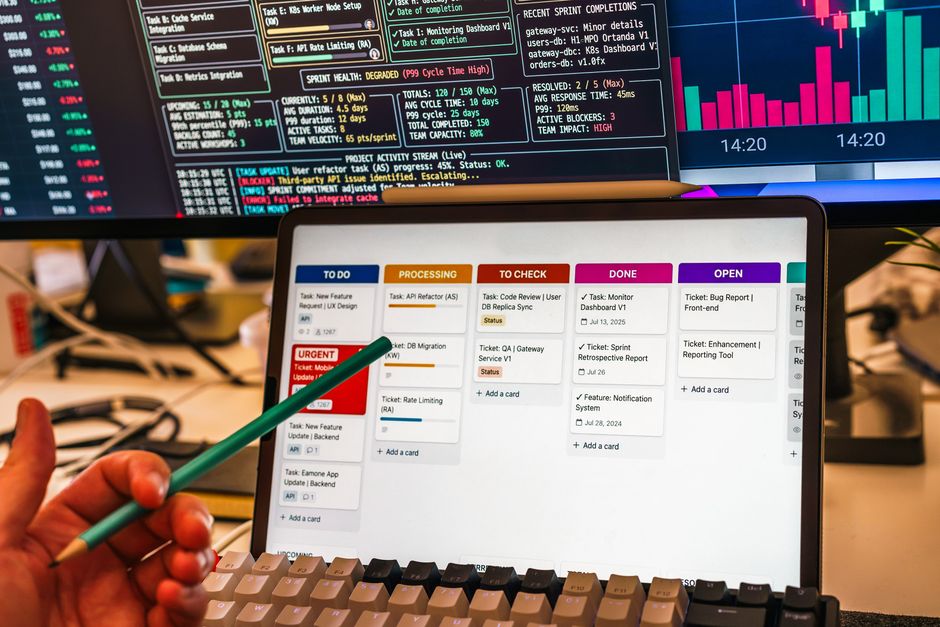
Compare the best AI project management software of 2026: ClickUp, Asana, and Monday.com. Discover features, pricing, and find the perfect tool for your team.
The year 2026 marks a pivotal moment in project management, with Artificial Intelligence no longer a futuristic concept but an indispensable tool. Teams worldwide are grappling with increased complexity, tighter deadlines, and the sheer volume of data, making traditional project management methods seem archaic. This is where AI-powered project management software steps in, revolutionizing how projects are planned, executed, and analyzed.
For businesses aiming to stay competitive and maximize efficiency, choosing the right AI project management platform is crucial. This decision can significantly impact team productivity, resource allocation, and overall project success. In this comprehensive comparison, we pit three industry giants against each other – ClickUp, Asana, and Monday.com – evaluating their 2026 offerings, AI capabilities, pricing, and suitability for various organizational needs.
Our goal is to provide a clear, data-driven analysis to help you navigate the crowded market and select the best AI project management software for your team. We’ll delve into their latest features, current pricing structures, and unique selling points, ensuring you have all the information needed to make an informed decision as of September 2026.
| Feature/Criterion | ClickUp | Asana | Monday.com |
|---|---|---|---|
| AI Capabilities (2026) | ClickUp AI Suite (generative AI, task prioritization, natural language query, predictive analytics) | Asana Intelligence (predictive insights, smart routing, AI brief generation, progress prediction) | Monday AI (task summaries, workflow suggestions, content creation, project insights) |
| Starting Price (Annual Billing, per user/month) | Unlimited: $10/month | Premium: $13.49/month | Basic: $11/month |
| Best For | Highly customizable, all-in-one teams seeking deep integration and advanced features. | Teams prioritizing clear workflows, task management, and goal alignment. | Visually-oriented teams, cross-functional collaboration, and customizable Work OS. |
| Key Integrations | 1,000+ (Slack, GitHub, Zoom, Salesforce, Google Workspace) | 200+ (Microsoft Teams, Adobe Creative Cloud, Salesforce, Slack) | 100+ (Outlook, Zoom, Dropbox, Slack, LinkedIn) |
| Scalability | Excellent, from small teams to large enterprises. | Good, for small to large organizations with structured needs. | Excellent, highly adaptable to various business sizes and functions. |
| UI/UX | Feature-rich, requires learning curve. | Clean, intuitive, focused on task clarity. | Highly visual, color-coded, easy to grasp. |
| Customization Level | Extremely High | Moderate to High | High |
ClickUp has cemented its position as an all-in-one productivity platform, and its 2026 iteration, powered by the enhanced ClickUp AI Suite, takes this ambition to new heights. Designed to replace multiple tools, ClickUp integrates project management, document creation, task tracking, and communication into a single, highly customizable workspace. Its strength lies in its incredible flexibility, allowing teams to tailor every aspect to their unique workflows.
The ClickUp AI Suite, rolled out progressively through 2025 and fully mature in 2026, is a standout feature. It provides an AI Assistant that can generate task descriptions, summarize complex documents, write content drafts for marketing or reports, and even help prioritize tasks based on project goals and deadlines. A revolutionary natural language query system allows users to ask questions about project data and receive instant, insightful answers, streamlining reporting and decision-making processes. Predictive analytics within the AI Suite helps identify potential bottlenecks and suggests proactive solutions before they impact project timelines.
Key features beyond AI include Whiteboards 3.0, offering advanced collaboration tools for brainstorming and strategizing, and a robust set of reporting dashboards that can be customized to display any metric imaginable. With over 1,000 integrations, including Salesforce, HubSpot, GitHub, and a deep connection with Google Workspace and Microsoft 365, ClickUp ensures it fits seamlessly into almost any existing tech stack. Its array of views—List, Board, Calendar, Gantt, Table, and more—caters to diverse team preferences and project types.
Pricing (as of September 2026, billed annually):
Pros: Unrivaled customization, powerful and comprehensive AI capabilities, extensive features cover almost every project management need, excellent scalability, vast integration library.
Cons: Steep learning curve due to feature abundance, interface can feel cluttered for new users, some advanced features might be overkill for very small teams.
Asana continues to be a leader in work management, known for its clean interface, clear task visualization, and robust workflow automation. In 2026, Asana Intelligence has become the cornerstone of its offering, elevating it from a powerful task manager to a truly smart project advisor. Asana’s philosophy centers on clarity, helping teams understand who is doing what, by when, and why it matters.
Asana Intelligence offers sophisticated predictive insights, identifying potential risks to project timelines or resource overloads long before they become critical issues. Its smart task routing automatically assigns tasks to the most appropriate team member based on availability, skills, and workload, optimizing resource distribution. Furthermore, Asana Intelligence can generate AI-powered project briefs and summaries, extracting key information from discussions and documents, and predict task completion rates, offering a realistic outlook on project progress. The new natural language processing capabilities allow users to quickly create tasks, set deadlines, and even generate subtasks with simple voice commands or text inputs.
Beyond AI, Asana excels with its intuitive Timeline (Gantt) view for project scheduling, Workload feature for balanced task distribution, and Goals for strategic alignment. Its robust integrations, including Microsoft Teams, Zoom, Salesforce, and an enhanced Adobe Creative Cloud connector, make it a strong choice for teams deeply embedded in design and marketing workflows. Asana focuses on making complex projects manageable through simple, actionable steps, minimizing friction in collaboration.
Pricing (as of September 2026, billed annually):
Pros: Excellent for task and workflow management, intuitive and user-friendly interface, strong focus on clarity and goal alignment, powerful Asana Intelligence for predictive analytics, robust integrations for creative and sales teams.
Cons: Less customizable than ClickUp, might feel restrictive for teams needing extreme flexibility, reporting can be less granular than some competitors, not as strong for document management as dedicated tools.
Monday.com has evolved into a comprehensive ‘Work OS’ that extends far beyond traditional project management, allowing teams to build custom applications and workflows for virtually any business process. Its highly visual and intuitive interface, combined with powerful AI capabilities in 2026, makes it a favorite for teams prioritizing ease of use and aesthetic appeal without sacrificing functionality.
The Monday AI component, fully integrated across its various modules, provides significant value. It can automatically generate concise task summaries from lengthy discussions or updates, saving time and ensuring everyone is on the same page. AI-powered suggestions for workflow automation recipes help optimize processes, recommending automations based on team activity patterns. Furthermore, Monday AI assists with content creation, drafting initial ideas for marketing campaigns or project documentation, and offers intelligent project insights, highlighting trends, potential risks, and areas for improvement directly from your boards. Its new ‘AI Board Assistant’ allows natural language interaction to query data, create items, and modify board structures.
Beyond AI, Monday.com shines with its highly customizable dashboards and a vast library of pre-built templates covering everything from CRM to software development and marketing campaigns. Its automations are incredibly powerful yet simple to set up, allowing users to automate routine tasks with drag-and-drop ease. Integrations with popular tools like Zoom, Slack, Dropbox, and LinkedIn Ads, alongside its own dedicated modules (Monday CRM, Monday Dev), make it a versatile hub for diverse team operations.
Pricing (as of September 2026, billed annually):
Pros: Highly visual and intuitive interface, exceptional customization with a ‘Work OS’ approach, powerful and easy-to-use automations, strong AI for summaries and workflow suggestions, great for cross-functional teams.
Cons: Can become expensive for larger teams requiring advanced features, reporting capabilities are robust but might lack the deep granularity of ClickUp, some users find its modularity leads to fragmented information if not managed carefully.
Selecting the best AI project management software in 2026 depends heavily on your team’s specific needs, size, budget, and existing workflows. There isn’t a one-size-fits-all solution, but by considering a few key factors, you can narrow down your options.
First, evaluate your AI priorities. Do you need generative AI for content creation and task descriptions (ClickUp, Monday.com)? Are predictive analytics and smart task routing more crucial for your project managers (Asana, ClickUp)? Or is a simple AI assistant for summaries and workflow suggestions sufficient (Monday.com)? Aligning with the AI capabilities that will genuinely benefit your team’s day-to-day operations is paramount.
Consider your team’s size and complexity. For small to medium-sized teams that value clarity and straightforward task management, Asana often shines with its intuitive design. Larger enterprises or teams with highly unique, complex workflows might find ClickUp’s unparalleled customization and extensive features more suitable. Monday.com’s visual flexibility makes it a strong contender for cross-functional teams needing adaptable solutions across various departments like marketing, sales, and IT.
Budget is another significant factor. While all three offer free tiers for basic usage, the cost can escalate quickly as you add users and require more advanced features. Carefully assess the features included in each plan and project your likely growth. ClickUp often provides more features in its mid-tier plans, while Monday.com and Asana can become more expensive when you scale up to their premium offerings, especially for larger teams seeking robust AI functionalities.
Finally, assess the learning curve and integration capabilities. If your team needs to hit the ground running, Monday.com and Asana generally offer a faster onboarding experience due to their more focused interfaces. ClickUp, while incredibly powerful, demands a greater initial investment in learning. Ensure your chosen platform integrates seamlessly with your existing tools like communication apps (Slack, Microsoft Teams), CRMs (Salesforce), and file storage (Google Drive, Dropbox) to avoid workflow disruptions.
Q: Is AI project management software secure in 2026?
A: Yes, leading platforms like ClickUp, Asana, and Monday.com employ robust security measures, including end-to-end encryption, regular security audits, and compliance with international standards like GDPR and SOC 2 Type 2. They invest heavily in protecting user data, often offering enterprise-grade security features for higher-tier plans.
Q: Can AI replace human project managers?
A: No, not entirely. While AI significantly enhances a project manager’s capabilities by automating routine tasks, providing predictive insights, and generating content, human project managers remain crucial for strategic decision-making, team leadership, conflict resolution, and adapting to unforeseen circumstances. AI acts as a powerful assistant, not a replacement.
Q: What’s the best free AI project management software?
A: All three platforms – ClickUp, Asana, and Monday.com – offer free tiers with varying levels of AI capabilities in 2026. For a small team needing basic task management with some AI assistance, Asana’s Basic plan or Monday.com’s Individual plan are excellent. ClickUp’s Free Forever plan offers a robust feature set for a single user, including basic AI Assistant access, making it a strong contender for individuals.
Q: How long does it take to implement AI project management software?
A: Implementation time varies widely. For small teams adopting basic features, it can be a matter of days or weeks. Larger organizations integrating complex workflows, custom automations, and multiple departments might require several months for full adoption and optimization. Training and change management are key components of a successful rollout.
In the dynamic landscape of 2026 AI project management software, ClickUp, Asana, and Monday.com each present compelling strengths. Your ultimate choice will hinge on aligning their robust AI capabilities and comprehensive feature sets with your team’s specific operational needs and strategic goals.
For teams that demand the absolute highest level of customization, a truly all-in-one platform, and deep generative AI and predictive analytics capabilities, ClickUp stands out. Its ClickUp AI Suite and extensive feature set make it the best overall choice for organizations looking to consolidate tools and optimize every facet of their projects, provided they are willing to invest in its learning curve.
If your priority is crystal-clear task management, intuitive workflows, and strategic goal alignment, augmented by intelligent insights and smart routing, then Asana remains a top contender. Its Asana Intelligence features make it ideal for teams that value clarity and efficiency above all else, especially within structured project environments and creative industries.
Finally, for visually-oriented teams, those needing a highly adaptable Work OS for diverse business functions, and simple yet powerful AI-driven task summaries and workflow suggestions, Monday.com is an excellent choice. Its ease of use, aesthetic appeal, and modular flexibility make it perfect for cross-functional collaboration and rapid deployment across various departments.
Ultimately, all three platforms are leaders for a reason, having embraced AI to fundamentally transform project management in 2026. We recommend leveraging their free trials or basic plans to experience their AI capabilities firsthand before committing to a long-term solution. The future of project management is intelligent, and with any of these tools, your team is well-equipped to thrive.
Prices and features mentioned are accurate as of the date of publication. Always check the official provider website for the most current pricing and availability.




