Physical Address
304 North Cardinal St.
Dorchester Center, MA 02124
Physical Address
304 North Cardinal St.
Dorchester Center, MA 02124

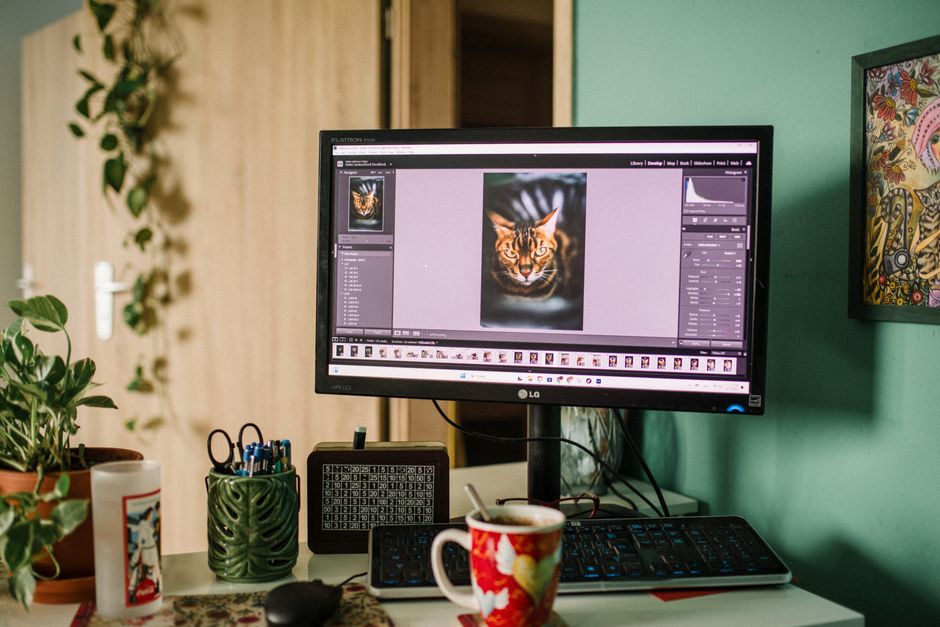
Tired of Adobe's monthly fees? Discover the best subscription-free Lightroom alternatives of 2026, featuring perpetual licenses and top free tools.
Subscription fatigue has reached an all-time high in 2026. For years, Adobe has dominated the photography industry with its Creative Cloud models, forcing creators into a perpetual cycle of monthly payments. At current 2026 rates, the standard Adobe Photography plan costs around $120 to $240 annually, depending on your cloud storage needs. Over a five-year period, that is up to $1,200 spent on renting software you will never own. If you stop paying your monthly fee, your access to your editing catalog instantly vanishes. This realization is pushing millions of photographers—from casual hobbyists to high-end commercial pros—to search for viable Lightroom alternatives without a subscription.
The good news is that the photo-editing market in 2026 is fiercely competitive. Non-subscription and open-source alternatives are no longer the slow, feature-stripped programs they once were. Today’s top contenders utilize cutting-edge AI neural networks, professional-grade digital asset management (DAM) databases, and lightning-fast RAW engines that routinely rival or outperform Lightroom Classic. Whether you need a simple one-click creative editor or a deep, modular raw processing powerhouse, this comprehensive guide reviews the absolute best one-time purchase and free Lightroom alternatives available in 2026.
To help you decide at a glance, here is a comparison of the top Lightroom alternatives of 2026, their licensing models, and their pricing.
| Software | License Model | Best For | Current Price (2026) | Pros | Cons |
|---|---|---|---|---|---|
| DxO PhotoLab 9 Elite | Perpetual License | Pristine RAW Quality & Denoising | $239.99 (Elite), $149.99 (Essential) | DeepPRIME XD2s denoising, superior lens profiles, automatic AI masking | Complex interface, no dedicated mobile app |
| ON1 Photo RAW 2026 | Perpetual License | Direct All-in-One Cataloging & Layers | $99.99 (Often discounted to $49.99) | Fast built-in browser, Restore AI facial recovery, layered RAW editing | Steep learning curve, demanding on older GPUs |
| Luminar Neo | Perpetual License | AI-Assisted Fast Creative Edits | $119.00 (Promo offers down to $79.99) | One-click Sky AI & Relight AI, streamlined portrait tools | Basic database organization, some advanced features require add-ons |
| Affinity Photo 3 (Affinity Studio) | Free (Canva Owned) | Professional Pixel Editing & Raw Development | Free (Cloud AI features require Canva Pro) | Full professional engine, 100% free core, robust toolset | No centralized catalog/DAM database |
| Darktable | Free & Open-Source (FOSS) | Database-Driven Library Management | Free | Fully non-destructive, modular editing, robust metadata tagging | Steepest learning curve, non-intuitive UI |
| RawTherapee | Free & Open-Source (FOSS) | Detail-Obsessed Color Science | Free | 32-bit float engine, exceptional demosaicing, pure folder browser | No cataloging database, clunky interface |
For photographers who refuse to compromise on final image quality, DxO PhotoLab 9 Elite is the absolute gold standard in 2026. Retailing as a one-time purchase of $239.99 (or $149.99 for the more basic Essential edition), PhotoLab 9 is built specifically around squeezing every bit of detail and dynamic range out of RAW camera files. Upgrading from versions 7 or 8 costs $119.99, and the Elite edition can be installed on up to three computers.
The crown jewel of DxO PhotoLab 9 is its proprietary DeepPRIME XD2s denoising technology. Utilizing neural networks trained on billions of images, DeepPRIME XD2s recovers fine details from high-ISO images while eliminating color grain, making it an indispensable tool for low-light, wildlife, and landscape photographers. Additionally, DxO’s laboratory-grade lens correction profiles automatically fix distortions, chromatic aberrations, and softness at the edges of your frames. The 2026 version boasts a completely overhauled automatic AI-powered masking engine and local denoising. While its Digital Asset Management (DAM) tool is basic compared to Lightroom, its raw development capabilities are unmatched.
If you are looking for a software that directly replaces both Lightroom Classic and Photoshop in a single program, ON1 Photo RAW 2026 is the most complete tool on the market. It costs $99.99 for a lifetime license (frequently discounted during seasonal sales, such as the 2026 Summer Special, down to $49.99) and allows installation on two computers.
Unlike some editors that separate photo management from raw processing, ON1 Photo RAW combines them seamlessly. Its lightning-fast file browser doesn’t require slow, database-locking imports. You can tag, rate, and search large catalogs instantly. The 2026 release introduces a highly customizable workspace, a robust split-field and motion blur filter set, and upgraded AI tools like NoNoise AI, Sky Swap AI, and Restore AI (which uses machine learning to recover facial details from blurry or low-resolution shots). Crucially, ON1 supports full layered editing and local adjustments right inside the RAW workspace, giving you Photoshop-style flexibility without switching apps. The interface can feel overwhelming at first, but it is the closest thing to an Adobe-killer available.
Skylum’s Luminar Neo is designed for photographers and content creators who want to spend less time sliding technical exposure controls and more time creating beautiful, stylistic images. For 2026, Skylum offers a Desktop Perpetual lifetime license for $119, with special bundles routinely discounted to around $79.99. A Cross-device Perpetual option is also available for $149, which extends the license to mobile editing on iOS and Android devices.
Luminar Neo stands out because it leverages artificial intelligence to handle complex adjustments in a single click. Tools like Sky AI automatically replace flat skies, while Relight AI adjusts the lighting of your scene in 3D space. The 2026 version features their latest AI Assistant, a powerful Light Depth module, and advanced portrait tools like Portrait Bokeh and Skin AI. For fast batch-editing of family sessions, events, or creative travel photos, Luminar Neo’s speed on modern Apple Silicon and Windows Copilot+ PCs is stellar. The tradeoff is that its photo organization system is very basic, making it best paired with a free folder organizer like Adobe Bridge.
In one of the most exciting shifts in creative software history, Affinity Photo (under parent company Canva) has transitioned to a completely free model. While previous versions required a one-time payment of $54.99, the 2026 release of Affinity Studio (V3) makes the core, professional-grade pixel-editing engine entirely free of charge. Users only need a Canva premium subscription to unlock optional, cloud-based generative AI tools.
Affinity Photo is a high-end pixel editor that rivals Photoshop, but its dedicated “Develop Persona” handles RAW conversions with incredible speed and professional color accuracy. It supports live non-destructive filters, unlimited layers, and advanced tools like HDR merging, focus stacking, and panorama stitching. Since it is now completely free, it offers unparalleled value for those looking to eliminate monthly creative costs. The only catch is that Affinity Photo operates on a document-by-document basis and lacks an integrated database catalog to manage a library of images. Pairing it with a free catalog tool like Adobe Bridge or DigiKam is the perfect way to build a complete Lightroom replacement for free.
If you want a true, database-driven Lightroom Classic clone without spending a penny, Darktable is the undisputed open-source champion of 2026. It is 100% free and runs natively on Windows, macOS, and Linux.
Darktable is built specifically around a database catalog system. This allows you to import thousands of photos, manage your library with keywords, star ratings, and metadata, and perform non-destructive, modular edits. It supports over 550 RAW camera formats and handles high-volume workflows comfortably. Darktable’s editing pipeline is highly technical, utilizing over 60 distinct modules for precise color, exposure, and detail adjustments. However, this power comes with a steep learning curve. The interface is far from intuitive, and new users will need to spend time studying tutorials. If you are willing to learn, it is a remarkably powerful, private Lightroom alternative that will never cost a cent.
RawTherapee is another outstanding, free open-source RAW processor. Unlike Darktable, RawTherapee bypasses the database concept entirely, using a file browser to let you edit your photos directly where they live on your hard drive.
RawTherapee’s primary claim to fame is its world-class 32-bit float engine. This mathematical precision delivers exceptional color rendering and shadow recovery, producing results that often surpass Lightroom in color accuracy. The 2026 versions offer incredibly advanced sharpening and demosaicing algorithms, making it a favorite for landscape and architectural photographers who demand pixel-level perfection. However, because it lacks a centralized cataloging database, organizing massive photo shoots is a manual process. It is also a system-heavy program that requires a robust PC to run smoothly, but for fine-art editing, its free toolset is incredible.
Transitioning away from Lightroom’s subscription model requires evaluating your specific workflow needs. Here are the three most important factors to keep in mind when choosing your alternative in 2026:
1. Database Cataloging (DAM) vs. Folder Browsing: Do you need a robust digital asset manager? If you shot thousands of raw files at an event and need to keyword, flag, and filter them, you will need a software with a database catalog like ON1 Photo RAW 2026 or Darktable. If you prefer editing one photo at a time and organizing files manually in Windows Explorer or macOS Finder, a file-browser editor like RawTherapee or Affinity Photo will work perfectly.
2. Creative AI Automation vs. Manual Control: Consider how much manual work you enjoy. Programs like Luminar Neo and ON1 Photo RAW use advanced machine learning to handle tedious tasks like sky swapping, portrait skin retouching, and background masking in seconds. If you prefer granular, traditional controls and want to manually craft your exposure and color curves, DxO PhotoLab 9 or Darktable will give you a cleaner, more precise workspace without the AI bloat.
3. Hardware Optimization: In 2026, professional photo editors require significant processing power. Apps like DxO PhotoLab and ON1 Photo RAW are highly optimized for GPU acceleration, meaning they will perform significantly better if you have a dedicated graphics card. Meanwhile, Luminar Neo and Affinity Photo are highly optimized for modern Apple Silicon chips, running flawlessly on MacBook Airs and Mac Minis with M-series processors.
Q1: Can I use my old Lightroom presets (.xmp files) in these alternative programs?
No. Lightroom presets are proprietary to Adobe’s raw rendering engine. While many editors like ON1 and Luminar have their own preset architectures, and others support standard 3D LUTs (Look Up Tables) for color grading, you cannot directly import Adobe .xmp presets and expect them to look identical because the underlying raw math is completely different.
Q2: If I buy a perpetual license, do I have to pay for updates?
A perpetual license (like DxO PhotoLab 9 or ON1 Photo RAW) means you own that specific version forever. You will receive all minor updates, stability patches, and bug fixes for that version at no extra charge. However, when a major new version is released (typically every autumn), you must pay a discounted upgrade fee to access the brand-new features, though you are never forced to upgrade and your current software will continue working indefinitely.
Q3: Is there a free, high-quality photo catalog manager I can use?
Yes. Adobe Bridge is a professional-grade digital asset manager that is 100% free to download and use, even if you do not have an active Adobe subscription. It allows you to star, color-label, tag, and organize your raw files using your local folder structure, making it the perfect companion to pair with free standalone editors like Affinity Photo.
Q4: Will open-source tools like Darktable and RawTherapee support my new 2026 camera?
Yes, both Darktable and RawTherapee are actively maintained by global developer communities. They frequently update their lens and camera compatibility databases. However, because they are volunteer-run, it can sometimes take a few weeks to a couple of months for brand-new camera models to receive native raw support, compared to the near-instant updates of commercial programs like DxO.
Our overall recommendation for the best Lightroom alternative without a subscription in 2026 is ON1 Photo RAW 2026. It provides the most complete, seamless transition for Adobe refugees, combining a rapid-file photo browser, a fully-fledged layered RAW editor, and cutting-edge AI tools (like NoNoise and Restore AI) under a single, perpetual license that you own outright.
If your ultimate goal is the highest possible RAW image quality, particularly for low-light or high-ISO shots, DxO PhotoLab 9 Elite is worth every penny of its premium price. Its DeepPRIME XD2s denoising is unmatched in the industry.
For budget-conscious creators, the 2026 free release of Affinity Photo 3 paired with the free Adobe Bridge provides an incredibly professional, zero-cost workspace. If you require a true, database-driven library catalog without spending any money, Darktable remains the ultimate open-source champion.
Prices and features mentioned are accurate as of the date of publication. Always check the official provider website for the most current pricing and availability.




