Physical Address
304 North Cardinal St.
Dorchester Center, MA 02124
Physical Address
304 North Cardinal St.
Dorchester Center, MA 02124

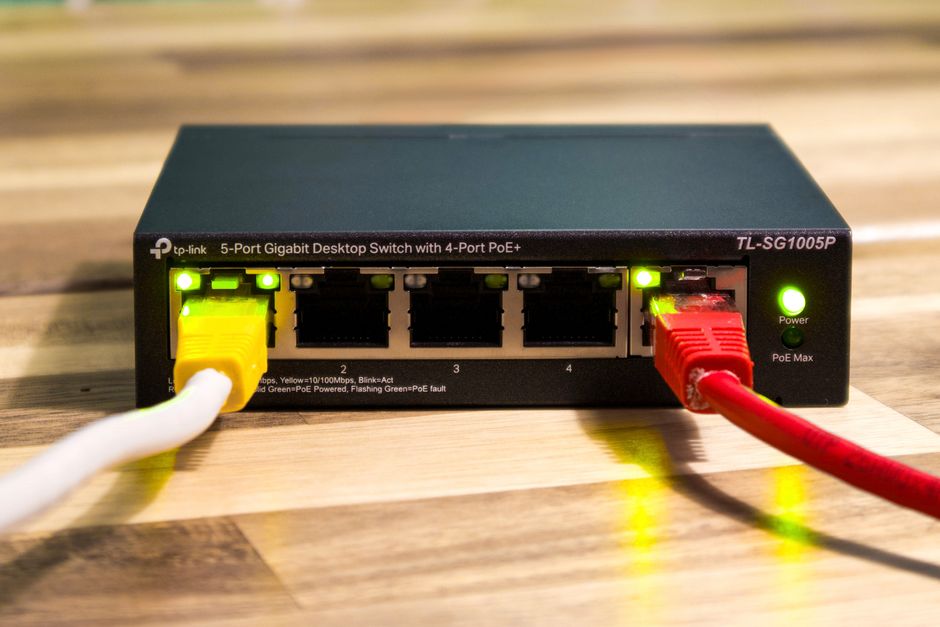
Compare TP-Link Deco BE63, Amazon eero Max 7, and Netgear Orbi 770. Discover the best Wi-Fi 7 mesh system for your budget, speed, and coverage in 2026.
The transition to Wi-Fi 7 has officially moved from a futuristic luxury to a practical necessity for modern households in 2026. As multi-gigabit fiber internet plans become standard and our homes fill with high-bandwidth smart devices, older Wi-Fi 5 and Wi-Fi 6 systems are beginning to bottleneck under pressure. Wi-Fi 7 mesh networks solve this issue by utilizing ultra-wide 320 MHz channels, Multi-Link Operation (MLO), and the pristine 6 GHz band to deliver wired-like speeds wirelessly to every room in your house.
However, choosing the right system can be daunting. The networking market has matured, presenting users with distinct choices tailored to different budgets, physical layouts, and performance demands. In this guide, we compare three of the most popular and capable Wi-Fi 7 mesh options of 2026: the mainstream value champion TP-Link Deco 7 Pro BE63 (formerly known simply as the Deco BE63), the ultra-premium Amazon eero Max 7, and the robust, mid-range Netgear Orbi 770 Series (RBE73).
Whether you want to squeeze every last drop of performance from your 10 Gbps fiber connection, future-proof a smart home with hundreds of active devices, or find the absolute best value without sacrificing multi-gigabit speeds, this deep-dive comparison will help you decide which system deserves a spot in your home.
To help you see how these three mesh giants stack up at a glance, we have compiled their key specifications, current 2026 pricing, and essential hardware features below.
| Feature | TP-Link Deco 7 Pro BE63 | Amazon eero Max 7 | Netgear Orbi 770 (RBE773) |
|---|---|---|---|
| Class / Max Speed | BE10000 (Up to 10 Gbps) | BE20800 (Up to 20.8 Gbps) | BE11000 (Up to 11 Gbps) |
| Wireless Bands | Tri-Band (2.4 GHz, 5 GHz, 6 GHz) | Tri-Band (2.4 GHz, 5 GHz, 6 GHz) | Tri-Band (2.4 GHz, 5 GHz, 6 GHz) |
| Ethernet Ports per Node | 4 x 2.5 Gbps Ports + 1 x USB 3.0 | 2 x 10 Gbps Ports + 2 x 2.5 Gbps Ports | 3 x 2.5 Gbps Ports |
| Coverage (3-Pack) | Up to 6,600 sq. ft. | Up to 7,500 sq. ft. | Up to 8,000 sq. ft. |
| Current Price (3-Pack) | $449.99 | $1,699.99 | $699.99 |
| Smart Home Support | TP-Link HomeShield / IoT Network | Matter, Thread, Zigbee Built-in | IoT Dedicated Network |
| Pros | Incredible value; four 2.5 GbE ports per unit; free basic parental controls. | Extreme 10 GbE ports; blazing-fast throughput; built-in smart hub. | Excellent coverage; high-speed Multi-Link backhaul; great raw performance. |
| Cons | Advanced security requires subscription; app-only settings. | Extremely expensive; massive physical footprint; paid eero Plus subscription. | Mid-to-high price; no USB ports; limited manual Wi-Fi customization. |
At the beginning of 2026, TP-Link quietly updated the names of its Wi-Fi 7 units, designating the Deco BE63 as the Deco 7 Pro BE63. Despite the name update, the hardware inside remains one of the absolute best values on the market. Priced at just $449.99 for a 3-pack (and often found discounted closer to $400), this system completely redefines what an “entry-level” Wi-Fi 7 mesh can deliver. TP-Link’s standout feature here is its port selection: unlike many competitors that bottleneck your wired devices with older gigabit ports, every single Deco BE63 node features four 2.5 Gbps Ethernet ports. This allows you to run a multi-gigabit wired backhaul while keeping multiple high-speed ports open for PC gaming, console setups, and network-attached storage (NAS) devices.
Performance-wise, the Deco BE63 is a BE10000 tri-band router. In real-world environments, it easily saturates gigabit and multi-gigabit internet connections, leveraging its 6 GHz band to push traffic with minimal latency. A 3-pack covers up to 6,600 square feet, which is more than enough for most multi-story households. Furthermore, the Deco app is highly polished, offering useful features like free content filters for parents out-of-the-box. While some advanced security features remain locked behind a paid HomeShield subscription, the Deco BE63 remains the clear choice for families looking to jump into the Wi-Fi 7 era without spending a fortune.
If budget is not a limiting factor and you demand absolute peak performance, the Amazon eero Max 7 is the luxury sports car of the mesh networking world. Priced at $599.99 for a single unit and a staggering $1,699.99 for a 3-pack, this system is designed for power users, high-end connected smart homes, and those lucky enough to have active 10 Gbps fiber internet plans. The eero Max 7 is a BE20800 class powerhouse that stands apart by integrating two massive 10 Gbps Ethernet ports alongside two 2.5 Gbps Ethernet ports on every single unit. This allows for a completely unthrottled, ultra-high-speed local network and wired backhaul system.
The eero Max 7 also doubles as a fully-featured smart home hub. It natively supports Matter, Thread, and Zigbee, allowing you to control compatible lights, locks, and sensors directly from your network without requiring third-party bridges. Amazon’s proprietary TrueMesh software runs in the background to dynamically optimize data paths, ensuring lag-free gaming and 8K streaming. However, the system’s massive physical footprint and high price are hard pills to swallow. Additionally, basic features like ad-blocking, advanced parental controls, and historic data usage metrics require a paid eero Plus subscription. But if you want cutting-edge hardware that can handle over 250 devices simultaneously, the Max 7 is unmatched.
Netgear’s flagship Wi-Fi 7 system (the Orbi 970) remains incredibly expensive. To bridge the gap for everyday consumers, Netgear introduced the Orbi 770 Series (such as the RBE773 3-pack), which sits comfortably in the mid-range at $699.99. The Orbi 770 is a BE11000 class tri-band mesh system. It features three 2.5 Gbps Ethernet ports per node, delivering superb local network capabilities and supporting fast fiber plans of up to 2.5 Gbps. A 3-pack can comfortably cover up to 8,000 square feet, making it the most expansive option in this comparison in terms of raw coverage.
What makes the Orbi 770 series shine is its “Enhanced Dedicated Backhaul”. Using Wi-Fi 7’s Multi-Link Operation (MLO), the Orbi dynamically combines the 5 GHz and 6 GHz bands to link the router and satellites together. This means even if you cannot wire your home with Ethernet cables, your wireless mesh backhaul remains incredibly robust. Netgear also includes a dedicated, isolated IoT network option to prevent smart home gadgets from compromising your main computers and phones. The main downsides of the Orbi 770 are its lack of USB ports and the limited trial period for Netgear Armor (only 30 days), which requires an annual subscription for continued active network defense.
Choosing the best Wi-Fi 7 mesh system for your home depends heavily on your budget, your physical house layout, and whether your home has existing Ethernet wiring for backhauling. Here is how to decide which system aligns with your specific scenario.
No, all three Wi-Fi 7 mesh systems are fully backward compatible with older standards, including Wi-Fi 6E, Wi-Fi 6, and Wi-Fi 5. Your older laptops, smartphones, and smart home gadgets will connect perfectly. However, to experience the maximum advertised speeds, ultra-low latency, and features like Multi-Link Operation (MLO), you will need newer Wi-Fi 7 enabled devices like the latest flagship smartphones and laptops.
Generally, you should avoid mixing different brands (e.g., trying to connect an eero node to a TP-Link Deco network). However, within the same brand ecosystem, backward compatibility is common. For instance, TP-Link Deco BE63 can link with older Wi-Fi 6/6E Deco nodes, and eero Max 7 can work alongside older eero Pro 6E units. Keep in mind that adding an older node can slow down the overall performance of that specific section of your mesh network.
Brands like Netgear and Amazon have shifted to subscription-based models (such as eero Plus and Netgear Armor) to monetize advanced security features, built-in VPN access, and premium parental controls. These fees pay for continuous cloud security updates, malware databases, and partner services like Bitdefender, 1Password, or Malwarebytes. Fortunately, TP-Link still offers standard parental controls and basic security monitoring for free on the Deco BE63, though they also have a premium tier (HomeShield Pro) for advanced active threat prevention.
Most standard routers only have 1 Gbps or 2.5 Gbps ports. Having 10 Gbps ports means you can connect to ultra-fast 5 Gbps or 10 Gbps fiber internet plans. It also enables extremely fast local data transfers between devices on your local network (LAN), such as backing up massive video files to a local NAS device, or setting up a lightning-fast wired backhaul between your eero nodes.
After analyzing the current 2026 specifications, pricing, and performance, we have a clear hierarchy among these three phenomenal Wi-Fi 7 mesh systems.
The Amazon eero Max 7 is undoubtedly the performance king, but at $1,699.99 for a 3-pack, it is too expensive to recommend to the average user. It remains a boutique choice strictly reserved for power users with 10 Gbps internet plans and massive budgets.
The Netgear Orbi 770 is a spectacular mid-range powerhouse. If you have a massive house (up to 8,000 sq. ft.) and must rely entirely on a wireless backhaul, its Enhanced Dedicated Backhaul technology makes it worth the $699.99 investment.
However, the TP-Link Deco 7 Pro BE63 is our overall winner. At just $449.99 for a 3-pack, it makes Wi-Fi 7 accessible to the mainstream public. Armed with an incredible array of four 2.5 Gbps ports per node, strong tri-band speeds, and a free suite of basic parental controls, it provides the absolute best balance of performance, versatility, and value in 2026. It is the Wi-Fi 7 mesh system we highly recommend to most households looking to upgrade and future-proof their network today.
Prices and features mentioned are accurate as of the date of publication. Always check the official provider website for the most current pricing and availability.




