Physical Address
304 North Cardinal St.
Dorchester Center, MA 02124
Physical Address
304 North Cardinal St.
Dorchester Center, MA 02124

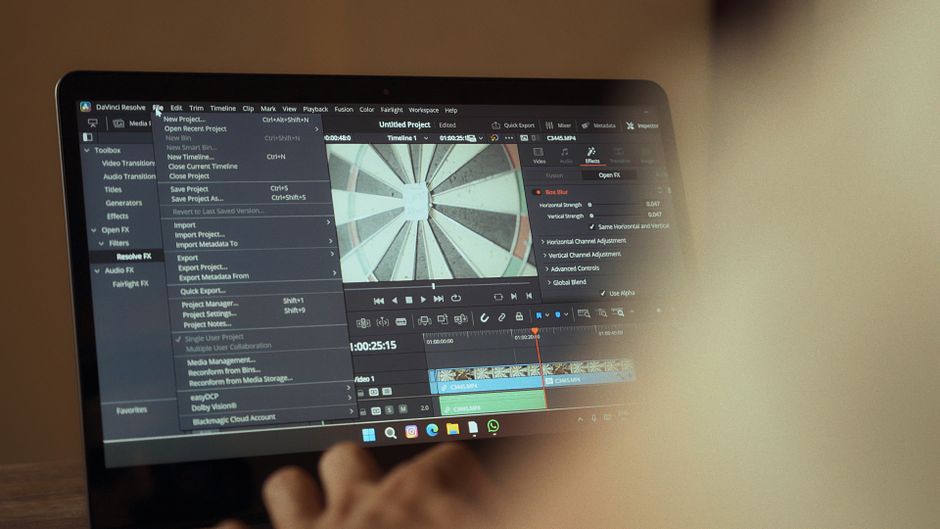
Compare CapCut, DaVinci Resolve 21, and Adobe Premiere in 2026. Find the best video editor based on specs, new AI tools, features, and 2026 pricing.
Video editing in 2026 is no longer just about slicing clips and placing transitions. Today, content creators, independent filmmakers, and marketing agencies are managing highly automated, AI-driven workflows. The modern editing suite is expected to generate hyper-accurate auto-captions in seconds, automatically reframe shots for vertical platforms, and even extend video clips using generative AI models. As we navigate the digital media landscape of 2026, the battle for the title of ‘Best Video Editor’ has intensified, dominated by three giants: ByteDance’s CapCut, Blackmagic Design’s DaVinci Resolve, and Adobe’s Premiere.
These three tools represent fundamentally different philosophies of video production. CapCut champions rapid, template-driven social media content creation that can be done on a smartphone or a lightweight laptop. DaVinci Resolve caters to cinematic purists, colorists, and post-production experts who demand ultimate creative control and refuse to be bound by monthly subscriptions. Adobe Premiere sits in the middle as the battle-tested, subscription-heavy industry standard that agencies and collaborative post-production houses swear by, despite rising licensing costs.
In this definitive comparison for ComparisonMath, we will pit CapCut, DaVinci Resolve, and Adobe Premiere against each other. We will dissect their newest 2026 updates, analyze their pricing packages, and look at their target workflows to help you decide which video editing ecosystem is worth your time and hard-earned money this year.
To give you an immediate overview of how these three video editing powerhouses compare in 2026, we have summarized their core features, pricing, and system requirements below.
| Feature / Dimension | CapCut (Standard & Pro) | DaVinci Resolve 21 | Adobe Premiere (2026) |
|---|---|---|---|
| Best For | Short-form content (TikTok, Reels, Shorts), quick social edits, and beginner creators. | Color grading, cinematic workflows, independent filmmaking, and professional audio. | Professional agency campaigns, collaborative team pipelines, and dynamic motion graphics. |
| Pricing Model | Free tier with limits; Pro tier costs $9.99/mo or $89.99/yr. | Free base version; Studio tier is a $295 one-time flat fee. | Subscription-only: Standalone is $22.99/mo; Creative Cloud Pro is $69.99/mo. |
| Learning Curve | Low (can master the basics in a few hours). | High (requires weeks to months of dedicated practice). | High (steep learning curve but massive community support). |
| Key AI Features | Auto-captions, AI avatars, background removal, and smart text templates. | IntelliSearch, CineFocus, Magic Mask, facial refinement, and Voice Isolation. | Firefly Generative Extend, text-based editing, scene extension, and auto-ducking. |
| Hardware Demands | Very low (runs smoothly on lightweight laptops and mobile devices). | High (heavily dependent on a powerful, dedicated GPU). | Moderate to High (requires solid CPU performance and healthy RAM). |
Each of these three editing platforms has evolved in distinct directions to meet the specific demands of their target audiences in 2026. Let’s look at each video editor in depth to understand their feature sets, pricing models, and overall workflows.
ByteDance’s CapCut has transitioned from a basic mobile companion app into a multi-platform power player. In 2026, it offers robust desktop versions for Windows and macOS, alongside its web-based and mobile solutions, which sync effortlessly via cloud integration. The big news for 2026 is CapCut’s newly updated membership tier structure, which officially introduced a distinct paid ‘Standard’ tier alongside the premium ‘Pro’ membership to provide more flexible options for content creators.
Under the updated 2026 pricing, CapCut Pro costs $9.99 per month or $89.99 annually when billed yearly. Depending on regional promotions, some plans can scale up to $19.99 per month for advanced collaborative tools. However, the basic Pro plan has been significantly upgraded: Pro users now receive up to 1,200 monthly AI credits (up from the previous limit of 550) and a massive 1TB of cloud storage (expanded from 100GB). This makes it highly efficient for creators who edit across smartphones, tablets, and desktop computers.
Feature-wise, CapCut is optimized for velocity. Its primary strengths are its industry-leading auto-captions, highly realistic AI avatars, single-click background removal, and a massive, trending library of audio, transitions, and text templates. Furthermore, it has extremely low system requirements; you can edit 4K video smoothly on standard, everyday ultrabooks without experiencing the lagging or timeline stuttering common with professional NLEs.
However, CapCut is not built for advanced post-production. Its color grading is limited to basic LUTs and filters, its multi-cam editing is restricted, and you cannot customize shortcut layouts or construct complex audio routing. If your goal is to edit vertical videos and get them posted to TikTok or Instagram Reels within an hour, CapCut is completely unbeatable. But for high-end cinematic or corporate work, you will quickly hit its structural limits.
Blackmagic Design shook up the creative community in April 2026 at the annual NAB Show with the announcement of DaVinci Resolve 21. Historically known as the industry-standard software for Hollywood color grading, Resolve has evolved into a comprehensive, non-linear post-production ecosystem that seamlessly integrates editing, visual effects via Fusion, and professional audio mastering via Fairlight.
The standout feature of DaVinci Resolve 21 is the newly introduced Photo page. This dedicated workspace brings Resolve’s legendary node-based color grading tools to RAW still photography, establishing Resolve 21 as a legitimate Lightroom competitor for multi-disciplinary creatives. Alongside this, Resolve 21 offers a suite of groundbreaking AI-powered tools. The new ‘IntelliSearch’ tool allows editors to search massive media pools using natural-language text descriptions to find specific clips, faces, or objects. ‘CineFocus’ provides highly realistic depth-of-field and focal-point adjustments in post-production, while Fairlight has received Fairlight folder tracks to simplify complex multi-track audio sessions.
Pricing remains DaVinci’s strongest competitive advantage. The base version of DaVinci Resolve 21 is entirely free, with no watermarks and full support for up to 4K 60fps exports. For users who need advanced AI tools, Magic Mask, advanced noise reduction, or HDR grading, DaVinci Resolve Studio 21 is available for a one-time flat fee of $295. This perpetual license includes lifetime updates and lets you completely avoid the monthly subscription fatigue that plagues modern software. The only catch is the high system requirements: you must have a powerful workstation equipped with a dedicated GPU to handle Resolve’s rendering engine.
Adobe has officially unified its video suite in 2026, rebranding the classic desktop software from ‘Premiere Pro’ to simply ‘Adobe Premiere’ to reflect its integrated desktop-and-mobile product family. Despite growing competition, Adobe Premiere remains the industry-standard platform across creative agencies, traditional television networks, and professional post-production houses globally.
In 2026, Adobe’s pricing model remains strictly subscription-based. The standalone Adobe Premiere app costs $22.99 per month with an annual commitment, or $34.49 per month on a month-to-month basis. However, for those who use the entire creative suite, Adobe renamed its ‘All Apps’ bundle to ‘Creative Cloud Pro’ and raised the price to $69.99 per month (billed annually) or $104.99 per month (month-to-month). This significant price hike reflects the deep integration of Adobe’s latest AI-driven features.
The main justification for Premiere’s price is its deep integration of generative AI tools powered by Adobe Firefly. Tools like ‘Generative Extend’ allow editors to seamlessly generate extra frames at the beginning or end of clips to smooth out tricky audio or video transitions. Its ‘text-based editing’ feature allows you to edit video by simply cutting and pasting lines from an automatically generated transcript. Additionally, Premiere’s ‘Dynamic Link’ with After Effects and Photoshop remains a massive competitive advantage, allowing you to update motion graphics and complex visual effects on the fly without ever needing to pre-render. For collaborative team environments, its robust shared projects pipeline makes Premiere an essential corporate tool.
Selecting the best video editor in 2026 depends heavily on your budget, hardware, career aspirations, and day-to-day workflow. Here is a practical buying guide to help you make your decision:
For color grading, audio mastering, and budget-friendliness, yes. DaVinci Resolve 21 is widely considered superior to Adobe Premiere in those areas, and its one-time payment model makes it far more cost-effective. However, Premiere still holds the crown for collaborative agency workflows and seamless integration with motion-design tools like After Effects.
Yes. Many professional social media editors and digital marketers use CapCut Pro in 2026 due to its unmatched speed and automated AI tools. However, for long-form films, commercial documentaries, or projects requiring complex multi-cam setups and precise audio mixing, CapCut lacks the advanced architectural features of Resolve or Premiere.
Adobe restructured its Creative Cloud All Apps bundle into ‘Creative Cloud Pro’ in 2026, raising the monthly fee to $69.99/mo on an annual plan. This price hike reflects the addition of advanced generative AI features powered by Adobe Firefly, such as Generative Extend and text-to-video tools, which require significant cloud-based rendering resources.
The major 2026 release of DaVinci Resolve 21 introduced a dedicated Photo page, which allows node-based editing of RAW still photographs. It also added advanced AI features like ‘IntelliSearch’ for natural-language media searches, ‘CineFocus’ for focal-point adjustments in post-production, and ‘Fairlight folder tracks’ for easier multi-track audio management.
In 2026, there is no single ‘perfect’ video editor, but there is a clear winner depending on your target workflow. For the overall best value and technical capability, DaVinci Resolve 21 takes the crown. Its combination of a powerful free version, a fair one-time purchase model, and the groundbreaking addition of the Photo page makes it the most robust tool for modern independent creatives.
However, if your business thrives on speed and social media, CapCut Pro is your best asset. It automates tedious tasks like captioning and effects, allowing you to scale your content output effortlessly. Meanwhile, Adobe Premiere remains the dominant force for professional agencies and collaborative team pipelines where After Effects integration and industry compatibility are absolute non-negotiables. Assess your hardware, budget, and creative goals to choose the ecosystem that will power your video creation throughout 2026.
Prices and features mentioned are accurate as of the date of publication. Always check the official provider website for the most current pricing and availability.




