Physical Address
304 North Cardinal St.
Dorchester Center, MA 02124
Physical Address
304 North Cardinal St.
Dorchester Center, MA 02124

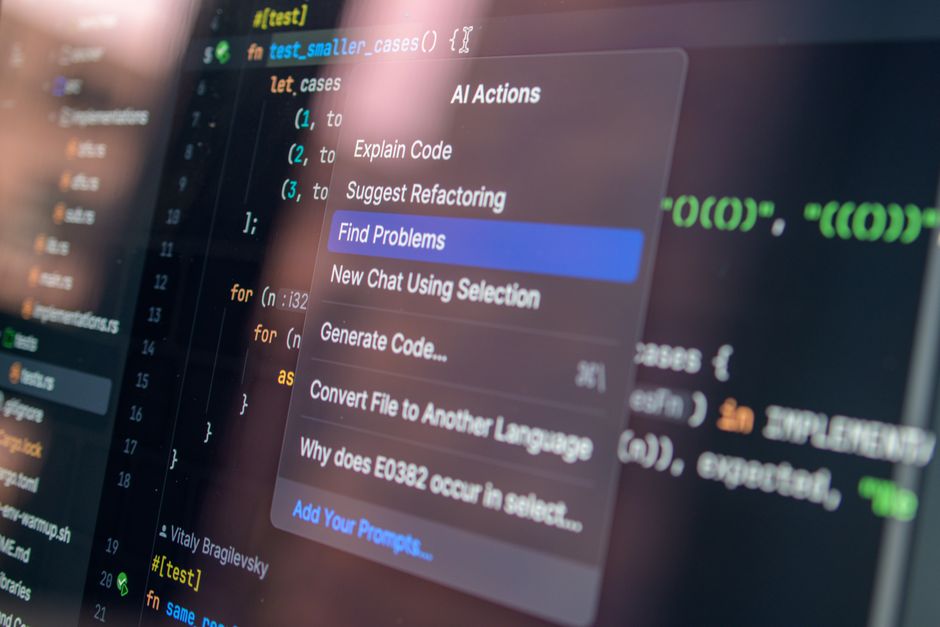
Compare Cursor, Windsurf, and Claude Code in 2026. Get current pricing, specs, and pros/cons to choose the ultimate AI coding assistant for your stack.
The developer landscape in 2026 looks vastly different than it did just a couple of years ago. We have transitioned from basic, inline code autocompletes to fully autonomous, agentic coding environments. Today, AI agents routinely write multi-file features, fix complex compiler bugs, run terminal commands, and coordinate cloud sandboxes. The race for the ultimate AI developer workflow has boiled down to three heavyweight contenders: Cursor, Windsurf, and Claude Code.
Choosing the right tool is no longer just about which AI model generates the cleanest code. It is a strategic decision involving architecture, billing structures, and workflow philosophies. Cursor has evolved from a popular VS Code fork into a massive multi-model platform backed by $2 billion in annualized revenue. Windsurf, supported by Cognition, brings deeply autonomous “Cascade” workflows and rich JetBrains support. Meanwhile, Anthropic’s Claude Code has emerged as a terminal-native powerhouse with an advanced agent dashboard.
This comprehensive 2026 review breaks down the specifications, capabilities, and pricing models of Cursor, Windsurf, and Claude Code. By the end of this guide, you will know exactly which platform is worth your subscription dollars and fits your daily development stack.
To give you an immediate sense of how these tools stack up, here is an at-a-glance comparison of their core specifications, pricing structures, and unique selling points in 2026:
| Feature / Metric | Cursor | Windsurf | Claude Code |
|---|---|---|---|
| Primary Architecture | VS Code Fork (Anysphere IDE) | VS Code Fork & JetBrains Plugins | Terminal-Native Command-Line (CLI) |
| Pricing (Pro) | $20/month ($16/month billed annually) | $20/month (restructured in March 2026) | $20/month (bundled with Claude Pro) |
| Billing Model | Dollar-denominated credit pools | Daily and weekly usage quotas | Shared subscription caps or pay-per-token API |
| Key AI Models | Grok 4.6, Grok 4.5, Claude Sonnet 5, Composer 2.5 | SWE-1.5, SWE-1.6, Claude Sonnet 4.6, GPT-4.1 | Claude Sonnet 5, Claude Opus 5, Opus 4.7 |
| Standout Feature | Multi-model Composer, Cloud Agents | Cascade flow-agent, JetBrains support | Agent View terminal dashboard, native CLI control |
| Best For | Developers wanting an AI-first IDE with multi-model freedom | Engineers seeking autonomous flow state and IDE plugin flexibility | Power terminal users, agentic shell workflows, and console purists |
Each of these three tools represents a slightly different philosophy of how developers and AI should collaborate. To find the best fit, we must examine their underlying specifications, unique features, and pricing structures in detail.
Cursor, developed by Anysphere, remains the standard-bearer for AI-native IDEs in 2026. Built as a fork of VS Code, it allows developers to easily import their existing extensions, keybindings, and themes. This low barrier to entry, combined with its class-leading AI integrations, has propelled the platform to over one million paying subscribers.
In 2026, Cursor boasts unmatched flexibility. Unlike single-provider tools, it features frontier models from several vendors, including OpenAI, Anthropic, Google, and SpaceXAI. A major highlight of Cursor’s 2026 feature set is the native integration of Grok 4.6, Grok 4.5, and Composer 2.5. These models excel in real-time reasoning and multi-file code generation. Its Composer interface lets you draft full features across dozens of files, while background agents handle linting and testing in a cloud sandbox.
Cursor Pricing and Bill Structure: Since shifting away from counting simple “fast requests,” Cursor runs on a dollar-denominated, usage-based credit model. Each paid plan includes a monthly credit pool equal to its face value, which is consumed based on actual API costs when manually calling premium models. Tab autocomplete and “Auto Mode” models do not deplete this pool, keeping daily coding highly affordable.
Windsurf, built by Codeium and heavily integrated with Cognition’s technology, represents the bleeding edge of “flow-state” development. What sets Windsurf apart is Cascade, its agentic subsystem designed to collaborate side-by-side with the developer. Unlike other editors that pause and ask for your approval on every tiny change, Windsurf’s Cascade operates in a continuous, multi-step flow.
Furthermore, Windsurf addresses a massive gap left by Cursor: JetBrains support. If you write Java, Kotlin, or C++ and prefer IntelliJ, PyCharm, or WebStorm, Windsurf offers fully integrated plugins that bring its agentic power directly to your IDE. Windsurf also features its proprietary SWE-1.5 and SWE-1.6 models. Because these native models are optimized for code-specific tasks, they are highly efficient and cost practically nothing to run on the platform.
Windsurf Pricing and Bill Structure: In March 2026, Windsurf completely overhauled its pricing. They killed their old credit system and replaced it with a daily and weekly quota structure, aligning their pricing directly with Cursor. This quota system resets automatically, preventing surprise bills while capping heavy continuous usage.
Claude Code is Anthropic’s response to the rise of AI code editors, and it takes a radically different architectural approach. Instead of forcing developers into a specific IDE, Claude Code is a terminal-native, command-line interface (CLI). It runs right inside your existing terminal, allowing it to seamlessly read local files, execute bash commands, run test suites, and resolve compiler errors in real-time.
In May 2026, Anthropic introduced “Agent View” for Claude Code as a research preview. Agent View turns a single terminal window into an interactive dashboard. It allows you to spin up multiple coding agents in the background, monitor their progress, and intervene only when they require user input. Powered by the Claude 5 ecosystem (including Claude Sonnet 5, released in late June 2026, and the mighty Claude Opus 5), it offers unmatched reasoning capabilities. For monitoring costs, Claude Code includes an elegant `/cost` command that provides a live, granular breakdown of model usage and cache hits.
Claude Code Pricing and Bill Structure: Anthropic bundles Claude Code directly into standard Claude subscriptions alongside Claude.ai chat and Claude Cowork. This shared context pool means your terminal coding and browser chatting draw from the same limits. Developers who prefer not to subscribe can choose a pay-per-token API model instead.
When choosing between Cursor, Windsurf, and Claude Code in 2026, you should look past the marketing hype and focus on your specific workflow needs, IDE preferences, and budget tolerance.
If you are a VS Code user, Cursor offers the smoothest transitions. Its integration of multi-model options like Grok 4.6 and Sonnet 5 is incredibly refined. If you are deeply committed to the JetBrains ecosystem, Windsurf is the clear and obvious choice. If you live in the terminal, use Neovim, or constantly jump between different lightweight editors, Claude Code is an absolute dream. It plugs directly into your CLI, giving you full control over git, compilers, and file structures without locking you into an IDE.
In 2026, AI compute costs are a major consideration. Cursor’s credit-based model is excellent if you use lightweight models for autocomplete but want a dedicated $20 pool for occasional heavy reasoning tasks. Windsurf’s quota-based pricing is ideal if you want predictable monthly budgeting. Its proprietary models let you code extensively without consuming strict quotas. Claude Code is perfect if you already pay for a Claude Pro or Max subscription, as it allows you to get full agentic features under a single bill.
If you prefer a structured “plan-and-approve” workflow where you verify every block of generated code, Cursor’s Composer is stellar. If you want true end-to-end agentic execution, Windsurf’s Cascade (powered by Cognition’s Devin-tier automation) works seamlessly in the background. If you want a terminal assistant that can run tests, run bash scripts, and fix its own syntax mistakes recursively, Claude Code‘s CLI is incredibly powerful.
Yes, absolutely. Because Claude Code is a terminal-native tool, you can easily open your terminal inside Cursor or Windsurf and run Claude Code simultaneously. Many developers use Cursor’s tab-completion for writing code and run Claude Code in the terminal to execute test suites and fix linting issues.
Not entirely. While both tools support industry-standard models like Claude Sonnet and GPT-4 variants, Cursor offers exclusive access to the Grok 4.6 and Grok 4.5 reasoning models. Windsurf, on the other hand, utilizes its proprietary SWE-1.5 and SWE-1.6 models, which are tuned for rapid agentic tasks and are free of credit costs on paid plans.
Under Cursor’s credit system, running out of credits means you either drop down to a slower, basic model or opt into pay-as-you-go API billing. On Windsurf, exceeding your daily or weekly quota pauses advanced Cascade features, though you can purchase add-on credit packs or wait for the quota to refresh. For Claude Code, you can wait for your 5-hour rolling window to reset or enable extra pay-per-token usage via the Anthropic Console.
Yes, but you must select the appropriate tiers. Windsurf Enterprise offers Zero Data Retention (ZDR) by default, meaning your proprietary code is never used to train future AI models. Cursor Teams and Enterprise offer a dedicated “privacy mode” with SSO and OIDC controls. Claude Code also adheres to Anthropic’s strict commercial data privacy terms, which exclude customer data from model training when accessed via paid tiers or the API.
In 2026, the AI coding space has matured beyond a one-size-fits-all solution. The “best” tool depends entirely on your architectural and interface preferences.
Windsurf is the overall winner for IDE-based development. Its transition to a predictable quota model, native JetBrains support, and the sheer fluidity of the Cascade agent make it a joy to use for multi-file codebases. It bridges the gap between deep, autonomous agent sessions and traditional developer workflow control better than any editor on the market.
However, if you want unmatched model flexibility (including Grok 4.6 and Composer 2.5) within a robust VS Code environment, Cursor remains a top-tier powerhouse. Lastly, if you are a terminal purist who wants a lightweight, command-line-driven agent that can run local bash scripts and manage background pipelines, Claude Code with its new Agent View is an unbeatable addition to your development kit.
Prices and features mentioned are accurate as of the date of publication. Always check the official provider website for the most current pricing and availability.




