Physical Address
304 North Cardinal St.
Dorchester Center, MA 02124
Physical Address
304 North Cardinal St.
Dorchester Center, MA 02124

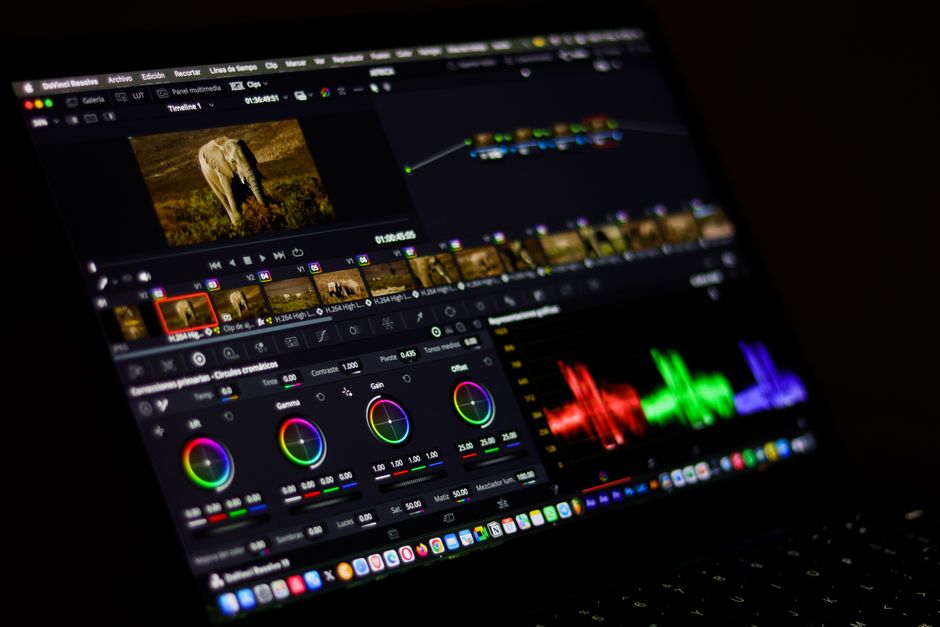
Compare DaVinci Resolve 20, Final Cut Pro 12, and Adobe Premiere in 2026. Explore pricing, AI features, specs, and find the best video editor for you.
Video editing in 2026 is no longer just about slicing clips on a timeline; it is an all-out battle of artificial intelligence, real-time collaboration, and deep ecosystem integration. Whether you are a professional Hollywood colorist, an independent documentarian, or a social media creator pushing out daily short-form content, the tools at your disposal have never been more powerful—or more distinct. Today, the creative post-production landscape is dominated by three giants: Blackmagic Design’s DaVinci Resolve 20, Apple’s newly released Final Cut Pro 12, and Adobe’s industry-standard Adobe Premiere. These platforms have shifted their paradigms significantly over the past year to capture different segments of the market.
Apple shook the editing community by launching the ‘Apple Creator Studio’ subscription model while retaining its standalone perpetual purchase option. Blackmagic Design unleashed DaVinci Resolve 20, introducing Neural Engine 3.0 and block-level cloud syncing. Meanwhile, Adobe streamlined its video product family and doubled down on generative AI via Firefly. Choosing the right software in 2026 means weighing perpetual licenses against recurring subscriptions, local machine learning against cloud-based generation, and multi-platform versatility against hardware optimization. This comprehensive comparison analyzes the specs, pricing, and real-world performance of each program to help you make the right choice.
To help you understand how these industry leaders stack up at a glance, here is a detailed breakdown of their pricing, platform support, and standout features in 2026.
| Feature/Metric | DaVinci Resolve 20 | Final Cut Pro 12 | Adobe Premiere (2026) |
|---|---|---|---|
| Pricing Model | Free base version; $295 for Studio (Perpetual, lifetime free upgrades) | $299 standalone (Perpetual) OR $12.99/mo via Apple Creator Studio subscription | Subscription only ($22.99/mo annual commitment; $34.49/mo month-to-month) |
| Operating System | Windows, macOS, Linux | macOS (separate iPadOS version available) | Windows, macOS |
| Key AI Feature | Neural Engine 3.0, AI IntelliScript, Magic Mask v2, Fairlight Voice Isolation | Intelligent Search (Transcript & Visual Search), Beat Detection, Auto Captions | Text-Based Editing (transcript cutting), Adobe Firefly Generative Extend |
| System Overhead | High (heavily dependent on dedicated GPU and VRAM) | Low to Medium (exceptionally optimized for Apple Silicon) | High (requires robust CPU, dedicated GPU, and NVMe cache SSD) |
| Target User | Colorists, audio engineers, cinematic filmmakers, budget-conscious pros | Fast-turnaround editors, YouTubers, macOS/Apple Silicon loyalists | Enterprise teams, agency editors, motion graphics designers, VFX artists |
DaVinci Resolve 20 represents the pinnacle of Blackmagic Design’s post-production suite. While the software is celebrated for its world-class color grading, the 2026 version has evolved into an absolute powerhouse across the Edit, Fusion, and Fairlight pages. Powered by the new Neural Engine 3.0, Resolve 20 optimizes tensor core usage on modern GPUs by approximately 30%. This architectural upgrade means features like Magic Mask v2 and Depth Map v2 operate near-instantaneously, allowing editors to track complex moving subjects and perform realistic Z-depth relighting without tedious manual rotoscoping.
For collaborative teams, Blackmagic Design introduced ‘Instant’ Block-Level Cloud Sync. Rather than uploading entire project files, Resolve’s cloud pipeline detects only the specific hex data changes in a timeline, reducing sync transfers to mere kilobytes. This allows remote editors and colorists to collaborate seamlessly without annoying lag. Additionally, the integrated Fairlight audio engine features an AI Voice Isolation algorithm specifically retrained in 2026 to clean up harsh digital room acoustics and virtual meeting artifacts, restoring natural frequencies rather than simply gating the noise.
The core editing workflows are boosted by AI IntelliScript, which builds rough-cut timelines automatically by matching user-provided text scripts with video transcriptions. For multicam projects, AI Multicam SmartSwitch automatically swaps camera angles based on active speaker detection. Pricing remains Resolve’s strongest asset: the base software is completely free, while the fully featured DaVinci Resolve Studio 20 is a one-time purchase of $295. Blackmagic Design also offers professional hardware pairings, such as the DaVinci Resolve Speed Editor for $435, making it a highly scalable investment.
Apple disrupted the video editing industry with the release of Final Cut Pro 11, followed closely by the introduction of Final Cut Pro 12 and the massive June 2026 Final Cut Pro 12.3 update. The defining change of 2026 is Apple’s pricing restructuring. While users can still buy Final Cut Pro 12 as a standalone macOS application for a one-time fee of $299, Apple now offers the Apple Creator Studio subscription for $12.99/month. This subscription bundles Final Cut Pro 12, Compressor 5, and Motion 6, and unlocks a premium asset library of transitions, titles, and generators built in partnership with newly acquired design houses like MotionVFX.
Under the hood, Final Cut Pro 12 utilizes the Apple Silicon Neural Engine to process complex machine learning tasks entirely on-device, ensuring strict data privacy and bypassing the need for cloud-based rendering. The standout feature is Intelligent Search, which splits into Transcript Search and Visual Search. Using natural language queries, editors can instantly locate spoken words, conceptual topics, or specific physical actions (e.g., searching ‘handshake’ or ‘sunset’) across hundreds of hours of raw footage. Furthermore, the newly integrated Beat Detection tool automatically analyzes musical tracks to map out bars, beats, and tempo grids directly on the timeline, dramatically speeding up rhythm-based cuts.
Other major additions in the 12.3 build include native on-device Auto Captions, which transcribe and format stylized subtitles in seconds, and Auto Masks to quickly isolate objects or individuals. When combined with the signature Magnetic Timeline, which prevents track collisions and keeps connected clips perfectly synced, Final Cut Pro 12 remains the fastest, most fluid video editor on macOS. However, its Mac-exclusive nature limits its adoption for cross-platform team environments.
Adobe has streamlined its branding, formally renaming its flagship editing suite to ‘Adobe Premiere’. True to Adobe’s ecosystem philosophy, the 2026 release relies on a subscription-only model. Individual licensing costs $22.99/month with an annual commitment, or $34.49/month on a rolling month-to-month basis. Creative professionals requiring the full Adobe ecosystem can subscribe to Creative Cloud Pro for $69.99/month (annual), which provides deep integration with After Effects, Photoshop, Audition, and 100GB of cloud storage.
Premiere’s ultimate competitive advantage is its industry-leading Text-Based Editing. While other editors have adopted transcript search, Premiere allows editors to actively cut, rearrange, and splice video clips directly by editing the written transcript. Deleting a sentence in the transcript pane instantly deletes the corresponding media on the timeline, which is an invaluable time-saver for documentary, interview, and podcast editors. Additionally, Premiere features Adobe Firefly Generative AI tools, including Generative Extend, which can dynamically generate extra frames of video or background audio to pad clips that end too abruptly.
The program excels in complex post-production environments due to its robust Dynamic Link, allowing editors to import After Effects compositions without rendering first, and native Frame.io integration for client reviews. The primary trade-off is its heavy hardware demands. To run Premiere 2026 smoothly at 4K resolutions, Adobe recommends an Intel Core i7/i9 or Apple Silicon M3/M4 Pro processor, a minimum of 32GB of RAM, a dedicated GPU with at least 4GB of VRAM, and an NVMe SSD for media cache.
Selecting the best video editor in 2026 depends heavily on your hardware, budget, and specific production workflows. If you operate primarily on a Windows or Linux setup, your decision is immediately narrowed to DaVinci Resolve 20 and Adobe Premiere, as Final Cut Pro remains strictly locked to Apple’s macOS and iPadOS ecosystem.
From a financial perspective, DaVinci Resolve 20 and the standalone version of Final Cut Pro 12 are the clear winners. For a one-time fee ($295 for Resolve Studio; $299 for Final Cut), you own the software outright with lifetime free updates. Conversely, Adobe Premiere is a recurring expense that can cost hundreds of dollars annually, though it provides access to cutting-edge generative cloud tools like Adobe Firefly. For Mac users who want premium third-party assets without paying upfront, the $12.99/month Apple Creator Studio subscription represents a highly compelling middle ground.
If your workflow is heavily narrative-driven or involves extensive color correction, DaVinci Resolve 20 is unmatched. Its advanced node-based color page and built-in Fusion compositor make it the gold standard for cinematic finishing. If your projects require rapid turnaround times, music-driven montages, or heavy use of on-device AI searching, Final Cut Pro 12’s Beat Detection and Intelligent Search tools will save you hours of manual sorting. Finally, if you work within a large creative agency or rely heavily on complex motion graphics and visual effects, Adobe Premiere’s Text-Based Editing and seamless Dynamic Link to After Effects make it the most practical choice.
Yes. Despite the launch of the Apple Creator Studio subscription bundle for $12.99/month, Apple continues to sell the standalone perpetual license of Final Cut Pro 12 for Mac as a one-time purchase of $299. However, the premium motion graphic templates and bundled companion apps like Motion and Compressor are exclusive to the subscription tier.
DaVinci Resolve 20 is a highly GPU-intensive application. To leverage the new Neural Engine 3.0 features, Windows users should have a dedicated NVIDIA RTX series graphics card (with at least 8GB VRAM) to utilize Tensor cores, along with 16GB of system RAM (32GB recommended for 4K). Mac users will need an Apple Silicon machine (M1 Pro or later, with M3/M4 series recommended for optimal performance).
While Final Cut Pro 12’s Transcript Search allows you to find and isolate spoken words using on-device ML, it does not support editing the timeline via the text. Adobe Premiere’s Text-Based Editing is fully interactive; deleting, copying, or moving text blocks in the transcript window directly cuts and rearranges the physical video and audio clips on your timeline, offering a much more advanced editorial workflow.
For many independent creators, yes. The free version of DaVinci Resolve 20 includes full editing, basic color grading, Fairlight audio tools, and Fusion compositing. Upgrading to the $295 Studio version is only necessary if you require advanced AI features (like Magic Mask v2 or Voice Isolation), resolutions beyond 4K, frame rates higher than 60fps, or multi-GPU acceleration.
The crown for the best video editor of 2026 depends on your creative priorities, but DaVinci Resolve 20 emerges as the best overall value and the most complete post-production package. Its combination of a powerful free tier, a highly competitive $295 perpetual license, and the revolutionary speed improvements of Neural Engine 3.0 make it a virtually unbeatable choice for modern filmmakers and independent editors.
For macOS users who prioritize lightning-fast timeline navigation and music-driven editing, Final Cut Pro 12 is an incredibly close second. Its new Intelligent Search and Beat Detection tools leverage Apple Silicon to deliver unmatched local efficiency, and the $12.99/month Apple Creator Studio subscription makes it highly accessible. Meanwhile, Adobe Premiere remains the mandatory choice for enterprise teams and motion designers who require the collaborative depth of Frame.io and the absolute power of After Effects, even if its ongoing subscription model remains a financial hurdle.
Prices and features mentioned are accurate as of the date of publication. Always check the official provider website for the most current pricing and availability.




