Physical Address
304 North Cardinal St.
Dorchester Center, MA 02124
Physical Address
304 North Cardinal St.
Dorchester Center, MA 02124

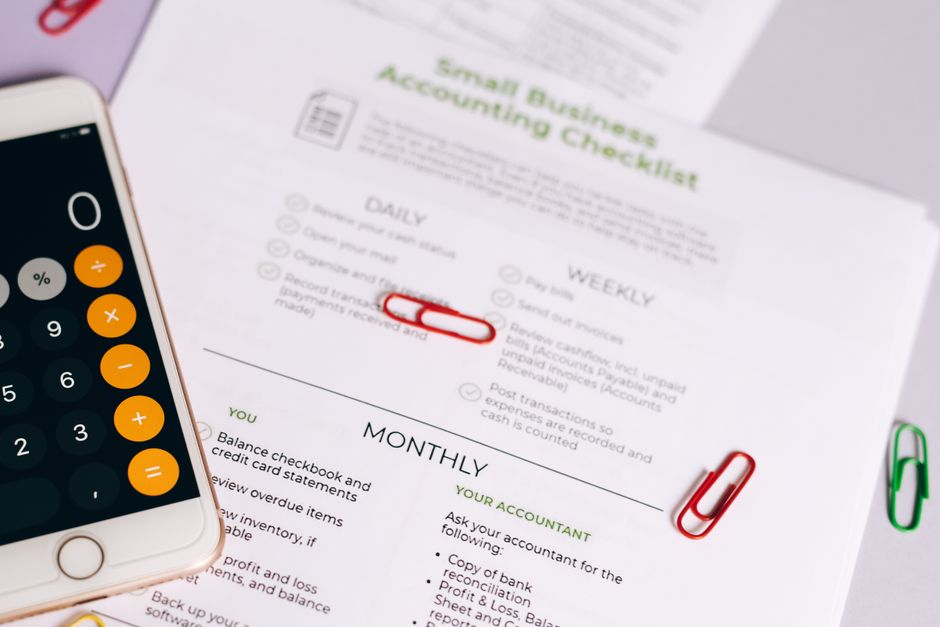
Compare QuickBooks Online, Xero, and Zoho Books in 2026. Discover prices, specs, and AI tools for small business accounting.
For small and mid-sized businesses navigating the complex financial landscape of 2026, choosing the right accounting software has never been more consequential. Bookkeeping is no longer just about tracking expenses or printing invoices. Today’s software must act as an intelligent operational dashboard, utilizing advanced Agentic AI, forecasting complex cash flows, and integrating seamlessly with diverse global payment gateways. The three industry giants—QuickBooks Online, Xero, and Zoho Books—remain the top contenders, but their offerings, pricing models, and capabilities have shifted dramatically as we navigate 2026.
This comparison matters because the standard playbook for choosing bookkeeping software has completely changed over the past twelve months. We have witnessed aggressive pricing updates, groundbreaking advances in generative AI assistants, and major shifts in how accountants collaborate with their clients. For instance, QuickBooks Online rolled out massive pricing changes in August 2026, pushing subscription fees to historic highs while introducing automated “Continuously Clean Books” features. Xero has counter-attacked by officially launching JAX (Just Ask Xero), an advanced, Claude-powered conversational AI companion designed to revolutionize natural-language financial tracking. Meanwhile, Zoho Books continues to solidify its role as the ultimate budget-friendly, highly customizable ledger, deeply integrated with the vast Zoho One business suite.
If you are a business owner or finance professional evaluating these three platforms, this detailed, specs-and-facts-backed guide will help you determine which software deserves to manage your books. By analyzing pricing structures, user limits, automation features, and platform ecosystems, we will break down which tool is the absolute best fit for your unique needs in 2026.
Understanding the fundamental differences across these platforms is the first step in making an informed decision. Below is an at-a-glance comparison of QuickBooks Online, Xero, and Zoho Books, highlighting their current pricing, user limits, flagship artificial intelligence integrations, and ideal target audiences.
| Feature/Metric | QuickBooks Online (2026) | Xero (2026) | Zoho Books (2026) |
|---|---|---|---|
| Starting Price | $38 per month (Simple Start) | $25 per month (Early) | Free (Revenue <$50k/yr) or $15/mo (Standard, billed annually) |
| Popular Plan Price | $140 per month (Plus) | $55 per month (Growing) | $40 per month (Professional, billed annually) |
| User Limits | Strictly capped (1 to 25 users based on plan) | Unlimited users on all plans | Capped (3 to 15+ users based on plan, add-ons available) |
| Flagship AI Feature | Continuously Clean Books (Intuit Intelligence) | JAX (Just Ask Xero) Agentic AI | Ask Zia & Smart Banking Field Prediction |
| US Payroll Solution | Built-in QuickBooks Payroll (Workforce Elite included in QBO Advanced) | Gusto Integration (starts at $40/mo + $6/user) | Built-in Zoho Payroll integration |
| Pros | CPA preference, unmatched compliance, robust inventory tracking | Unlimited collaboration, superb multi-currency, conversational AI | Incredible value, modular ecosystem, deep reporting customization |
| Cons | Very expensive, recurring price hikes, strict user caps | Early plan has strict invoice limits, US payroll requires third-party add-on | Smaller accountant network, interface can be overwhelming for beginners |
Each of these three bookkeeping solutions has developed a distinct identity in 2026. Let’s explore each platform in depth, focusing on current pricing, features, and target profiles.
QuickBooks Online (QBO) by Intuit continues to dominate the North American business landscape, but in 2026, that dominance comes at a premium. Following the subscription cost updates effective August 1, 2026, QBO is now by far the most expensive platform of the three. Simple Start is locked at $38/month, but Essentials has risen to $85/month, Plus is now $140/month, and the premium Advanced plan has soared to $340/month. If your business has outgrown standard plans, upgrading to Advanced is a serious commitment, though it does offer highly sophisticated multi-user operational controls.
Despite these steep price increases, Intuit has introduced major product upgrades to justify the investment. The headline addition for 2026 is “Continuously Clean Books,” which leverages “Intuit Intelligence” to automatically categorize and match transactions throughout the month, backed by expert verification. Additionally, beginning in August 2026, QuickBooks Bill Pay Elite—previously a costly add-on—is included with QBO Advanced subscriptions at no extra fee, which is a potential $540 annual value. Many business owners will also appreciate the enhanced bank feeds, which now feature consistent batch controls and inline editing to speed up daily reconciliation.
For inventory-heavy businesses and projects, QuickBooks Online Plus ($140/mo) remains highly capable. It offers deep class and location tracking, multi-currency features, and project profitability dashboards that keep track of labor costs and material expenses. However, the user caps remain a major friction point: Plus is limited to just 5 users, and you must step up to the $340/month Advanced plan to unlock custom permissions and support up to 25 users. This model can quickly become cost-prohibitive for growing teams.
Pros:
Cons:
With over 5 million global subscribers as of mid-2026, Xero has established itself as the leading modern alternative to QuickBooks. Xero’s US pricing is structured to capture growing businesses: the Early plan is $25/month, the popular Growing plan is $55/month, and the international-ready Established plan is $90/month. All three tiers support unlimited users with role-based permissions at no extra charge, representing a massive cost saving for businesses that require team-wide access.
The major breakthrough for Xero in 2026 is the launch of JAX (Just Ask Xero), its conversational, Agentic AI business companion. Developed in partnership with Anthropic and natively integrated with Claude and Microsoft 365, JAX allows business owners to manage their books using natural language. For example, a business owner can type “Create a quote for client Sarah for $500,” or “What is my cash flow forecast for the next 90 days?” and JAX will generate the transaction or render the report instantly. It can also match bank feeds automatically and search through payment references in real time, making classic bookkeeping menus feel obsolete.
For businesses looking to scale internationally, Xero’s Established plan ($90/mo) is highly compelling. It offers built-in project tracking, expense capturing, and seamless multi-currency support covering over 160 currencies. The only major caveat for US-based businesses is payroll. Unlike QuickBooks, which offers robust, native payroll options, Xero offloads US payroll to Gusto. This integration starts at $40/month plus $6/employee, which can quickly inflate your overall monthly tech spend.
Pros:
Cons:
If you are looking for the absolute best value for money in 2026, Zoho Books is the undisputed leader. Its pricing is structured to be highly accessible: it offers a genuinely functional Free plan for businesses earning under $50k/year. Above that, the paid plans start at $20/month ($15/month billed annually) for Standard, $50/month ($40/month billed annually) for Professional, and $70/month ($60/month billed annually) for Premium. For enterprise operations, the Elite plan is $150/month ($120/mo annually), and the analytics-rich Ultimate plan is $275/month ($240/mo annually).
Zoho Books shines brightest when deployed within the broader Zoho ecosystem. If you are already utilizing Zoho CRM, Zoho Projects, Zoho Expense, or the Zoho One suite, Zoho Books acts as the integrated financial core of your business. It automatically feeds transactional data into your sales and management pipelines without requiring costly third-party custom APIs. The Professional and Premium plans offer incredible features at a fraction of the cost of their competitors, including a dedicated customer portal, advanced inventory tracking, purchase orders, sales orders, and budgeting.
In 2026, Zoho has also heavily invested in its native AI assistant, Zia. The 2026 Banking updates introduced AI-powered Field Prediction inside the banking module, which automatically suggests categories, tax rates, and vendors based on past transaction patterns. For multi-channel retailers, Zoho Books has rolled out a direct, native Walmart seller integration, supporting product syncing, stock updates, return syncing, and automated payout/settlement reconciliation directly within the app.
Pros:
Cons:
Selecting the right accounting software in 2026 depends heavily on your team size, your accountant’s preferences, and your budget. Here is a quick buying guide tailored to specific business types:
Freelancers and Micro-Businesses: If your annual revenue is under $50,000, Zoho Books is the obvious choice. Its Free tier is incredibly robust, offering bank reconciliation, a customer portal, and automatic payment reminders at zero cost. If you are a freelancer with slightly higher revenue but a very simple business model, Xero’s Early plan ($25/mo) is also a great option, provided you do not send more than 20 invoices per month.
Growing Agencies and Service Businesses: If you manage a team of collaborators, virtual assistants, or managers who need access to the ledger, Xero’s Growing plan ($55/mo) is the clear winner. The flat-rate pricing with unlimited users allows you to scale your team without worrying about skyrocketing software bills, and the JAX AI will save your team dozens of hours of manual entry.
E-commerce and Retailers: For multi-channel sellers, both Xero Established ($90/mo) and Zoho Books Professional ($40/mo) are highly capable. If you rely on a complex physical inventory setup, Zoho Books is exceptionally strong, especially with its new Walmart and Shopify direct integrations. If you sell globally across multiple currencies, Xero’s Established tier offers the cleanest multi-currency reconciliation on the market.
Established Small-to-Medium Businesses (SMBs): If you run an established business with a dedicated external CPA and complex reporting requirements, QuickBooks Online Plus ($140/mo) or Advanced ($340/mo) remains the safest corporate choice. While the cost is high, the peace of mind knowing your accountant can navigate the books flawlessly during tax season is a major asset.
Q: Why did QuickBooks Online raise its prices so aggressively in 2026?
A: Intuit has shifted its focus toward advanced, automation-first platforms. The August 2026 price increases are designed to fund their massive investments in “Intuit Intelligence” and features like “Continuously Clean Books”. To soften the blow, Intuit is now bundling previously paid add-ons, like QuickBooks Bill Pay Elite and Workforce Elite, directly into their high-tier Advanced plan.
Q: How does Xero’s JAX AI work in daily bookkeeping?
A: JAX (Just Ask Xero) is an Agentic AI companion powered by Anthropic’s Claude. Instead of clicking through menus, you can interact with JAX via natural language text. You can ask it to generate reports, draft invoices, reconcile bank transactions, and forecast cash flow. JAX handles the background processing and alerts you once the task is successfully executed.
Q: Is Zoho Books actually double-entry accounting software?
A: Yes. Zoho Books is fully compliant, double-entry accounting software. It generates professional General Ledgers, Trial Balances, Profit & Loss statements, and Balance Sheets. The only main difference from QuickBooks is that Zoho Books is less widely known among traditional CPAs, meaning you may have to export your reports manually for your tax preparer.
Q: Do Xero or Zoho Books offer payroll in the US?
A: Zoho Books features native integration with Zoho Payroll, which is built directly into their sidebar menu. Xero does not have a native US payroll system and instead relies on a deep, preferred integration with Gusto Payroll. Both systems work beautifully, but Xero’s Gusto integration will require a separate subscription fee.
In 2026, the best small business accounting software is no longer a one-size-fits-all answer, but rather a reflection of your operational priorities.
For the modern, growing small business, Xero is the overall winner of 2026. Its introduction of JAX Agentic AI completely changes the bookkeeping paradigm, taking the pain out of manual data entry and replacing it with natural language commands. When combined with its flat-rate unlimited users model, Xero represents the best balance of cutting-edge innovation, collaborative team access, and long-term price stability.
However, if you are a strictly US-focused company where your accountant is the primary driver of your financial systems, QuickBooks Online remains the undisputed industry king of compliance and ease of handoff, even if its 2026 pricing demands a steep premium. Finally, for bootstrapped startups, micro-businesses, or those already integrated into Zoho’s vast application universe, Zoho Books represents the absolute best value on the market, offering enterprise-grade customization at an unbeatable price point.
Prices and features mentioned are accurate as of the date of publication. Always check the official provider website for the most current pricing and availability.




