Physical Address
304 North Cardinal St.
Dorchester Center, MA 02124
Physical Address
304 North Cardinal St.
Dorchester Center, MA 02124

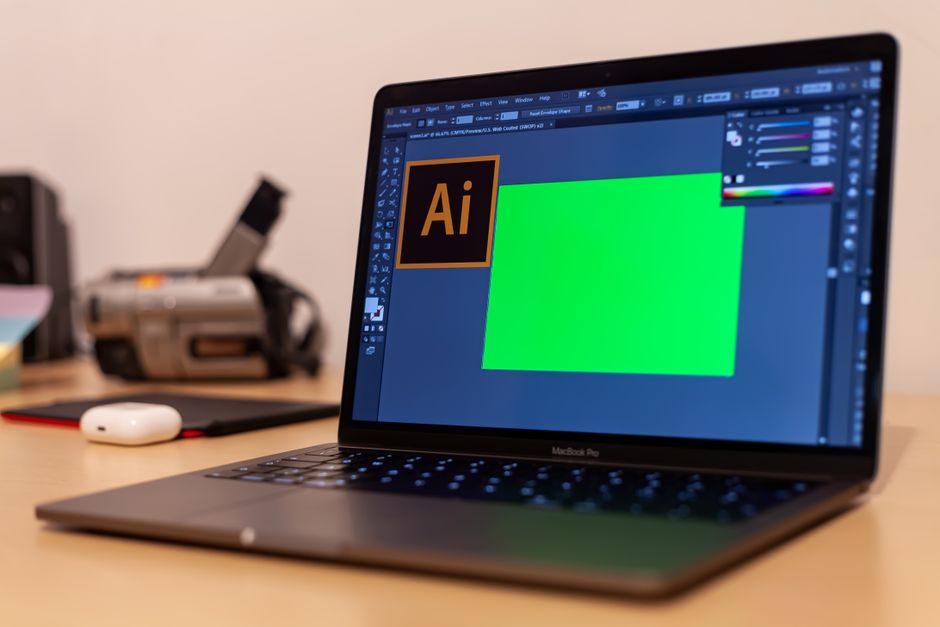
Compare Apple Creator Studio and Adobe Creative Cloud in 2026. Discover prices, AI features, and which creative suite is best for your workflow.
For more than a decade, Adobe Creative Cloud has held a virtual monopoly over the digital creative space. Since transitioning to a subscription-only model in 2013, Adobe has positioned its suite as an indispensable, albeit expensive, utility bill for designers, filmmakers, and photographers globally. However, the release of Apple Creator Studio in January 2026 has completely disrupted the status quo. Apple’s newly launched creative suite presents a formidable challenge to Adobe’s dominance by bundling professional video, audio, and imaging tools into an incredibly affordable, cohesive ecosystem.
This comparison matters now more than ever. With Adobe implementing price increases and renaming its main tier to “Creative Cloud Pro” to accommodate its massive cloud-based generative AI systems, creators are feeling the financial pinch. Meanwhile, Apple has leveraged its strategic late-2024 acquisition of Pixelmator to build an end-to-end creative suite that integrates seamlessly with its class-leading Apple Silicon hardware. In this comparison, we will dissect both platforms as they stand in 2026, comparing specs, features, and pricing to help you decide which ecosystem deserves your loyalty.
Before diving into the detailed specs, here is an at-a-glance look at how Apple Creator Studio and Adobe Creative Cloud stack up against each other in 2026:
| Feature | Apple Creator Studio (2026) | Adobe Creative Cloud (2026) |
|---|---|---|
| Monthly Price (Individual) | $12.99 / month or $129 / year | $69.99 / month (Pro Plan, annual contract) or $54.99 / month (Standard Plan) |
| Student / Educator Price | $2.99 / month or $29.99 / year | Promotional discounts available, renewing at $39.99 / month for Creative Cloud Pro |
| Core Applications | Final Cut Pro, Logic Pro, Pixelmator Pro, Motion, Compressor, MainStage, and enhanced iWork apps | Photoshop, Illustrator, Premiere Pro, After Effects, InDesign, Lightroom, Acrobat, Firefly, and 20+ more |
| AI Capabilities | On-device Apple Intelligence (Generate Captions, Edit Detection, vector shape generation) | Cloud-based Adobe Firefly (Generative Fill, Text to Video, with 4,000 monthly credits on Pro) |
| Platform Support | macOS, iPadOS, iOS (Apple-only ecosystem) | Windows and macOS (Fully cross-platform) |
| Family Sharing | Yes (Share with up to 6 family members under one subscription) | No (Strictly single-user licensing) |
| Standalone Option | Yes (Mac versions remain available as one-time purchases) | No (Subscription-only model) |
Apple Creator Studio was officially launched on January 28, 2026, marking a monumental shift in Apple’s approach to professional software. At its core, the suite leverages Apple’s late-2024 acquisition of Pixelmator, seamlessly integrating Pixelmator Pro alongside Apple’s established industry heavyweights: Final Cut Pro and Logic Pro. Rather than forcing users into high-cost individual subscriptions, Apple has wrapped these tools, alongside companion apps like Motion, Compressor, and MainStage, into an incredibly aggressive $12.99 per month or $129 annual package.
One of the most impressive aspects of Apple Creator Studio is how interconnected the applications have become. In the June 30, 2026 updates, Apple introduced dynamic cross-app workflows that rival anything Adobe has to offer. For instance, a video editor working in Final Cut Pro can now send a single keyframe directly to Pixelmator Pro with one click to design thumbnails or social media graphics, with changes auto-syncing back to the timeline. Furthermore, office and presentation applications like Keynote, Pages, and Numbers have been “powered up” under the subscription, allowing users to open and edit embedded images directly in Pixelmator Pro without leaving the document.
Apple is also leaning heavily into local, private, and fast artificial intelligence via Apple Intelligence. Running on modern Apple Silicon (requiring macOS 15.6 or later), the June 2026 update brought “Generate Captions” to Final Cut Pro. This feature generates highly accurate, stylized, and animated subtitles locally on-device without relying on slow cloud processing or exposing user data. Additionally, a new “Edit Detection” AI feature automatically analyzes rendered video files and splits them back into their original clips directly on the timeline, a massive benefit for creators working with raw exports.
For music producers, Logic Pro’s inclusion brings advanced features like Chord ID, a new “Producer Project” mode, and granular sync options in Alchemy. Perhaps the biggest differentiator for Apple Creator Studio is its flexibility. While iPad users must access these apps via the subscription, Apple continues to sell macOS standalone versions of Final Cut Pro, Logic Pro, and Pixelmator Pro as one-time purchases. This respect for user choice, combined with Family Sharing for up to six household members, makes Creator Studio the most user-friendly ecosystem upgrade Apple has introduced in years.
While Apple is playing the disruptor, Adobe Creative Cloud remains the undisputed industry standard for professional studios, agencies, and cross-platform collaborative teams. However, keeping up with Adobe’s evolving subscription structure in 2026 requires careful consideration. Following recent pricing reorganizations, Adobe rebranded its standard All Apps plan to Creative Cloud Pro, raising the price to $69.99 per month when billed monthly on an annual contract. To appease users who do not require heavy generative AI tools, Adobe also introduced Creative Cloud Standard at $54.99 per month.
The premium cost of Creative Cloud Pro is justified by its unmatched depth and sheer volume of software. Subscribers gain access to over 20 professional applications, including Photoshop, Illustrator, Premiere Pro, After Effects, Lightroom, and InDesign. For agencies managing complex multi-medium campaigns—ranging from print layout to high-end 3D motion graphics—there is simply no equivalent to Adobe’s massive portfolio.
Adobe’s competitive advantage in 2026 centers on its cloud-based AI engine, Adobe Firefly. The Creative Cloud Pro plan offers unlimited access to standard generative AI features, such as Photoshop’s Generative Fill. Furthermore, it awards users 4,000 monthly generative credits to power advanced, high-resolution models, including Adobe’s cutting-edge Text to Video model. These cloud-driven tools allow designers to generate hyper-realistic assets and b-roll footage from natural language prompts, dramatically accelerating early-stage pre-production.
The major drawback of Adobe’s cloud-centric model is its physical and financial footprint. Adobe’s apps are highly demanding on computer hardware, with 2026 versions recommending a minimum of 32GB of RAM to comfortably handle heavy AI processing. Additionally, because the AI features are processed in the cloud, a reliable high-speed internet connection is mandatory. Unlike Apple’s privacy-focused on-device approach, Adobe’s cloud-dependent ecosystem, coupled with a lack of any family sharing options and a student plan that eventually scales up to $39.99 per month, makes it a costly investment for solo and freelance creators.
Choosing between these two creative suites in 2026 requires analyzing your operating hardware, your budget, and the specific demands of your client base. Because both suites have distinct strengths, the decision is rarely black and white.
When to Choose Apple Creator Studio:
When to Choose Adobe Creative Cloud:
Yes. Apple continues to respect user choice by offering standalone macOS versions of Final Cut Pro, Logic Pro, Pixelmator Pro, Motion, Compressor, and MainStage as individual, one-time purchases through the Mac App Store. However, the iPad versions of these apps are strictly integrated into the Apple Creator Studio subscription model.
No. Apple Creator Studio is exclusive to the Apple ecosystem. To use Final Cut Pro, Logic Pro, and Pixelmator Pro, you must own a supported Mac, iPad, or iPhone. Windows and Android users will need to utilize Adobe Creative Cloud or alternative cross-platform suites.
Under the Creative Cloud Pro plan, you receive 4,000 monthly generative credits for advanced, high-compute AI models (such as Text to Video). If you exhaust these credits, standard AI generation (like Generative Fill in Photoshop) remains unlimited, but advanced generations will process at a slower speed unless you purchase additional credit packs.
Yes. Apple offers an incredibly generous education discount of $2.99 per month or $29.99 per year for students, teachers, and school staff. Unlike Adobe’s student plan, which increases significantly after the promotional first year, Apple’s educational price remains flat as long as your academic enrollment is verified.
The launch of Apple Creator Studio has completely redefined the value proposition of professional creative software. For the vast majority of modern digital creators—including YouTubers, podcasters, freelance photographers, and boutique designers—Apple Creator Studio is the clear winner of 2026. By bundling industry-grade video and audio tools with a powerful photo-editing suite for just $12.99 per month, Apple has democratized professional content creation. Its focus on privacy, on-device AI efficiency, and family sharing makes it an unbeatable package for anyone within the Apple ecosystem.
However, Adobe Creative Cloud remains the necessary titan for high-end production houses, marketing agencies, and collaborative teams working across both Windows and macOS. The sheer volume of applications, paired with mature tools like After Effects and Illustrator, ensures Adobe’s legacy remains secure in corporate environments. Ultimately, if your business requires a multi-platform environment, the cost of Creative Cloud Pro is a necessary overhead. But for the independent creator, Apple Creator Studio offers a massive, budget-friendly sigh of relief without compromising on professional power.
Prices and features mentioned are accurate as of the date of publication. Always check the official provider website for the most current pricing and availability.




