Physical Address
304 North Cardinal St.
Dorchester Center, MA 02124
Physical Address
304 North Cardinal St.
Dorchester Center, MA 02124

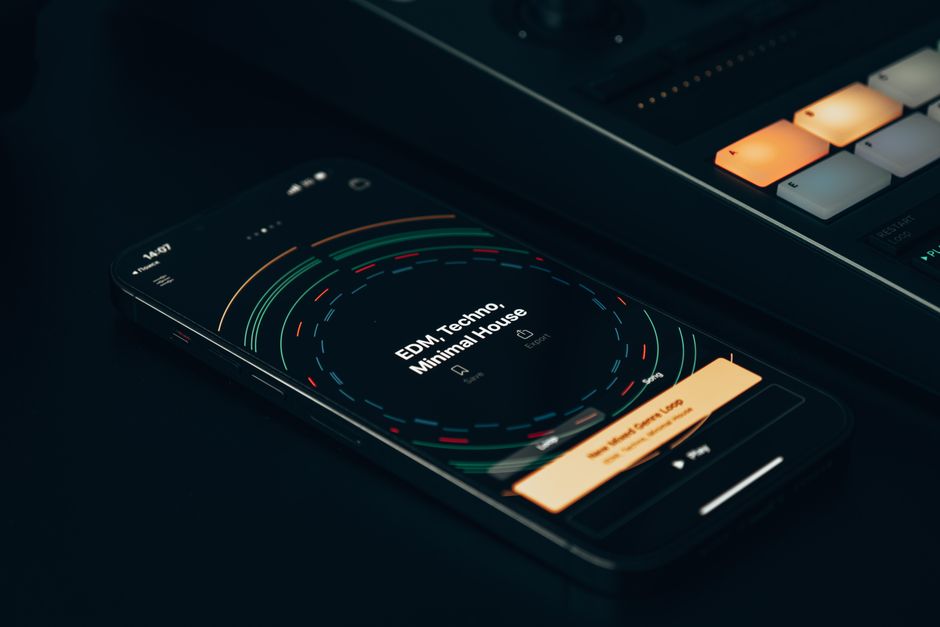
Discover the top mobile music production apps for 2026. Our in-depth comparison of GarageBand and FL Studio Mobile helps you choose the best DAW for your mobile studio.
The landscape of music creation has been dramatically transformed by mobile technology. Gone are the days when a full-fledged studio setup was the only path to producing professional-quality tracks. Today, a powerful digital audio workstation (DAW) can fit right in your pocket, empowering artists to capture inspiration wherever it strikes. As we navigate late 2026, the options for mobile music production are more sophisticated and capable than ever before.
For many aspiring and established producers, the choice often boils down to two titans in the mobile space: Apple’s ubiquitous GarageBand and Image-Line’s versatile FL Studio Mobile. Both offer distinct advantages, catering to different workflows and ecosystems. This article by ComparisonMath will dive deep into the 2026 iterations of these two popular platforms, helping you determine which one is the ultimate tool for your mobile music-making journey.
Whether you’re an iOS loyalist embedded in Apple’s ecosystem or a cross-platform creator seeking flexibility and advanced features, understanding the nuances of GarageBand and FL Studio Mobile in their current forms is crucial. We’ll examine their capabilities, pricing, user experience, and overall value, ensuring you make an informed decision for your 2026 productions.
| Feature | GarageBand (2026) | FL Studio Mobile (2026) |
|---|---|---|
| Price | Free (iOS, iPadOS, macOS) | $19.99 USD (one-time purchase per platform, with optional IAPs) |
| Platforms | iOS, iPadOS, macOS | iOS, Android, Chrome OS, Windows |
| Ease of Use | Excellent for beginners, intuitive interface | Moderate for beginners, powerful for experienced users |
| Instruments/Sounds | Extensive built-in library, Smart Instruments, Loops | Vast library, sampler, synthesisers, import capabilities |
| Effects | Solid range of built-in effects, Audio Unit support | Comprehensive suite, robust mixing console, customisable |
| MIDI Support | Full MIDI controller support, intuitive piano roll | Advanced MIDI editor, extensive CC automation |
| Audio Recording | Multi-track audio, vocal tuning, external interface support | Multi-track audio, latency compensation, advanced editing |
| Export Options | MP3, AAC, uncompressed WAV, iCloud integration, direct to Logic Pro | WAV, MP3, FLAC, MIDI, direct to FL Studio desktop |
| Advanced Features | Live Loops, Drummer, AI-assisted mastering (basic) | Automation, mixer channels, effect sends, advanced routing, AI-powered stem separation |
| Ecosystem | Seamless Apple integration, iCloud, Airdrop, Logic Pro X | Image-Line ecosystem, project compatibility with desktop FL Studio |
Apple’s GarageBand continues its reign as the quintessential entry point into mobile music production for iOS and iPadOS users. As of late 2026, it remains a powerful, free application that leverages Apple’s robust hardware and intuitive software design. Its strength lies in its approachability, making complex music-making processes accessible to absolute beginners while still offering tools for more seasoned producers.
The interface is famously clean and uncluttered, designed to work seamlessly with touch gestures. New for 2026 are enhanced haptic feedback controls, making instrument playing and parameter adjustments feel even more natural on compatible devices. GarageBand’s Smart Instruments, which allow users to play complex chords and rhythms with minimal effort, have seen significant updates, including new genre-specific templates and more dynamic performance options.
GarageBand’s instrument library is extensive and high-quality, featuring a wide array of virtual drums, keyboards, guitars, and orchestral sounds. The Live Loops feature, a grid-based approach to arranging and performing, has received new AI-powered suggestions for loop combinations and transitions, making real-time performance and composition more fluid. Audio recording capabilities are top-notch, supporting multiple tracks and external audio interfaces, with an improved vocal tuning algorithm introduced in the iOS 19 update.
For those looking to expand, GarageBand supports Audio Unit Extensions (AUv3), allowing users to integrate third-party instruments and effects directly into their projects. This expands its sonic palette significantly. Project files can be easily transferred to Apple’s professional-grade DAW, Logic Pro X, for further refinement and mastering, offering a seamless upgrade path for growing artists.
Pricing: GarageBand is completely free to download and use on all compatible Apple devices (iOS, iPadOS, macOS). There are no hidden fees or in-app purchases required for its core functionality, though some third-party AUv3 plugins may incur costs.
FL Studio Mobile, developed by Image-Line, stands as a powerhouse of mobile music production, favored by those seeking a more comprehensive and desktop-like DAW experience on their portable devices. Unlike GarageBand, FL Studio Mobile is a cross-platform solution available on iOS, Android, Chrome OS, and Windows, offering unparalleled flexibility for users who operate across different ecosystems.
The 2026 iteration of FL Studio Mobile boasts a significantly refined user interface, making its deep feature set more accessible without sacrificing power. It still maintains a steep learning curve compared to GarageBand, but the latest UI/UX enhancements have streamlined workflows, particularly in the mixer and piano roll editors. The core strength of FL Studio Mobile lies in its powerful sequencer, advanced mixer, and extensive array of built-in instruments and effects.
Producers will appreciate the fully-featured piano roll, complete with extensive MIDI editing capabilities, including micro-tuning and advanced automation for almost every parameter. The sampler is robust, allowing for detailed manipulation of audio samples, and its range of synthesisers (like DirectWave, MiniSynth, and GMS) offers immense sound design potential. New for 2026 is an integrated AI-powered stem separation tool, allowing users to isolate vocals, drums, and instruments from existing audio tracks directly within the app.
Its mixing console is surprisingly deep for a mobile app, featuring a full suite of effects per track, including reverbs, delays, EQs, compressors, and more. Users can create complex signal chains and automate practically any parameter. Project compatibility with its desktop counterpart, FL Studio, is a major advantage, allowing seamless transfer of projects between mobile and desktop for continued work.
Pricing: FL Studio Mobile typically costs $19.99 USD for a one-time purchase on each platform (iOS, Android, Chrome OS, Windows). While the core app is robust, Image-Line also offers various in-app purchases (IAPs) for additional instrument packs, samples, and effects, which can enhance the creative toolkit for serious producers.
Deciding between GarageBand and FL Studio Mobile in 2026 hinges primarily on your operating system, budget, experience level, and creative ambitions. Both are excellent choices, but they cater to distinct user profiles.
For Apple Ecosystem Users & Beginners: If you own an iPhone or iPad and are new to music production, GarageBand is an undeniable starting point. Its zero cost, intuitive interface, and immediate access to high-quality sounds mean you can start creating within minutes. The seamless integration with other Apple services and the straightforward upgrade path to Logic Pro X make it perfect for those who want to grow within the Apple ecosystem.
For Cross-Platform Producers & Advanced Users: If you work across multiple operating systems (e.g., an Android tablet for production and a Windows PC for mixing) or demand a more robust, desktop-like DAW experience, FL Studio Mobile is the superior choice. Its one-time purchase price grants access to a powerful set of tools that rivals many entry-level desktop DAWs. The advanced MIDI editing, comprehensive mixer, and deep synthesis capabilities cater to producers who crave granular control and complex arrangements.
Consider your long-term goals. If mobile music production is a casual hobby or a stepping stone to a desktop Apple setup, GarageBand’s simplicity and cost-effectiveness are compelling. If you foresee pushing the boundaries of mobile production, require sophisticated mixing and mastering tools, or need to collaborate seamlessly between different devices and the desktop FL Studio, the investment in FL Studio Mobile will pay dividends.
Also, evaluate your commitment to learning. GarageBand has a minimal learning curve, allowing instant creativity. FL Studio Mobile, while significantly improved in 2026, still requires more dedication to master its extensive features. However, for those willing to invest the time, the creative possibilities are virtually limitless.
Q: Can I use external MIDI controllers with both apps in 2026?
A: Yes, both GarageBand and FL Studio Mobile offer robust support for external MIDI controllers via USB or Bluetooth. You can connect keyboards, drum pads, and other controllers to enhance your playing and recording experience.
Q: Is it possible to share projects between mobile and desktop versions for both apps?
A: GarageBand projects can be directly opened in Logic Pro X on macOS, offering a seamless transition for Apple users. FL Studio Mobile projects can be opened and continued in the full desktop version of FL Studio, making it excellent for cross-platform workflows. This cross-compatibility is a major strength for both in 2026.
Q: Do these apps support audio interfaces for higher quality recording?
A: Absolutely. Both GarageBand and FL Studio Mobile are fully compatible with external audio interfaces, allowing you to record microphones, guitars, and other instruments with professional-grade audio quality, especially crucial for multi-track vocal and live instrument recording.
Q: What are the primary differences in the included sound libraries?
A: GarageBand provides a well-curated, high-quality collection of loops, instruments, and samples, with a focus on ease of use and immediate gratification. FL Studio Mobile offers a vast and deep library of sounds, including many synthesiser presets, drum kits, and samples, often leaning towards electronic and urban music genres, with more potential for customisation and sound design. Both are excellent, but FL Studio Mobile offers more granular control over its sound sources.
After a comprehensive review of GarageBand and FL Studio Mobile in late 2026, the verdict isn’t about a single “best” app, but rather the best app for you. Both have evolved significantly, offering professional-grade features that redefine mobile music production.
For the iOS/iPadOS user seeking a free, intuitive, and immediate creative outlet, GarageBand is the clear winner. Its seamless integration into the Apple ecosystem, powerful yet simple Smart Instruments, and Live Loops, combined with its zero-cost barrier to entry, make it an unparalleled tool for beginners and those who value a streamlined workflow. If your goal is to quickly capture ideas or learn the basics of production on an Apple device, GarageBand remains unmatched.
However, for the advanced mobile producer, the cross-platform creator, or anyone craving a desktop-DAW-level feature set on the go, FL Studio Mobile is the triumphant choice. Its robust mixer, advanced MIDI editing, comprehensive effects, powerful synthesisers, and crucial cross-platform compatibility – especially with the desktop FL Studio – offer a depth and flexibility that GarageBand, despite its strengths, simply doesn’t match. The $19.99 one-time investment is a small price for the professional-grade capabilities it unlocks, particularly with its 2026 AI-powered tools and refined UI.
Ultimately, your decision should align with your device preference, budget, experience, and aspirations. Both GarageBand and FL Studio Mobile empower creators to make incredible music on the go; the better choice is the one that best fits into your unique workflow and creative vision for 2026 and beyond.
Prices and features mentioned are accurate as of the date of publication. Always check the official provider website for the most current pricing and availability.




