Physical Address
304 North Cardinal St.
Dorchester Center, MA 02124
Physical Address
304 North Cardinal St.
Dorchester Center, MA 02124

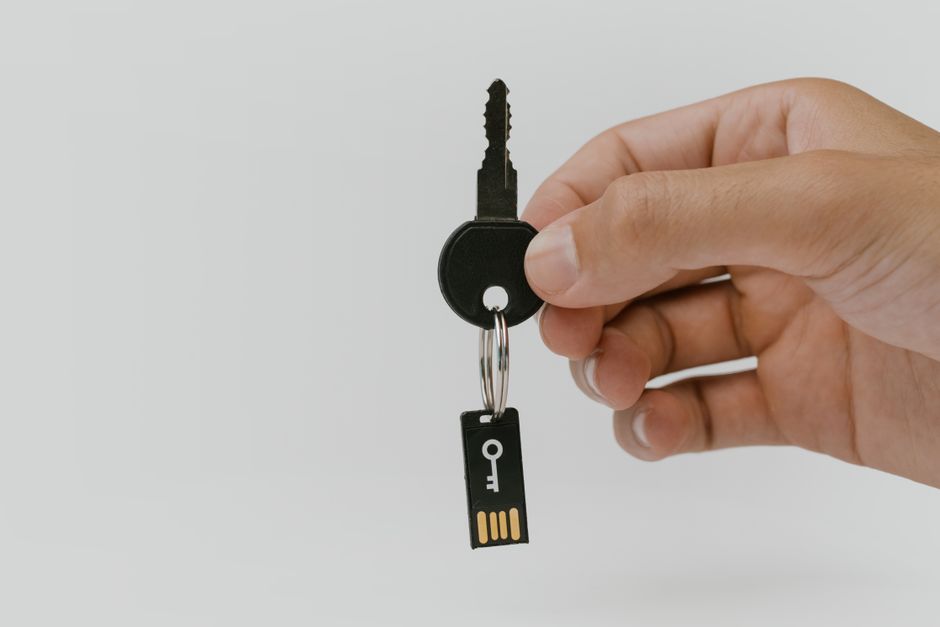
Compare YubiKey 5C NFC, Google Titan, and YubiKey C Bio in 2026. Find the best physical security key for your budget, compatibility, and biometric needs.
\n
In 2026, the cybersecurity landscape has evolved to a point where traditional passwords and basic multi-factor authentication (MFA) are no longer enough to protect your digital identity. The meteoric rise of sophisticated, generative AI-driven phishing attacks has made SMS codes and even standard mobile authenticator apps highly vulnerable to real-time interception. Sophisticated bad actors can easily trick users or compromise transit networks to bypass these older security layers. Consequently, hardware security keys have transitioned from being a tool reserved for high-security enterprise IT departments to an essential safeguard for everyday internet users, remote professionals, and cryptocurrency investors.
\n
Hardware security keys provide \”phishing-resistant\” MFA. They operate on public-key cryptography and are physically bound to the specific domain you are attempting to access. If you accidentally navigate to a convincing lookalike phishing site, a physical key will refuse to authenticate because the domain name does not match the registered cryptographic credential. This physical separation of credentials completely eliminates the risk of remote credential harvesting, making it virtually impossible for attackers to hijack your accounts from afar.
\n
In this guide, we compare the top three hardware security keys available in 2026: the YubiKey 5C NFC, the Google Titan Security Key (USB-C + NFC), and the YubiKey C Bio. Each of these devices brings a unique set of features, form factors, and pricing to the table. Whether you are looking for absolute enterprise-grade versatility, a cost-effective path to passwordless passkeys, or the high-tech luxury of on-device biometrics, this comprehensive comparison will help you determine the best key to lock down your digital life.
\n\n
\n
Below is a quick overview of the key specifications, pricing, and features of the three contenders in 2026. This side-by-side comparison highlights the core differences in price points, connectivity, and protocol support.
\n
| Feature | YubiKey 5C NFC | Google Titan (USB-C + NFC) | YubiKey C Bio (FIDO Edition) |
|---|---|---|---|
| Price (MSRP) | $58.00 | $35.00 | $98.00 |
| Physical Interface | USB-C and NFC | USB-C and NFC | USB-C Only |
| Biometrics | No (Requires PIN) | No (Requires PIN) | Yes (On-Device Fingerprint Sensor) |
| Passkey Storage Capacity | 100 resident credentials | 250 resident credentials | 100 resident credentials |
| Supported Protocols | FIDO2/WebAuthn, FIDO U2F, Smart Card (PIV), Yubico OTP, HOTP/TOTP, OpenPGP, Static Password | FIDO2/WebAuthn, FIDO U2F | FIDO2/WebAuthn, FIDO U2F |
| Water/Dust Resistance | IP68 Rated | Rugged (No formal IP rating) | IP68 Rated (sensor must be dry) |
| Best For | Power users, IT professionals, enterprise-grade versatility | Budget-conscious users, general consumer passkey storage | Frictionless, PIN-free desktop biometric security |
\n\n
\n
\n
The YubiKey 5C NFC remains the gold standard in the hardware security market in 2026, commanding a price of $58.00. This key is the absolute champion of versatility. It features dual connectivity, sporting a rugged USB-C connector on one end and Near Field Communication (NFC) capabilities built into its core. This dual-interface design ensures that whether you are logging into a modern laptop, an iPad Pro, or tapping your key against an iPhone or Android smartphone, the YubiKey 5C NFC works seamlessly without requiring physical adapters.
\n
What truly sets the YubiKey 5C NFC apart from its competitors is its exhaustive protocol support. It is not just limited to modern FIDO2 and WebAuthn standards; it also speaks legacy security languages. It supports Smart Card emulation (PIV), Yubico OTP, challenge-response, HOTP/TOTP (via the Yubico Authenticator app), OpenPGP, and static passwords. This massive protocol portfolio means it can protect everything from your casual Gmail account to enterprise-level SSH terminals, legacy corporate VPNs, and local computer logins across macOS, Windows, and Linux. For system administrators, developers, and power users, this deep level of integration is completely irreplaceable.
\n
In terms of physical design, the YubiKey 5C NFC is practically indestructible. It is molded from glass-fiber reinforced plastic, has no moving parts, requires no battery, and features a sealed IP68 dust- and water-resistance rating. It is designed to live on your everyday keychain, easily surviving drops, steps, and washing machine cycles. If you want a single, incredibly rugged key that can secure any account, legacy or modern, across any device, this is the premium benchmark.
\n\n
\n
If you are looking for an affordable, highly functional entryway into hardware MFA, the Google Titan Security Key (specifically the USB-C + NFC version) is an extraordinary value at just $35.00. Google has streamlined its lineup to focus exclusively on FIDO2/WebAuthn and FIDO U2F protocols, making it a pure-play modern credential manager. Physically, it is slightly bulkier than Yubico\’s sleek offerings, but it features a clean white plastic casing and a dedicated physical button on the body that you press to register your physical presence.
\n
The Titan\’s standout feature in 2026 is its massive passkey storage capacity. While Yubico\’s standard keys limit you to 100 resident credentials, the Google Titan key can store up to 250 resident passkeys. This makes it a stellar choice for general consumers who want to go completely passwordless across a vast array of websites. Passkeys are local cryptographic credentials stored directly on the key\’s secure chip, and having space for 250 means you are highly unlikely to ever run out of storage space, even if you secure every single online account you own.
\n
However, the budget price does come with some notable trade-offs. The Google Titan Key lacks support for legacy protocols such as OTP, OpenPGP, or Smart Card emulation, so it cannot be used for complex IT administration tasks or older corporate networks. Furthermore, Google does not provide a robust desktop companion app. Managing your passkeys—specifically deleting individual keys when you no longer need them—can be clunky and depends on your operating system\’s native settings rather than a centralized utility. Despite these software limitations, it is the best-value physical key for standard users who primarily operate within Google, Microsoft, and modern consumer web ecosystems.
\n\n
\n
For those who despise typing PINs and crave the ultimate frictionless login experience, the YubiKey C Bio (FIDO Edition) stands as the luxury pinnacle of Yubico\’s lineup, priced at $98.00. Rather than featuring the standard gold contact point found on other YubiKeys, the Bio series integrates a circular capacitive fingerprint reader directly onto the key\’s body. When authenticating, instead of typing a long PIN on your keyboard, you simply plug in the key and touch your registered finger to the sensor. A multi-color LED indicator provides real-time feedback on fingerprint recognition.
\n
The biometric templates are processed and stored exclusively in a secure element onboard the key itself; they are never transmitted to your host computer or any network, guaranteeing complete biological privacy. The primary advantage here is user experience. Biometric authentication speeds up the login process significantly, particularly in environments where you find yourself unlocking secure portals dozens of times a day. If your fingerprint fails to register—perhaps due to moisture or grease—the key easily falls back to your standard FIDO2 PIN.
\n
Despite its premium price tag, the YubiKey C Bio is highly specialized and actually has fewer features than the cheaper YubiKey 5C NFC. First, it completely lacks NFC, meaning you cannot tap-and-login on mobile phones; it is designed primarily as a desktop-first tool. Second, the retail FIDO Edition is limited strictly to FIDO2/WebAuthn and FIDO U2F standards, meaning no native OTP, OATH-TOTP, or OpenPGP support. It is a highly secure, beautifully engineered, single-purpose biometric tool that trades legacy functionality and mobile tap convenience for the sake of top-tier fingerprint access control.
\n\n
\n
Choosing the right hardware security key in 2026 depends heavily on your daily workflow, the devices you use, and your budget. With so many advanced options on the market, it is vital to balance physical convenience with protocol compatibility. Here is how to break down your decision:
\n
1. Consider Your Ecosystem and Protocols: If you are a developer, system administrator, or enterprise user, the YubiKey 5C NFC is almost mandatory. Its support for Smart Card (PIV) login, OpenPGP, and Yubico OTP means it can bridge the gap between modern cloud services and legacy terminal environments. Conversely, if you only need to secure modern consumer platforms like Google, Microsoft, social media, and financial accounts, the Google Titan or YubiKey C Bio will suffice, as these platforms exclusively use FIDO2/WebAuthn standards.
\n
2. Assess Mobile Compatibility: Do you frequently log into secure accounts from your smartphone? If so, you need a key with NFC capabilities. Both the YubiKey 5C NFC and the Google Titan (USB-C + NFC) allow you to authenticate on your phone simply by tapping the key against the back of your device. The YubiKey C Bio completely lacks NFC, which severely limits its utility on mobile devices, making it a poor choice for people who work heavily on the go.
\n
3. Budget vs. Luxury: If you are securing a large household or purchasing backup keys (which is highly recommended), the $35.00 Google Titan is the logical economic choice. You can buy two Titan keys for nearly half the price of a single biometric key. However, if budget is not an issue and you want a premium, PIN-free desktop authentication experience that integrates seamlessly with Windows Hello or macOS login, the $98.00 YubiKey C Bio provides an unmatched level of convenience.
\n\n
\n
\n
If you lose your primary hardware security key, you will be locked out of your accounts unless you have configured a backup authentication method. This is why security experts strongly recommend buying keys in pairs. When setting up your accounts, register a \”primary key\” (which goes on your keyring) and a \”backup key\” (which you store in a secure safe at home). If your primary key is lost or stolen, you can simply retrieve your backup key to log in and subsequently deregister the lost key from your account settings.
\n\n
\n
Yes, both the YubiKey 5C NFC and the Google Titan (USB-C + NFC) work seamlessly with iOS and Android. They leverage built-in NFC antennas to transmit the cryptographic handshake wirelessly. You simply tap the key against the top-rear of your phone when prompted. The YubiKey C Bio can also be plugged directly into modern iPhones and Android devices that feature a USB-C port, but it does not support wireless NFC taps.
\n\n
\n
Biometric keys do not necessarily offer \”stronger\” cryptography than standard keys, but they do offer superior physical defense and convenience. With a standard key, an attacker who physically steals your key and knows your PIN could theoretically access your accounts. With the YubiKey C Bio, the attacker would need your physical finger to authenticate, rendering a stolen key useless. Additionally, it eliminates the threat of someone \”shoulder surfing\” to spy on you as you type your PIN.
\n\n
\n
Absolutely. You do not need a separate physical key for every website. A single key can be registered to an unlimited number of accounts for standard 2FA (where the key just acts as a second factor). For \”passwordless\” logins (resident credentials/passkeys), there are physical limits: the YubiKey 5C NFC and YubiKey C Bio can store up to 100 resident passkeys, while the Google Titan can store an impressive 250 resident passkeys.
\n\n
\n
For the vast majority of users in 2026, the overall winner is the YubiKey 5C NFC. At $58.00, it strikes the ultimate balance between rugged physical durability, dual-interface compatibility (USB-C and NFC), and an unrivaled suite of protocol integrations. It is a future-proof investment that handles modern passkeys and legacy credentials with equal grace, backed by Yubico\’s industry-leading software support.
\n
However, if your primary goal is maximizing your budget while moving away from passwords, the Google Titan Security Key is a phenomenal runner-up. At just $35.00, its massive 250-passkey storage capacity is industry-leading, making it the perfect everyday consumer key. Finally, the YubiKey C Bio remains a highly specialized, premium option. While its $98.00 price tag and lack of NFC make it less practical for mobile-heavy users, it offers an incredibly slick, highly secure biometric login experience for desktop professionals who want to eliminate typing PINs entirely.
Prices and features mentioned are accurate as of the date of publication. Always check the official provider website for the most current pricing and availability.




