Physical Address
304 North Cardinal St.
Dorchester Center, MA 02124
Physical Address
304 North Cardinal St.
Dorchester Center, MA 02124

Welcome to the definitive comparison of two standout laptops of 2025: the Chromebook Plus and the MacBook Air M4. Whether you’re a student on a budget, a professional needing premium performance, or someone in between, this guide will break down every aspect of these devices—from design to battery life—to help you decide which is the right pick. At ComparisonMath.com, we base our analysis on specs, benchmarks, user reviews, and insights from trusted sources like PCMag, TechRadar, and CNET. Let’s dive into the Chromebook Plus vs MacBook Air M4 showdown and see which laptop comes out on top.
In 2025, the laptop market is more competitive than ever, with affordable yet powerful options like the Chromebook Plus (Google’s AI-enhanced Chrome OS lineup) going head-to-head with premium ultraportables like the MacBook Air M4 (featuring Apple’s cutting-edge M4 chip). This comparison of Chromebook Plus vs MacBook Air M4 aims to answer one key question: Which laptop offers the best value and performance for your needs? We’ve analyzed everything from design to software ecosystems to provide a clear verdict. Whether you’re searching for the best laptops 2025 or weighing Chromebook Plus review 2025 against MacBook Air M4 specs, this guide has you covered.
The Chromebook Plus series, offered by brands like Acer, Lenovo, and HP, focuses on lightweight, practical designs. Most models weigh around 2.5-3 pounds, with plastic or mixed-metal chassis that balance durability and affordability. Keyboards are comfortable for long typing sessions, though trackpads can vary in quality across manufacturers.
The MacBook Air M4 continues Apple’s legacy of premium design with its unibody aluminum construction, weighing just 2.7 pounds in the 13-inch model. Available in sleek colors like Midnight and Starlight, it’s one of the thinnest laptops at 0.44 inches. The Magic Keyboard and Force Touch trackpad remain industry-leading for precision and comfort.
While the Chromebook Plus offers solid portability for budget buyers, the MacBook Air M4 wins in premium build and aesthetics. If durability and a high-end feel matter most, Apple takes the lead; for practical, lightweight options, Chromebook Plus holds its own.
Most Chromebook Plus models feature 14-inch Full HD (1920×1080) displays with decent brightness (around 250-300 nits). Higher-end variants may offer touchscreens. Audio is functional, with stereo speakers and AI-enhanced noise cancellation for video calls.
The MacBook Air M4 boasts a 13.6-inch Liquid Retina display (2560×1664) with 500 nits brightness and True Tone technology for adaptive color. Its quad-speaker system with Spatial Audio delivers richer sound compared to most competitors.
For multimedia consumption and video calls, the MacBook Air M4 clearly outshines with a sharper, brighter screen and better audio. The Chromebook Plus is adequate for basic tasks but lacks the same polish.
The Chromebook Plus lineup often includes Intel Core i3 or i5 processors (12th/13th Gen) with 8-16GB RAM and 128-512GB SSD storage. Google’s Gemini AI integration enhances productivity with features like summarization and image generation. It’s optimized for web-based tasks and light multitasking.
Powered by the new MacBook Air M4 chip, this laptop offers an 8-core CPU, up to 10-core GPU, and a 16-core Neural Engine for AI tasks. With 8-24GB of unified memory and 256GB-2TB SSD options, it excels in video editing, coding, and creative workflows.
Benchmarks show the MacBook Air M4 dominating in raw power—Geekbench scores suggest it’s nearly twice as fast as mid-tier Chromebook Plus models in multi-core tasks. For Chromebook Plus gaming, lightweight titles via cloud gaming work fine, but the M4 handles native apps and heavier loads better. Choose Chromebook for simplicity, MacBook for performance. Chromebook Plus vs MacBook Air M4 Specs Comparison
| Feature | Chromebook Plus (Mid-Tier) | MacBook Air M4 (Base) |
|---|---|---|
| Processor | Intel Core i3/i5 | Apple M4 (8-core CPU) |
| RAM | 8-16GB | 8-24GB Unified |
| Storage | 128-512GB SSD | 256GB-2TB SSD |
| Starting Price | $499 | $1,099 |
The Chromebook Plus battery life is a strong suit, often lasting 10-12 hours on a single charge for web browsing, thanks to Chrome OS’s efficiency. Many models support fast charging, reaching 50% in about 30 minutes.
Apple claims up to 18 hours of video playback for the MacBook Air M4, with real-world tests averaging 14-16 hours under mixed usage. The M4 chip’s power efficiency is a standout.
While both offer impressive endurance, the MacBook Air M4 edges out with longer battery life for demanding tasks. For lighter workloads, the Chromebook Plus keeps up admirably.
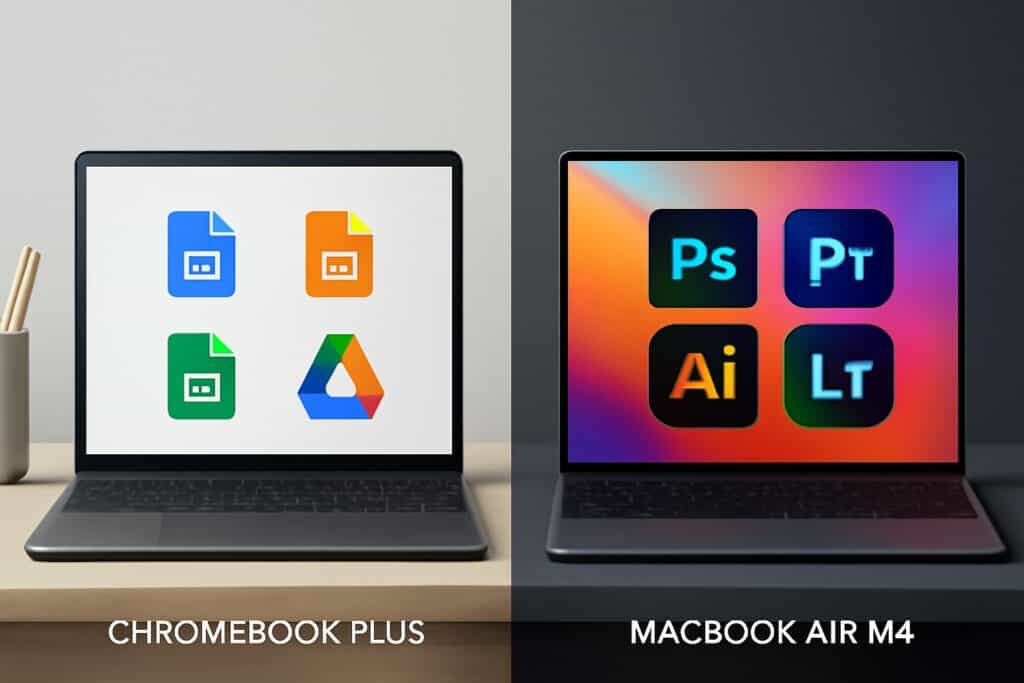
Chrome OS on the Chromebook Plus is lightweight, web-centric, and integrates seamlessly with Google Workspace (Docs, Sheets). It’s ideal for cloud-based workflows. macOS on the MacBook Air M4 offers a robust app ecosystem, tighter security, and features like Apple Intelligence for AI-driven tasks.
If you’re in the Google ecosystem, the Chromebook Plus feels like home. For Apple users or those needing desktop-grade software, macOS is unmatched. This Chrome OS vs macOS debate often comes down to personal preference and existing device synergy.
Most models offer 2-3 USB-C ports (some with charging), USB-A, headphone jacks, and microSD slots. Wi-Fi 6 and Bluetooth 5.2 are standard.
The MacBook Air M4 has two Thunderbolt/USB 4 ports, a MagSafe charging port, and a headphone jack. It supports MacBook Air M4 external displays (up to two 5K monitors with lid closed). Wi-Fi 6E offers faster connectivity.
The Chromebook Plus is more versatile for legacy peripherals, while the MacBook Air M4 prioritizes modern standards and display expansion.
Starting at around $499 for base models (with premium variants near $799), the Chromebook Plus is a budget champion. It delivers solid performance for the cost, especially for students or casual users.
The MacBook Air M4 starts at $1,099 for the 13-inch base model, with upgrades pushing it past $1,500. It’s a premium investment for long-term use.
The Chromebook Plus vs MacBook Air M4 price difference is stark—over $600 at base levels. For budget laptop comparisons, Chromebook wins on affordability; for longevity and power, MacBook offers better value.
After a deep dive into Chromebook Plus vs MacBook Air M4, the winner depends on your priorities. If budget and simplicity are key—especially for students or casual users—the Chromebook Plus is the best pick with its affordability and solid Chromebook Plus battery life. For professionals, creatives, or Apple ecosystem users, the MacBook Air M4 is worth the splurge for its unmatched MacBook Air M4 performance, design, and longevity.
If neither fits, consider alternatives like Windows ultrabooks (e.g., Dell XPS 13) for a middle ground. Check the latest deals and reviews on ComparisonMath.com to finalize your choice!
Yes, for most students, the Chromebook Plus is better due to its lower cost (starting at $499) and seamless integration with Google Workspace for schoolwork. It’s ideal for web-based tasks and note-taking.
The MacBook Air M4 generally offers longer battery life (up to 18 hours) compared to the Chromebook Plus (10-12 hours), especially under mixed or heavy usage. For light tasks, both are competitive.
For Chromebook Plus gaming, cloud-based options like Google Stadia work, but it’s not suited for intensive titles. The MacBook Air M4 handles light native gaming and productivity apps (e.g., Final Cut Pro) far better, making it the superior choice for mixed workloads.
Prices and features mentioned are accurate as of the date of publication. Always check the official provider website for the most current pricing and availability.




